
Ever found yourself wishing your AI assistant would just do the thing, instead of writing you a polite four-paragraph plan about how you could do it yourself? Yeah, you and most of the internet.
That’s basically the itch OpenClaw is trying to scratch. And judging by its rocket-ship growth on GitHub, it’s scratching it for a lot of people.
If you’ve been hearing the name pop up on Reddit, in Discord servers, or in those late-night “what’s everyone using now?” threads, this guide will clear things up. We’ll cover what OpenClaw actually is, why developers keep calling it the first real “Jarvis,” how it’s different from ChatGPT or Claude, what it can (and can’t) do, and the security side that nobody talks about until something goes sideways.
Let’s get into it.
What Is OpenClaw?
OpenClaw is a free, open-source, self-hosted AI agent. You install it on your own computer, a Mac mini sitting on your desk, a beefy Linux box in the closet, a tiny Raspberry Pi, even a cheap VPS and it runs quietly in the background, 24/7, like a long-running daemon.
It connects to large language models (Claude, GPT, DeepSeek, or local ones via Ollama) on one side, and to the messaging apps you already live in — WhatsApp, Telegram, Slack, Discord, Signal, iMessage — on the other. You text it like you’d text a friend, and it gets stuff done.
Here’s the thing that’s hard to appreciate until you actually see it: OpenClaw isn’t a chatbot. Chatbots wait. OpenClaw acts. It can run shell commands, control your browser, read and write files, hit APIs, schedule itself with cron, and yes — message you first when something needs your attention.
It was originally created by Austrian developer Peter Steinberger (the founder behind PSPDFKit) in November 2025, and went through a pretty entertaining naming journey: Clawdbot → Moltbot → OpenClaw. The middle rename happened after Anthropic raised some trademark concerns. The final rename happened, in Steinberger’s own words, because “Moltbot never quite rolled off the tongue.”
It’s released under the MIT license, written in TypeScript and Swift, and as of now sits at well over 145,000 GitHub stars with 20,000+ forks. Not bad for a project that’s barely a few months old.
Quick Heads-Up: There Are Actually Two OpenClaws
This part trips people up constantly, so let’s address it before you go down a rabbit hole.
If you Google “OpenClaw” and end up on a page about a side-scrolling pirate cat platformer from 1997 — congrats, you found the other OpenClaw. That one is a community C++ reimplementation of Monolith Productions’ classic Captain Claw game (GitHub: pjasicek/OpenClaw). Cool project. Totally unrelated.
The OpenClaw everyone’s talking about in 2026, the one trending on Hacker News, the one your CTO keeps mentioning — is the AI agent. That’s what this article is about. From here on, when I say “OpenClaw,” I mean the agent.
Why Developers Are Genuinely Obsessed
Let’s be honest, the AI agent space is full of vaporware. Most “agent frameworks” are demos that fall apart the second you ask them to do anything real. So why is OpenClaw different?
A few reasons keep coming up.
It runs on your hardware. No SaaS dashboard, no monthly seat pricing, no rate limits dictated by some company in San Francisco. You bring your own API keys (or your own GPU), you own the data, you control the off-switch.
It actually has hands. Most LLM apps are stuck behind a glass wall — they can talk, but not touch. OpenClaw can execute shell commands, drive a Chromium browser, edit files in your workspace, and call any API you point it at. That changes what’s possible.
It’s proactive. This is the part most people don’t realize. Every 30 minutes (configurable), OpenClaw “wakes up,” reads a file called HEARTBEAT.md, and decides if it should do anything — message you, run a check, kick off a task. It’s the difference between an assistant who waits to be summoned and one who taps you on the shoulder.
It lives where you live. No new app to download. You message OpenClaw the same way you message your group chat. That sounds small. In practice, it’s massive — because the friction of “open the AI app” is what kills most assistant workflows in the first place.
How OpenClaw Actually Works (Without the Hand-Waving)
Strip away the marketing and the architecture is refreshingly simple.
OpenClaw runs as a local Gateway — basically a Node.js process listening on a port on your machine. By default, that port is bound to 127.0.0.1, so nothing on the public internet can talk to it. The Gateway connects outward to two kinds of things: an LLM provider (Claude, GPT-5, DeepSeek, a local Llama model — your call) and your chosen messaging platforms.
When you DM your bot on Telegram, here’s roughly what happens:
- The message hits the Telegram API.
- Telegram pushes it to your local Gateway.
- The Gateway packages your message plus relevant memory (more on that in a sec) and sends it to the LLM.
- The LLM decides what to do — maybe answer directly, maybe call a tool (run a shell command, fetch a webpage, write a file).
- OpenClaw executes the tool, feeds the result back to the LLM, and the loop continues until the task is done.
- You get a reply.
Memory, by the way, isn’t stored in some opaque database. It’s just plain Markdown files in ~/.openclaw/workspace/. You can open them in any text editor. You can version them in Git. You can edit them by hand if the agent learns something wrong. That’s a small design decision with huge implications — your AI’s “brain” is human-readable.
What OpenClaw Can Actually Do
Okay, enough theory. What does this thing do in real life?
Capabilities split into two buckets: built-in tools (always there) and skills (community-built integrations you install).
| Category | Examples | What It Means In Practice |
|---|---|---|
| Shell execution | Run any terminal command | “Pull the latest from main and run the test suite.” |
| File system | Read/write files in workspace | “Summarize all the PDFs in my Downloads folder.” |
| Browser control | Drive Chromium via CDP | “Sign me into the dashboard and grab last week’s metrics.” |
| Cron / scheduler | Recurring tasks | “Every weekday at 7am, send me my morning briefing.” |
| Webhooks | External triggers | Get paged when Stripe sees a chargeback. |
| Multi-agent sessions | Isolated bots per channel | A “research” bot in one Discord, a “ops” bot in another. |
| Heartbeat | Self-initiated runs every 30 min | Check if anything in HEARTBEAT.md needs doing. |
| Skills (700+) | Gmail, GitHub, Spotify, Notion, Hue | Anything with an API, basically. |
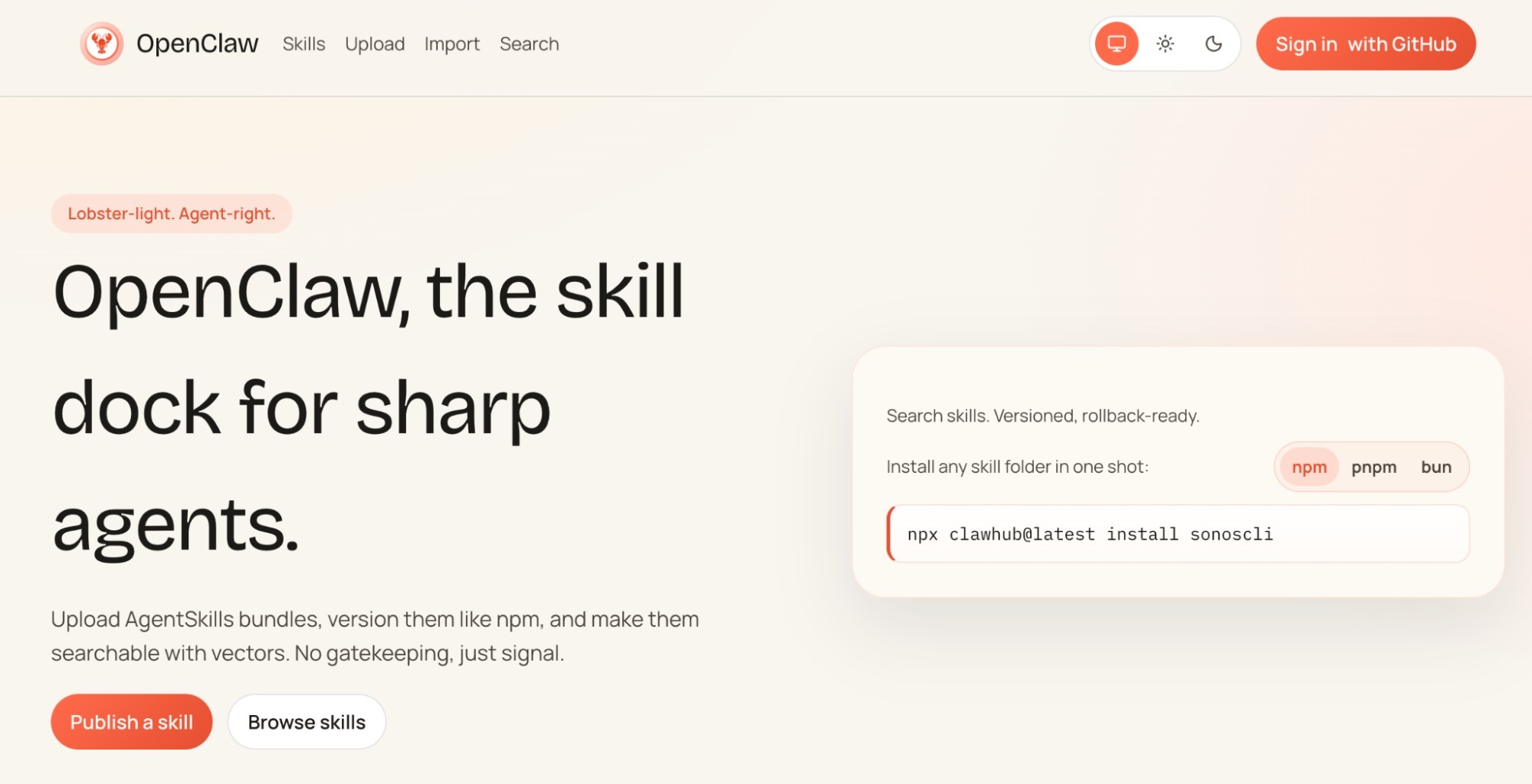
The integrations list is honestly kind of wild. At last count there are 50+ first-party integrations and 700+ community skills in the ClawHub registry, covering Apple Notes, Apple Reminders, Things 3, Notion, Obsidian, Trello, Philips Hue, Elgato, Home Assistant, Gmail, Spotify, Sonos, Twitter/X, Bluesky, GitHub, Replicate, and a long tail of niche stuff.
Real Use Cases (Not Just Demos)
This is where things get interesting. People aren’t just running “hello world” — they’re building genuinely weird and useful workflows. Some patterns I’ve seen pop up over and over:
The overnight researcher. Tell your agent before bed: “Find the top 20 SaaS startups that raised Series A in the last 60 days, get founder names, and draft personalized intros.” Wake up, it’s done. Coffee’s still warm.
The autonomous DevOps buddy. It watches your Sentry logs, opens GitHub issues with a suggested fix, sometimes just opens the PR itself. One developer reportedly had OpenClaw diagnose and patch a memory leak in legacy Ruby code before they’d had breakfast.
The car-buying agent. This one made the rounds — a user told their OpenClaw to buy a car. It scraped Reddit for fair-price discussions, pulled local dealer inventory, emailed dealerships from the user’s Gmail, and negotiated. Closed the deal cheaper than the human probably would have.
Smart home theater. “When I say ‘movie time’ in this Slack channel, dim the Hue lights, switch the Sonos to background mode, and pause Spotify.” OpenClaw doesn’t blink.
Daily morning briefing. A single Markdown file aggregates calendar, weather, top GitHub trending repos, your inbox highlights, and overnight Slack DMs. Sent to WhatsApp at 7:00 AM sharp. From experience, this single workflow alone is worth the setup time.
OpenClaw vs. ChatGPT vs. Claude: What’s the Real Difference?
This question comes up a lot, and honestly, the framing is a little off. They’re not really competing — they’re complementary. OpenClaw uses ChatGPT or Claude under the hood. The “vs” is more about what kind of thing it is.
| ChatGPT / Claude | OpenClaw | |
|---|---|---|
| What it is | A chat interface | An execution runtime |
| Memory | Mostly stateless (some persistent) | Long-term, plain-text Markdown |
| Where it runs | Their cloud | Your hardware |
| What it can touch | Sandboxed tools they choose | Your shell, files, browser, APIs |
| Initiates contact? | No | Yes (heartbeat) |
| Lives in | A web app | WhatsApp, Telegram, Slack, etc. |
| You bring | A subscription | An API key (or local model) |
Put differently: ChatGPT is a conversation. OpenClaw is an employee. One you trust with your laptop’s password.
That last part is also where things get spicy.
The Security Conversation Nobody Wants to Have
Look, I’d be doing you a disservice if I didn’t bring this up.
Giving an AI shell access to your machine is, by definition, dangerous. You are handing the keys to a probabilistic system that, on rare occasions, hallucinates. Cisco’s AI security research team has already publicly tested third-party OpenClaw skills and found cases of unsanctioned data exfiltration and prompt injection, meaning a malicious skill could siphon off your data without you noticing.
This isn’t OpenClaw being uniquely sketchy. It’s the same problem every powerful agent will have. But it is a problem.
A few practical guardrails I’d push you toward if you’re going to run it:
- Sandbox it. Run OpenClaw in a Docker container, a separate user account, or a dedicated VM. Don’t give it your daily-driver shell unless you really mean it.
- Read every skill before installing. “Community skill” sounds friendly. So does “browser extension.” We all know how that turned out.
- Keep secrets out of the workspace. No raw API keys in plain Markdown. Use a proper secret manager.
- Lock the Gateway down. It binds to localhost by default — keep it that way unless you fully understand SSH tunnels or Tailscale.
- Audit the heartbeat. Don’t write
HEARTBEAT.mdinstructions like “do whatever you think is helpful.” Be specific.
The maintainers themselves recommend you be comfortable with the command line before deploying. Take that seriously. This isn’t a download-and-double-click product.
Who Is OpenClaw Actually For?
Here’s where I’ll be honest with you. OpenClaw is incredible — but it’s not for everyone. Yet.
You’ll love it if you are:
- A developer who already lives in the terminal
- A startup founder trying to wear five hats with two hands
- A power user comfortable editing config files
- Someone running a homelab who already has a Pi or NAS humming somewhere
- An AI builder who wants a runtime to host custom agents on
- A product manager curious about where agentic AI is actually going (this is the canary)
You probably want to wait if you are:
- Looking for a polished, hand-holdy app like Notion AI
- Uncomfortable with the idea of an LLM running shell commands
- On a locked-down corporate laptop where you can’t install Node
- Hoping for a free service (you’ll still pay for LLM API tokens)
There’s a healthy middle path too — DigitalOcean, for example, offers a security-hardened 1-Click OpenClaw Deploy, which gives you an always-on instance without you having to harden a server yourself. Worth looking at if you want the experience without the sysadmin homework.
How to Install OpenClaw (The Short Version)
The official install command is famously short:
curl -fsSL https://openclaw.ai/install.sh | bash
That fetches a script, installs Node.js if needed, pulls the Gateway, and walks you through linking your first messaging app and LLM provider. On a recent Mac mini, the whole thing took me about eight minutes from blank terminal to “Hey OpenClaw, what’s on my calendar tomorrow?”
A word of caution though: piping curl to bash is a controversial habit for a reason. Read the script first. Or — better — clone the official GitHub repo, inspect what it does, and run it deliberately. Future you will thank present you.
Where OpenClaw Fits in the Bigger Picture
Step back for a second. OpenClaw isn’t really winning because it has the best engineering — there are arguably more sophisticated agent frameworks (LangGraph, AutoGen, CrewAI, etc.). It’s winning because it nailed three boring-but-critical product decisions:
- It went where users already are (messaging apps, not yet-another dashboard).
- It assumed you’d want to own your data (local-first, plain-text memory).
- It made the dangerous parts opt-in but not hidden (you have to consciously grant capabilities).
Most agent projects pick one of those three. OpenClaw picked all three at once, and the open-source community responded.
It’s also kind of a referendum on where AI is heading. The “chat in a browser tab” era is closing. The “agents that live in your stack and act on your behalf” era is opening. OpenClaw isn’t the final form of that idea — but it’s currently the loudest one.
Final Thoughts
If you take one thing away from this: OpenClaw is what happens when someone takes the agent idea seriously and ships it without committee polish. It’s rough in places, it’s risky if you’re sloppy, and it can do things that genuinely feel like science fiction when you set it up right.
Will it still be the dominant agent runtime in two years? No idea. The space is moving too fast. But right now, in 2026, if you want to actually experience what an autonomous AI agent can do — not read about it, not watch a demo, use one in your real life — OpenClaw is probably the shortest path there.
Just, you know, sandbox it. Read the skills before you install them. And maybe don’t tell it to buy you a car on the first day.
You May Also Like
 AI Agents
10 Best OpenClaw VPS Hosting Providers in 2026
 AI Agents
Is OpenClaw Safe to Run on Your Local Machine? An Honest Look at the Risks
 AI Agents
Kimi K2.6 Agent Review: Is This Open-Source Beast Actually Worth the Hype?
 Grok AI
How to Use Grok AI: A Practical Guide for Real People Who Actually Want to Get Things Done
 AI Tool Reviews
How to Use ChatGPT for Beginners: The Complete Step-by-Step Guide (2026)
 ChatGPT