
I’ve been creating AI images since the early DALL-E days, back when we got excited about blurry faces and weird hands. So when OpenAI dropped GPT-5 with native image generation built right into ChatGPT, I cleared my weekend. I wanted to see if this was actually different—or just another incremental update with better marketing.
Three weeks and roughly 200 generated images later, I can tell you: this isn’t just different, it’s the first time I’ve felt like I’m collaborating with the AI rather than fighting it. The text actually looks like text. The hands have five fingers. And when I say “make it more cinematic,” it understands what that means without me needing to paste a paragraph of technical specifications.
But here’s what surprised me most: the prompts that worked best weren’t the ones stuffed with technical jargon. They were conversational. Natural. The kind of thing you’d say to a photographer friend, not a robot. So I’m sharing the 30 ChatGPT photo prompts that gave me the best results—the ones I’ve actually used for client work, social media content, and personal projects.
What Makes GPT-5 Image Generation Actually Different
Before we get to the prompts, you need to understand why your old DALL-E 3 tricks might not work the same way. I learned this the hard way after my first dozen attempts flopped.
Natural language understanding is the game-changer. GPT-5 doesn’t need you to format prompts like “Subject: cat, Style: photorealistic, Lighting: golden hour.” You can literally say, “My cat looked majestic sitting on the windowsill yesterday morning, can you recreate that vibe but make it look like a Renaissance painting?” and it gets it. The model parses intent, not just keywords.
Iterative refinement actually works now. With previous versions, I’d generate an image, spot three things wrong, try to fix them in a new prompt, and end up with three new problems. GPT-5 lets you have a conversation. “Great, but make the background darker.” “Perfect, now add a coffee cup on the table.” “Actually, change the coffee cup to a tea cup.” Each iteration builds on the last without breaking what worked.
Text rendering is finally usable. I generated a book cover with actual readable title text last week. The title was “The Silent Echo” and every letter was correct. If you’ve ever tried to get AI to spell words before, you know this is borderline miraculous.
Multi-turn consistency means you can develop a visual style across multiple images. I created a series of illustrations for a children’s book, and the main character actually looked like the same character in every scene—same face, same outfit colors, same art style. Previous models would subtly (or not-so-subtly) redesign the character every time.
The 30 ChatGPT Image Prompts I Actually Use
I’ve organized these by use case, because I’ve found that’s how people actually search for prompts—not by technical category, but by “what am I trying to make?”
For Social Media Content
These are my go-to prompts when I need scroll-stopping visuals for Instagram, LinkedIn, or Twitter. I’ve tested these specifically for engagement.
1. The Authentic Lifestyle Shot “I need an image of someone working from a cozy coffee shop, but make it feel real—not stock photo perfect. Messy hair, slightly cluttered table, natural window lighting, shot on iPhone aesthetic, warm tones, shallow depth of field.”
Why this works: GPT-5 understands “not stock photo perfect” means avoiding that overly polished look. The “shot on iPhone” reference gives it a specific aesthetic to emulate—slight overexposure in windows, natural grain, candid composition.
2. The Quote Graphic That Doesn’t Look Like a Quote Graphic “Create a moody, atmospheric background image—maybe a foggy forest path or a rainy city street at night—that feels contemplative and quiet. No text, just the image. I want to overlay my own quote later, so leave space in the upper third.”
Why this works: Specifying “no text” prevents the model from adding its own inspirational quotes (which it loves to do). Mentioning where you’ll place text helps it compose the shot with negative space in the right spots.
3. The Carousel Hook “I need the first image of a 5-slide carousel about productivity. Show a desk transformation—from chaotic to organized—but split it visually down the middle. Left side: messy, overwhelming, dark lighting. Right side: clean, minimal, bright natural light. Same desk, same angle, dramatic before/after feel.”
Why this works: GPT-5 handles complex compositional instructions better than previous models. The “same desk, same angle” instruction helps maintain consistency across the split screen.
4. The Personal Brand Portrait “Generate a professional headshot-style image of a [your profession] in their natural work environment. Not looking at camera—candid moment of concentration. Authentic, approachable, not overly corporate. Natural lighting from a window, shallow depth of field, shot with 85mm lens aesthetic.”
Why this works: Specifying “not looking at camera” and “candid” avoids that stiff, posed look. The lens reference helps with the depth of field and compression look.
5. The Infographic Starter “Create a clean, minimalist background for a 5-step process infographic. Soft gradient background in [your brand colors], subtle geometric shapes or abstract elements, plenty of white space in the center where I’ll add text boxes. Modern, professional, not cluttered.”
Why this works: GPT-5 understands “white space” as a design element now. The specific mention of where content will go helps it compose appropriately.
For Marketing & Business
These prompts have saved me hours of stock photo searching and Photoshop work for client projects.
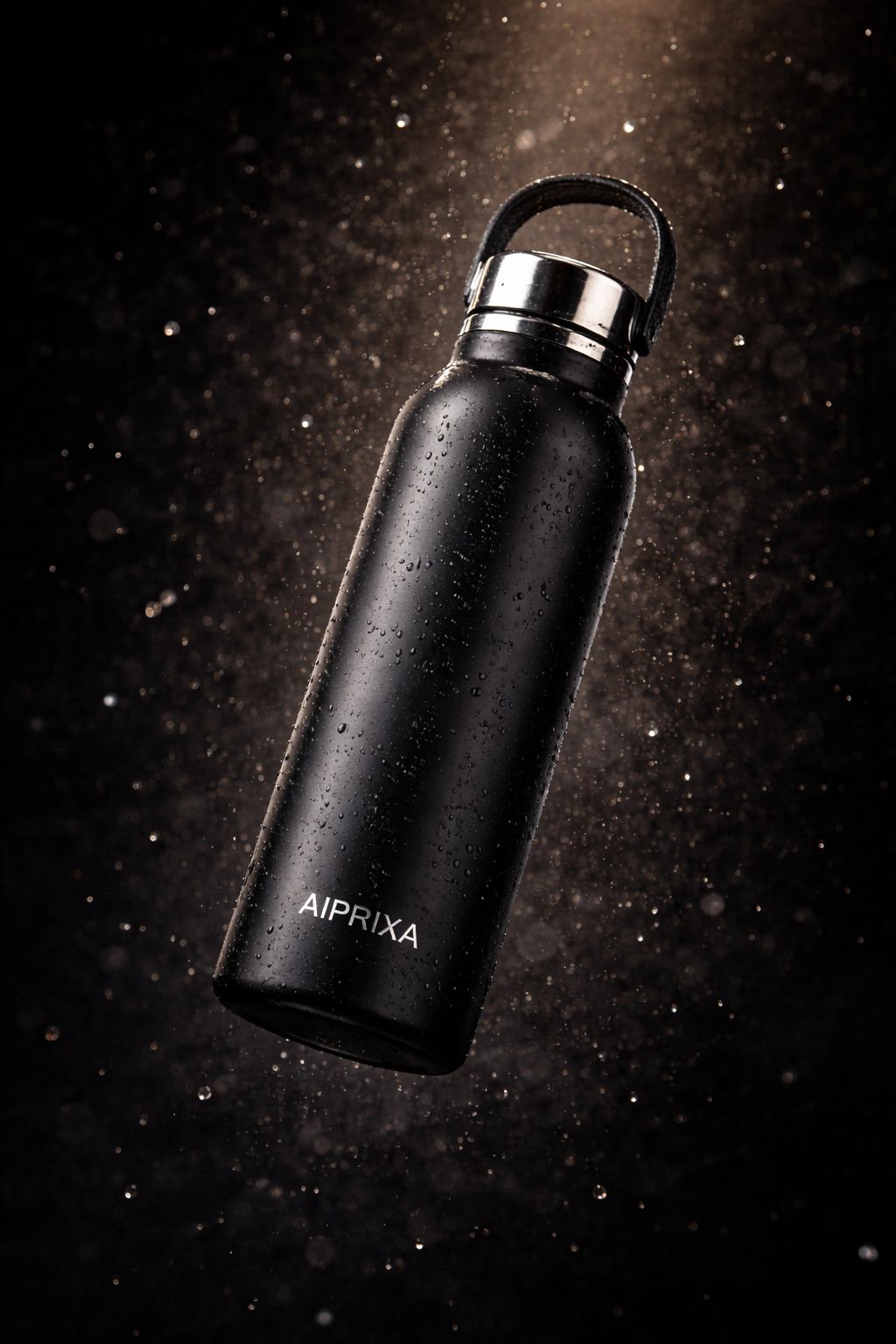
6. The Product Hero Shot “I need a product photography setup for a [describe your product—water bottle, skincare jar, etc.]. Floating in mid-air with dramatic studio lighting, dark background, water droplets or dust particles in the air for texture, professional commercial photography style, high-end luxury feel.”
Why this works: The “floating” instruction creates dynamic composition. Mentioning specific atmospheric effects (water droplets, dust) gives the image texture and depth that flat product shots lack.
7. The Service Visualization “My company offers [describe service—consulting, cleaning, coaching]. Create an image that shows the result of our service, not the service itself. So instead of showing someone cleaning, show the sparkling clean space. Instead of showing a coach talking, show the confident client after the session. Emotional, aspirational, lifestyle photography style.”
Why this works: This prompt leverages GPT-5’s ability to understand abstract concepts like “result” and “aspirational.” It avoids the cliché “person shaking hands” stock photo trap.
8. The Team Diversity Shot (That Doesn’t Look Forced) “Show a group of 4-5 colleagues collaborating around a table, but make it feel authentic. Different ages, different backgrounds, casual professional attire, genuine expressions of engagement with the work (not cheesy smiles at camera), natural office lighting, documentary photography style, captured moment rather than posed.”
Why this works: The “documentary photography style” and “captured moment” instructions help avoid the overly staged diversity stock photo look. Specifying “genuine expressions of engagement” keeps focus on the work, not the camera.
9. The Social Proof Visual “Create an image of a notification or phone screen showing positive feedback—a 5-star review, a thank you message, a success notification. But make it feel real and contextual, not just a floating UI element. Maybe the phone is on a desk with coffee, or someone is holding it with a genuine smile visible. Warm, celebratory, authentic moment.”
Why this works: GPT-5 handles UI elements better now, but the contextual framing (“on a desk with coffee”) makes it feel grounded and real rather than sterile.
10. The Process Behind-the-Scenes “Show the messy reality of [your craft—writing, designing, coding, cooking]. Not the final polished product, but the process. Scattered notes, multiple iterations, coffee cups, focused concentration. Authentic, relatable, slightly gritty. Documentary style, natural lighting, storytelling composition.”
Why this works: “Behind-the-scenes” content performs well because it humanizes brands. GPT-5 understands “messy reality” versus “polished final product.”
For Creative Projects & Art
This is where I’ve had the most fun. GPT-5’s artistic interpretation has genuinely surprised me.
11. The Dream Sequence “I had this weird dream last night about [describe dream elements—floating houses, talking animals, impossible landscapes]. Can you visualize it? Surreal but emotionally coherent, dream logic where things feel symbolic, soft focus, slightly unsettling but beautiful, David Lynch meets Studio Ghibli aesthetic.”
Why this works: Referencing specific directors or styles gives GPT-5 a visual language to work with. “Dream logic” is a concept it interprets well—impossible physics that still feels emotionally true.
12. The Character Portrait (Consistent Series) “Create a character portrait: [describe character—age, style, personality]. [Specific art style—anime, oil painting, pixel art, watercolor]. I need to use this character in multiple scenes later, so remember: [specific distinguishing features—freckles on left cheek, wears red scarf, asymmetrical haircut].”
Why this works: The explicit instruction to remember specific features helps with consistency across future prompts. I follow up with “Now put this character in [new situation]” and it maintains the look.
13. The Album Cover Concept “Design an album cover for a [genre—lo-fi hip hop, indie folk, electronic] album titled ‘[Title]’. The vibe is [mood—melancholic, energetic, nostalgic]. Square format, bold but minimal typography with the title, visual metaphor rather than literal interpretation, iconic and memorable at thumbnail size.”
Why this works: GPT-5 handles text better, so album titles are actually readable now. Specifying “visual metaphor” pushes it toward conceptual art rather than literal scenes.
14. The Book Illustration “I need an illustration for a children’s book scene: [describe scene—child discovering a hidden garden, talking to a friendly dragon, etc.]. Whimsical but not saccharine, detailed enough to reward close looking, soft color palette, [specific art style—Arthur Rackham, modern digital illustration, etc.]. Leave space in the composition for text overlay.”
Why this works: Referencing classic illustrators gives GPT-5 a specific aesthetic anchor. The “space for text” instruction is crucial for book layout.
15. The Mood Board Starter “Generate 4 separate images that share a cohesive aesthetic for a [project—wedding, brand launch, film]. Theme: [specific theme—coastal grandmother, cyberpunk noir, cottagecore]. Consistent color palette of [colors], similar lighting across all four, different subjects but unified mood. Grid layout suggestion: lifestyle shot, detail close-up, landscape/environment, abstract texture.”
Why this works: Asking for multiple related images tests GPT-5’s consistency. The grid layout suggestion helps you visualize how they’ll work together.
For Personal Use & Fun
These are the prompts I use when I’m just playing around, but they’ve produced some of my favorite results.
16. The “What If” Scenario “What if [famous historical figure—Cleopatra, Einstein, Frida Kahlo] lived in [modern era or different setting—2020s Tokyo, cyberpunk future, underwater city]? Portray them in their element, maintaining their iconic look but adapted to the new context, anachronistic details that make you do a double-take, editorial photography style.”
Why this works: GPT-5’s knowledge base makes these anachronistic mashups surprisingly accurate. It knows what makes Cleopatra visually distinctive and can adapt those elements creatively.
17. The Pet Portrait (With Personality) “My [pet type—dog, cat, parrot] is [describe personality—grumpy, goofy, regal, anxious]. Can you create a portrait that captures that personality? Not just a photo-realistic image, but one that exaggerates their essence slightly—like a caricature but beautiful. [Specific setting that matches personality—on a throne, in a messy room, looking out window thoughtfully].”
Why this works: Describing personality traits rather than just physical features gets better results. GPT-5 interprets “regal” or “anxious” into visual choices.
18. The Fantasy Self-Portrait “If I were a [fantasy archetype—wizard, space pirate, forest spirit, cyber-ninja], what would I look like? Incorporate elements of my actual appearance [describe yourself briefly] but transformed. Detailed costume design, environmental storytelling, dramatic lighting, epic but personal.”
Why this works: This is just fun. But also, GPT-5 handles the transformation of real features into fantasy versions better than previous models.
19. The “Draw This in Your Style” Challenge “Take this scene [describe a simple scene—person reading by window, city street at dusk] and render it in the style of [specific artist—Van Gogh, Hayao Miyazaki, Art Nouveau, 1980s sci-fi paperback covers]. Not just a filter, but a genuine interpretation of how that artist would compose and stylize this specific subject.”
Why this works: GPT-5’s style transfer is more sophisticated now. It understands the difference between “slap a filter on it” and genuine artistic interpretation.
20. The Memory Reconstruction “Help me visualize a memory: [describe a specific memory—childhood birthday, first apartment, family dinner]. I know the details are hazy, so fill in the gaps with the feeling of the memory rather than photorealistic accuracy. Warm, slightly dreamlike, emotional truth over factual precision, impressionistic style.”
Why this works: This prompt acknowledges the unreliability of memory, which gives GPT-5 permission to be interpretive rather than literal. The results are often surprisingly evocative.
For Technical/Specific Use Cases
These solve specific problems I’ve run into.
21. The Mockup Generator “I need a mockup of [product—t-shirt, book, packaging] in a real-world context. The design on the product should be [describe design or leave blank for your own overlay]. Natural lighting, realistic fabric texture or material properties, slightly imperfect positioning (not centered and floating), lifestyle photography context.”
Why this works: Specifying “slightly imperfect” avoids the uncanny perfection that makes mockups look fake. GPT-5 handles materials and textures more realistically now.
22. The Icon Set (Cohesive Style) “Generate a set of 6 icons representing [concepts—productivity, creativity, communication, etc.]. Consistent visual language: [style—flat design, 3D rendered, line art, watercolor]. Same color palette, same level of detail, cohesive but distinct. Simple enough to work at small sizes, distinctive enough to tell apart.”
Why this works: Asking for multiple related items tests consistency. I’ve found GPT-5 handles icon sets better when you specify the usage context (“work at small sizes”).
23. The Texture/Pattern “Create a seamless [texture—fabric, wood grain, marble, abstract geometric] pattern. Tileable, no obvious repetition when tiled, [specific color palette], [specific mood—calm, energetic, luxurious]. High resolution, suitable for print.”
Why this works: “Seamless” and “tileable” are technical terms GPT-5 understands. This saves hours of searching for stock textures.
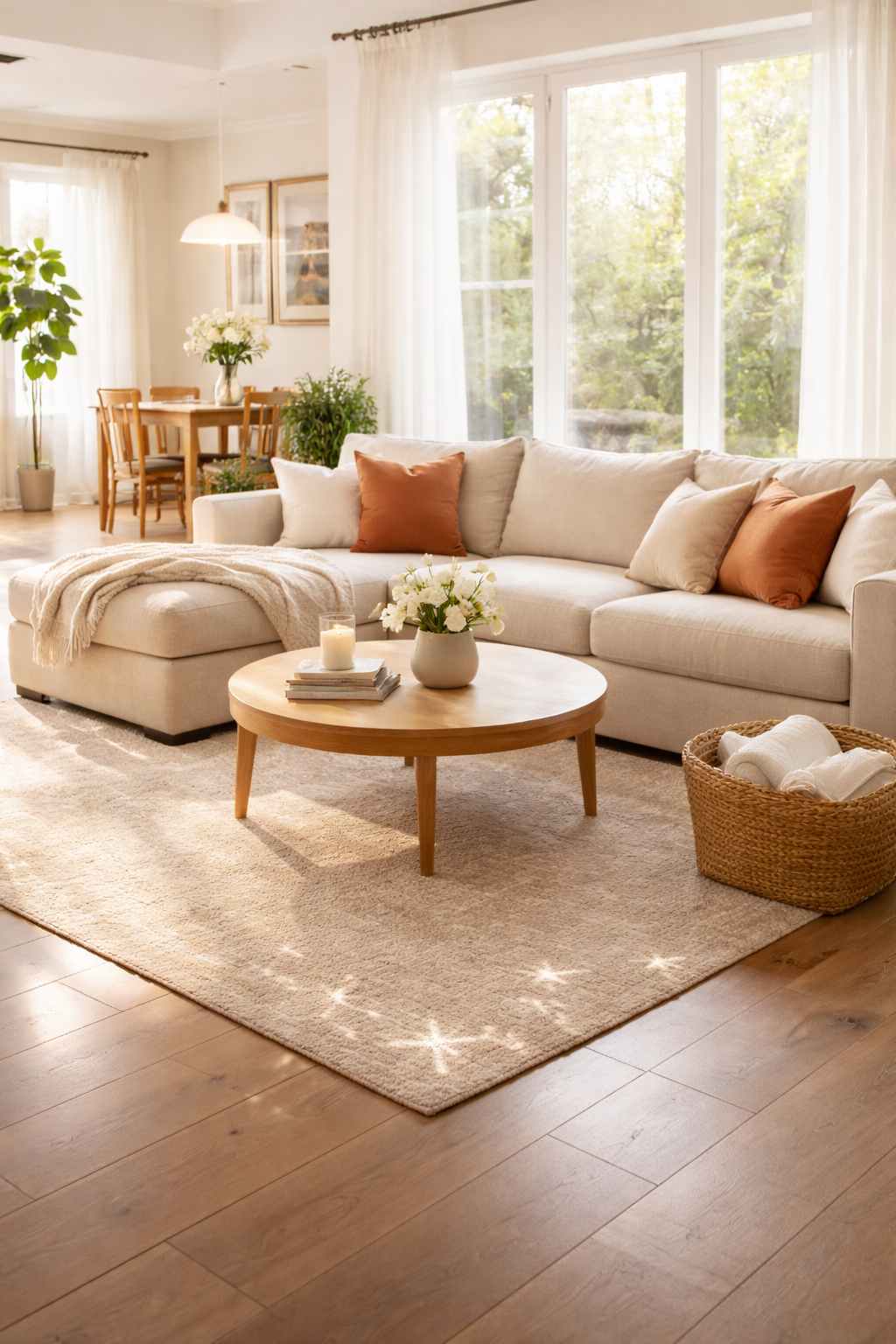
24. The Architectural Visualization “Interior design concept for a [room type—living room, office, cafe] in [style—Scandinavian minimalist, maximalist bohemian, industrial loft]. Specific elements: [list must-haves—large windows, specific color, type of furniture]. Natural lighting, realistic proportions, lived-in but styled, architectural photography perspective.”
Why this works: GPT-5’s spatial understanding has improved. It handles perspective and proportion better, making architectural visuals more plausible.
25. The Food Photography “[Dish name] styled for food photography. [Specific styling—rustic and homemade, or fine dining elegant]. Steam rising if hot, texture emphasis, [specific props—vintage cutlery, linen napkin, specific plate type], shallow depth of field, shot from [angle—overhead, 45 degrees, straight on], appetizing and crave-worthy.”
Why this works: Food photography has specific conventions. GPT-5 knows that steam = hot = fresh, and that certain angles work better for certain dishes.
Advanced/Experimental Prompts
These push the boundaries of what GPT-5 can do. Some are weird. All are interesting.
26. The Synesthesia Visualization “If the emotion [specific emotion—joy, melancholy, anxiety] had a visual form, what would it look like? Abstract, color and texture as emotion, no recognizable objects, purely visual representation of a feeling, [specific artist reference if desired—Kandinsky, Rothko].”
Why this works: GPT-5 handles abstract concepts better than you’d expect. The results are often surprisingly nuanced emotional landscapes.
27. The “Fix This” Iteration “[Upload an image or describe previous result]. I like this, but [specific change—make it more vibrant, change the setting to nighttime, add a person in the foreground, remove the background element]. Keep everything else exactly the same, just make that one change.”
Why this works: This tests GPT-5’s editing capabilities. I’ve found it’s better at additive changes (“add X”) than subtractive (“remove X”), but both work with clear instructions.
28. The Style Mashup “Combine [two unrelated styles—Art Deco and cyberpunk, Victorian era and space age, Japanese ukiyo-e and Art Nouveau]. Not just alternating elements, but a genuine fusion where the two styles inform each other. Coherent, not chaotic, thoughtful integration.”
Why this works: GPT-5’s style blending is sophisticated. The key is asking for “fusion” rather than “juxtaposition”—you want synthesis, not collage.
29. The Narrative Sequence “Create a 3-panel story sequence: [brief story—person wakes up, goes on adventure, returns home changed]. Consistent character across all three, clear progression, each panel works alone but stronger together, comic book or storyboard style with or without text.”
Why this works: Multi-panel consistency is hard, but GPT-5 manages it if you emphasize “consistent character” and provide the narrative arc upfront.
30. The “Surprise Me” (With Guardrails) “I want something visually striking that I wouldn’t have thought of myself. Parameters: [mood—calm, energetic, mysterious], [color preference—warm tones, monochrome, high contrast], [subject matter boundary—no people, must include nature, abstract only]. Beyond that, surprise me with composition, style, and concept.”
Why this works: Giving GPT-5 creative freedom within constraints often produces the most interesting results. The constraints prevent total randomness while allowing unexpected choices.
My Actual Workflow: How I Use These Prompts
I want to give you more than just prompts—I want to show you how I actually work with GPT-5 to get professional results. Here’s my process:
Step 1: The Rough Draft I start with a conversational description, not a polished prompt. I literally type like I’m talking to a creative partner: “Hey, I need an image for a blog post about burnout. Something that shows the feeling of being overwhelmed but in a subtle way, not someone screaming at their laptop.”
Step 2: The First Generation GPT-5 generates something. It’s usually 70% of what I want. I don’t expect perfection on the first try—that’s not how creative collaboration works with humans, so why expect it from AI?
Step 3: The Refinement Conversation Here’s where GPT-5 shines. I respond with specific changes: “Great mood, but can we make it more isolated? Like one person in a vast empty space instead of a cluttered desk. And cooler color tones—blues and grays instead of warm lighting.”
Step 4: The Polish Once the composition and mood are right, I get picky about details: “Perfect. Now add a single wilted plant in the foreground as a metaphor, and make sure the lighting suggests late evening—like the day’s almost over but they’re still working.”
Step 5: The Final Export When it’s right, I ask for high resolution or specific aspect ratios if needed: “This is exactly it. Can you give me a 16:9 version suitable for a featured blog image?”
Common Mistakes I See (And Made Myself)
After hundreds of generations, here are the pitfalls I’ve learned to avoid:
Being too vague: “Make something cool” gives you generic results. But being too specific—”A 35-year-old woman with brown hair wearing a blue sweater standing at a 45-degree angle holding a red mug with her left hand”—stifles the AI’s ability to compose naturally. Find the middle ground: clear intent, flexible execution.
Ignoring the conversation: The biggest advantage of GPT-5 is the back-and-forth. If you’re treating it like a one-shot generator (type prompt, get image, move on), you’re missing 80% of the value.
Forgetting about text: If you need text in the image, mention it explicitly in the first prompt. GPT-5 handles text better than previous models, but it needs to know it’s expected.
Not specifying style context: “Realistic” means different things to different people. iPhone photo realistic? Hollywood movie realistic? Documentary photography realistic? The more context, the better.
Why These Prompts Work: The Psychology Behind Them
I’ve thought a lot about why certain prompts get better results. It comes down to how GPT-5 (and underlying models like DALL-E 3) process language:
Intent over instruction: These prompts focus on what you want to achieve emotionally or communicatively, not just technical specifications. The model has seen enough art and photography to understand that “cozy coffee shop” implies specific lighting, color grading, and composition choices.
Reference anchoring: When you mention “iPhone aesthetic” or “David Lynch,” you’re activating a specific visual database the model has learned from. It’s not just adding keywords—it’s accessing a coherent aesthetic system.
Negative space awareness: Prompts that mention where text will go, or what shouldn’t be in the image, help the model compose more thoughtfully. It’s like telling a photographer to leave room for the magazine masthead.
Iterative context: The prompts are designed to work in sequence. You can start with #1, refine with #27, and end up with exactly what you need.
Final Thoughts
Here’s what I’ve realized after weeks of intensive use: GPT-5 doesn’t replace creativity—it amplifies it. But only if you bring your own taste, judgment, and intent to the process. The prompts above work because they’re rooted in my actual needs and aesthetic preferences. Yours might be different.
The best prompt is one that communicates what you want to see, in language that feels natural to you. Use mine as starting points, but pay attention to what works for your specific style. Notice when the AI surprises you in good ways, and when it misses the mark. That feedback loop—your human judgment combined with the AI’s generative capability—is where the magic happens.
I’ve created images with GPT-5 that I couldn’t have made myself (I can’t paint or draw), but I’ve also rejected dozens of generations that didn’t feel right. That curation, that taste, that final human decision about what’s “good enough”—that’s still ours. And honestly? That’s the part I enjoy most.
Now go make something weird and wonderful. And when you get that perfect image—the one that makes you stop and stare—remember that you directed it. The AI was just the brush. You were the artist.
You May Also Like
 AI Prompts
20 Funny Things to Ask ChatGPT When You Need a Study Break
 AI Prompts
30 ChatGPT Prompts for Business Ideas: How You Can Find an Idea Worth Building
 AI Prompts
50 Best ChatGPT Prompts for Marketing When You Want Better Ideas, Faster Drafts, and Less Guesswork
 AI Prompts
30 Funny ChatGPT Prompts to Try When You Want to Laugh, Kill Boredom, and Have More Fun
 ChatGPT
How to Write Effective Prompts for ChatGPT
 AI Prompts