

ChatGPT Plus is OpenAI’s $20-per-month subscription plan that gives you expanded access to GPT-5.4 Thinking, higher message limits, Deep Research, voice conversations, image generation, the Codex coding agent, Sora video generation, and custom GPT creation — all without ads.
I want to be upfront with you. When I first looked at ChatGPT Plus, I wasn’t sure it was worth it. The free plan felt good enough. But then I started hitting that message cap in the middle of actual work — right when I needed the model most — and the upgrade stopped feeling optional.
If you’ve ever been mid-task and had ChatGPT cut you off, you know exactly what I mean. You’re three paragraphs into an essay, halfway through debugging a script, or finally getting useful research output — and then nothing. That wall is the problem ChatGPT Plus is built to solve. More messages, better models, and the tools that actually matter for real work.
There’s one more thing worth knowing right away. OpenAI now has 4 subscription tiers — Free, ChatGPT Go, ChatGPT Plus, and ChatGPT Pro. A lot of people don’t know Go even exists. Each tier fits a different type of user and a different budget, so I’ll walk you through all of them. By the end of this, you’ll know exactly what you’re paying for and whether it’s the right fit for you.
If you’re completely new to ChatGPT and haven’t set it up yet, start with this beginner’s walkthrough for setting up and using ChatGPT for the first time before worrying about which plan to pick.
What Is ChatGPT Plus, and What Does It Actually Do?
ChatGPT Plus is a paid monthly subscription that unlocks GPT-5.4 Thinking, a 32K context window, expanded message limits, and advanced tools like Deep Research, Codex, image generation, and Sora — available through the ChatGPT web app and mobile app.
Think of ChatGPT as the app. The plan you’re on determines which version of the engine runs underneath it. Free users get a solid engine. Plus users get a significantly more powerful one, with fewer restrictions and more specialized tools attached.
The model that runs by default for all users — including free — is GPT-5.3 Instant. It’s fast, conversational, and handles most everyday tasks well. What changes on Plus is how much of it you can use, what deeper model you can switch to, and which tools are unlocked around it.
That deeper model is GPT-5.4 Thinking, and it’s the real reason most professionals upgrade. More on that in a second.
ChatGPT Plus works across chatgpt.com, the iOS app, and the Android app. Everything syncs — your conversation history, memory, custom instructions, and model preferences. You pick up exactly where you left off, no matter which device you’re on.
What Models Does ChatGPT Plus Give You Access To?
ChatGPT Plus gives you GPT-5.3 Instant for fast everyday tasks and GPT-5.4 Thinking for complex reasoning — with up to 3,000 Thinking messages per week.
This is where I want to spend a little time, because the model access is honestly the most important part of the plan. Let me break down the 3 models currently in ChatGPT and what they actually feel like to use.
GPT-5.3 Instant — Your Everyday Workhorse
GPT-5.3 Instant is the default model for all ChatGPT users, available on the free plan, Go, Plus, and Pro alike.
It handles writing, editing, translation, summarizing, basic coding, and general Q&A with speed and reliability. OpenAI describes it as noticeably warmer and more conversational than older models, and I’d agree with that. It doesn’t feel robotic. It flows.
The difference on Plus isn’t which model you use here — it’s how much of it you get. Free users cap out at 10 messages every 5 hours. Plus and Go users both get 160 messages every 3 hours. That’s 16 times more room to work, and honestly, for most daily use cases, it’s the difference between a tool that fits into your day and one that interrupts it.
GPT-5.4 Thinking — Where Plus Really Earns Its Price
GPT-5.4 Thinking is available to Plus subscribers at up to 3,000 messages per week — and it’s the model you reach for when the task actually requires deep reasoning.
I’ve used a lot of AI models at this point, and GPT-5.4 Thinking feels different in a specific way. It doesn’t just respond to what you typed. It works through the problem first. You can watch the reasoning trace unfold — it shows you what it’s doing before it gives you the answer. That might sound minor, but it produces noticeably better outputs on the things that are actually hard.
Here are 8 task types where GPT-5.4 Thinking performs strongest:
- Spreadsheet creation and editing — builds complex formulas and structured data tables accurately
- Polished frontend code — writes clean HTML, CSS, and JavaScript that actually works
- Slideshow creation — structures and formats presentations, not just raw content
- Hard math problems — handles multi-step equations and proofs that simpler models get wrong
- Document understanding — reads and analyzes long uploaded files with context intact
- Instruction following — sticks to complex, multi-part prompts without dropping steps
- Image understanding — interprets visual inputs with strong contextual accuracy
- Web research tasks — pulls from multiple live sources and combines them into structured output
One thing I genuinely appreciate: you can adjust the thinking effort. Standard is the default — fast and intelligent. Extended goes deeper when the task is harder. You choose based on what you need in the moment.
If you want a fuller technical picture of what this model can do, there’s a solid breakdown of what GPT-5.4 actually changes and who it’s built for worth reading.
GPT-5.4 Pro — Not Included in Plus
GPT-5.4 Pro is exclusively available to Pro, Business, Enterprise, and Edu subscribers — it is not part of the Plus plan.
Pro offers a 400K context window and the deepest reasoning capability OpenAI currently offers publicly. If you find yourself regularly needing more than what Thinking mode provides on Plus, that’s the tier it points toward. But honestly, for most people reading this, Plus covers the ground.
How Much Does ChatGPT Plus Cost? The Full Pricing Breakdown
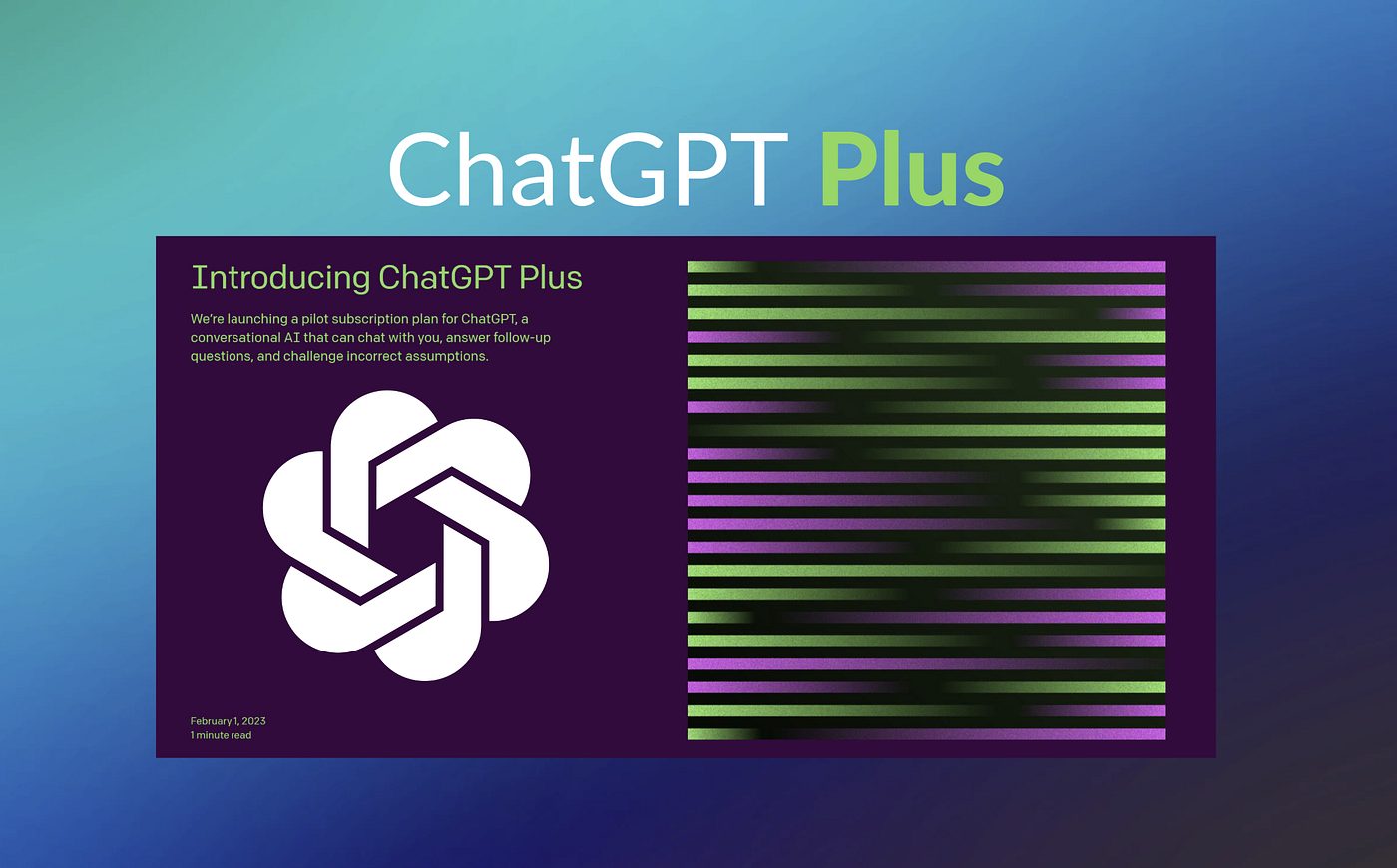
ChatGPT Plus costs $20 per month, billed monthly, with no annual billing option currently available.
Here’s where I want to walk you through something a lot of comparison articles skip: the ChatGPT Go plan. It launched globally as OpenAI’s entry-level paid tier, sitting right between Free and Plus at $8 per month. A lot of people comparing Free to Plus don’t know Go is even an option, and it genuinely changes the decision.
Here’s the full picture across all 4 tiers:
| Plan | Price | GPT-5.3 Limit | GPT-5.4 Thinking | Context Window | Ads |
|---|---|---|---|---|---|
| Free | $0/month | 10 msg / 5 hrs | ✗ | 16K | Yes |
| ChatGPT Go | $8/month | 160 msg / 3 hrs | 10 msg / 5 hrs | 32K | Yes |
| ChatGPT Plus | $20/month | 160 msg / 3 hrs | 3,000 msg / week | 32K | No |
| ChatGPT Pro | $200/month | Unlimited | Unlimited | 128K | No |
Go is genuinely useful for regular users who don’t need advanced reasoning tools daily. It gives you the same GPT-5.3 message allowance as Plus. But there are 3 things Go doesn’t give you that Plus does: real Thinking model access, the Codex agent, and access to Sora. It also runs with ads, which isn’t a dealbreaker for everyone but matters in professional settings.
Also worth noting: the price gap between Go and Plus is just $12. If you’re already at $8 and you find yourself wishing you had Thinking mode or Deep Research, you’re not far from the plan that has it.
To read the full comparison before you make a call, there’s a detailed breakdown of how ChatGPT Go, Plus, and Pro actually stack up against each other that goes deeper than this article can in one section.
What Are the 9 Key Features You Get With ChatGPT Plus?
ChatGPT Plus includes 9 key features: GPT-5.4 Thinking access, 160 GPT-5.3 messages every 3 hours, a 32K context window, Deep Research, Sora video generation, the Codex coding agent, expanded image generation, voice and video conversations, and custom GPT creation.
Let me go through each one honestly — what it actually does and when it matters.
1. GPT-5.4 Thinking — The Model That Changes How You Work
GPT-5.4 Thinking is OpenAI’s most capable reasoning model available in ChatGPT Plus, with up to 3,000 messages per week.
This is the one feature I’d point to if someone asked me why they should upgrade. For anything involving real analysis — complex writing, code review, research synthesis, data interpretation — Thinking mode produces meaningfully better output than GPT-5.3 Instant. Not slightly better. Noticeably better.
2. Higher Message Limits — Stop Hitting the Wall
ChatGPT Plus provides 160 GPT-5.3 messages every 3 hours — 16 times more than the free plan’s limit of 10 messages every 5 hours.
I know “message limits” sounds boring. But if you’ve ever been cut off mid-workflow, you understand why this matters. The free cap is 10 messages. That’s genuinely nothing for an active working session. 160 messages is enough to get through most full projects without interruption.
3. Expanded 32K Context Window — Longer Memory Per Conversation
ChatGPT Plus provides a 32K context window — double the 16K limit available on the free plan.
The context window is the amount of text ChatGPT holds in “working memory” during one conversation. With 32K tokens, you can paste in longer documents, maintain more conversation history, and work through complex multi-step projects without the model losing track of what you said earlier. For document analysis and long writing projects, this is a real difference.
4. Deep Research — A Genuine Research Assistant
Deep Research lets ChatGPT search the web, gather evidence, analyze sources, and produce structured research summaries on complex topics — with approximately 25 tasks per month on Plus.
This isn’t a basic Google search. Deep Research operates more like a research assistant. It pulls information from multiple web sources, reads and cross-references them, and delivers a structured report. I’ve used it for competitive analysis, academic research, product comparisons, and industry tracking — and it consistently saves hours compared to doing the same thing manually.
5. Sora — Text-to-Video Generation
ChatGPT Plus includes limited access to Sora, OpenAI’s text-to-video tool, producing videos up to 720p resolution.
You type a description. Sora generates a short video. It’s a preview-level feature in Plus — Pro users get extended access with longer clips and higher resolution. But even at the Plus level, it’s one of the more genuinely impressive things ChatGPT does. For content creators and marketers, this alone has practical value.
6. Codex Agent — Autonomous Coding Support
The Codex agent is an autonomous AI coding assistant in ChatGPT Plus that reads, writes, tests, and modifies multi-file codebases based on written instructions.
Codex doesn’t just suggest a function. It can take a full project directory, read the existing code, implement a new feature you describe in plain English, write tests for it, run them, and fix what breaks. For developers managing real projects, this is the kind of tool that changes how you actually work.
7. Expanded Image Generation — More Requests, Faster Output
ChatGPT Plus provides expanded and faster image generation — more requests per session compared to the free and Go plans.
Generate images from text prompts, edit existing visuals, and iterate across multiple versions quickly. If you’re a content creator, designer, or marketer building visual assets regularly, this becomes part of your standard workflow pretty fast.
8. Voice and Video Conversations — Speak and Be Heard
ChatGPT Plus includes expanded voice conversations and access to voice-with-video mode — both limited or unavailable on lower plans.
Voice mode lets you speak to ChatGPT and hear spoken responses. Video mode lets ChatGPT see what your camera is showing and respond to it in real time. These aren’t gimmicks for every user, but if you’re a language learner, someone with accessibility needs, or someone who just thinks faster out loud than by typing, these features matter a lot.
9. Custom GPTs — Build Your Own AI Tools
With ChatGPT Plus, you can create custom versions of ChatGPT — called GPTs — configured with specific instructions, data, and behaviors for tasks you repeat regularly.
You can build a GPT that edits your writing in your personal style. A GPT that answers customer questions in your brand voice. A GPT that walks through your code review checklist. There are also thousands of pre-built GPTs in the GPT Store that Plus users can access without building anything. This personalization layer is one of the features that makes Plus genuinely sticky once you’re in it.
ChatGPT Plus vs Free vs Go vs Pro: Which Plan Is Actually Right for You?
The right ChatGPT plan depends on how frequently you use it, how complex your tasks are, and which specific tools matter to your workflow.
Let me be direct here, because most comparison guides dance around this.
If you use ChatGPT a few times a week for light things — quick questions, short writing help, simple summarizing — the free plan does the job. GPT-5.3 Instant is good. The cap is tight, but for casual use it doesn’t bite you that often.
If you use ChatGPT regularly but don’t need advanced reasoning tools and you’re watching your budget, ChatGPT Go at $8/month removes the free-plan cap and gives you the same GPT-5.3 message allowance as Plus. Just know it comes with ads, and Thinking mode access is very limited at 10 messages every 5 hours.
If you use ChatGPT daily for real work — writing, research, coding, data analysis, content creation — ChatGPT Plus at $20/month is the level where everything clicks. You get GPT-5.4 Thinking with 3,000 messages per week, Deep Research, Codex, Sora, no ads, and a 32K context window. For most professional users, this is the right tier.
If you’re a power user — a researcher, data scientist, senior engineer, or someone in law, medicine, or finance who needs GPT-5.4 Pro, a 128K context window, and unlimited messages — ChatGPT Pro at $200/month is the tier built for you.
Here’s a more detailed side-by-side look across all 4 plans:
| Feature | Free | Go ($8) | Plus ($20) | Pro ($200) |
|---|---|---|---|---|
| GPT-5.3 Messages | 10/5 hrs | 160/3 hrs | 160/3 hrs | Unlimited |
| GPT-5.4 Thinking | ✗ | 10/5 hrs | 3,000/week | Unlimited |
| GPT-5.4 Pro | ✗ | ✗ | ✗ | ✓ |
| Context Window | 16K | 32K | 32K | 128K |
| Image Generation | Limited, slow | Expanded | Expanded, faster | Unlimited, fastest |
| Deep Research | Limited | Limited | ~25/month | ~250/month |
| Codex Agent | ✗ | ✗ | ✓ | Expanded |
| Sora Video | ✗ | ✗ | Limited | Extended |
| Custom GPTs | Use only | Use only | Create & use | Create & use |
| Voice + Video Mode | Limited | Limited | Expanded | Expanded |
| Ads | Yes | Yes | No | No |
| Memory & Context | Limited | Longer | Expanded | Maximum |
Who Should Actually Subscribe to ChatGPT Plus?
ChatGPT Plus delivers the most value to individual professionals, students, freelancers, researchers, and content creators who use ChatGPT daily and need GPT-5.4 Thinking, Deep Research, or Codex for real work.
I’ll put it plainly. Here are 6 types of users who get the most out of Plus:
- Freelancers and content writers who produce regular work and can’t afford to hit message caps or wait for slow image generation
- Software developers who use Codex to build, debug, and manage real projects — not just get a single function suggestion
- Students and academic researchers who use Deep Research for essays, literature reviews, and source analysis. If you’re a college student, it’s also worth checking if you’re eligible to get ChatGPT Plus at no cost through your university or academic program
- Marketing professionals who generate copy, ad creatives, image assets, and market research on a regular schedule
- Entrepreneurs and small business owners who use ChatGPT for strategy documents, product writing, customer communications, and automation workflows
- Language learners who rely on expanded voice conversations for real-time speaking practice and pronunciation feedback
If you’re sending 10–15 messages a week and you don’t need reasoning tools, the free plan or Go plan works. Plus is for people who actually live in ChatGPT during the workday.
How to Sign Up for ChatGPT Plus in 5 Steps
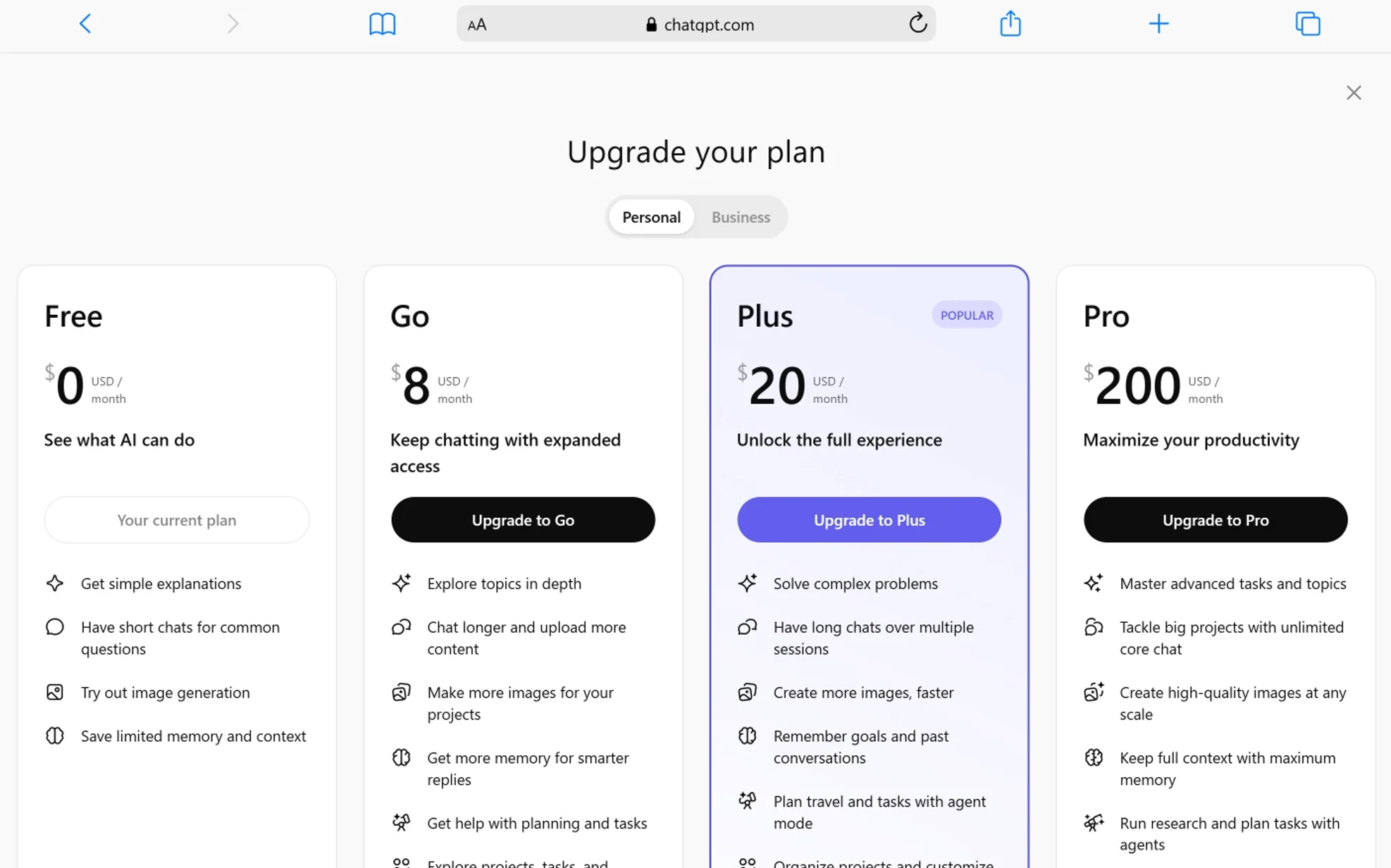
ChatGPT Plus requires 5 steps to activate: visit chat.openai.com, log in, open your profile menu, click Upgrade Plan, and select Plus.
Here’s the full process:
- Go to chatgpt.com in your browser
- Log in with your OpenAI account — or create one if you’re starting fresh
- Click your profile icon in the bottom-left corner
- Select Upgrade Plan
- Click Get Plus, enter your payment details, and confirm at $20/month
Your subscription activates the moment payment goes through. GPT-5.4 Thinking, the model picker, Codex, Deep Research, Sora, and custom GPT creation all become available immediately.
To cancel at any time, go to Settings → Account → Manage Subscription → Cancel Plan. Your access stays active through the end of your billing period.
One practical heads-up from experience: sign in with the exact same account method you used when subscribing — whether that’s Google, Apple, Microsoft, or email. Using a different login is the most common reason people get charged but still see the free plan interface.
For billing issues, refunds are processed within 5–10 business days after approval.
Is ChatGPT Plus Actually Worth the $20?
ChatGPT Plus provides clear value for daily professional users — especially those who depend on GPT-5.4 Thinking, Deep Research, and Codex to complete real tasks.
Here’s my honest take. For someone using ChatGPT heavily throughout the workday, $20 works out to about $0.67 per day. If you save 30 minutes of manual research or writing time per day — and Plus genuinely does that — the math is favorable.
At the same time, I’ll be straight with you: if you’re only checking in once or twice a day for simple questions, the free plan does more than most people realize now that GPT-5.3 Instant is the default for everyone. The free plan in its current form is better than Plus was two years ago.
The upgrade makes sense when 3 specific things are true for you:
- You hit the message cap regularly — the free plan’s 10 messages every 5 hours is genuinely limiting for active workday use
- You need GPT-5.4 Thinking — complex analysis, coding, and research tasks produce meaningfully better results with the reasoning model
- You use advanced tools — Codex, Deep Research, Sora, and custom GPT creation are unavailable or severely limited below the Plus tier
Those 3 conditions apply to most people who work with information, build software, create content, or do research professionally. If they apply to you, $20/month is a reasonable call.
Frequently Asked Questions About ChatGPT Plus
Is ChatGPT Plus free to try?
No. ChatGPT Plus is a paid plan at $20/month with no permanent free trial. The free plan lets you test GPT-5.3 Instant with limited messages before deciding whether to upgrade. That’s the best way to evaluate the platform before committing.
Does ChatGPT Plus include GPT-5.4?
Yes. Plus includes GPT-5.4 Thinking, up to 3,000 messages per week. However, GPT-5.4 Pro — the highest-capability version — is only available on Pro, Business, Enterprise, and Edu plans. Plus users can select Thinking mode from the model picker and adjust reasoning effort between Standard and Extended levels.
Is ChatGPT Go better than ChatGPT Plus?
No. ChatGPT Go is cheaper at $8/month, but it’s meaningfully less capable than Plus. Both plans share the same GPT-5.3 message allowance (160 every 3 hours), but Go limits you to just 10 GPT-5.4 Thinking messages every 5 hours. Go also excludes Codex, Sora, and meaningful Deep Research access, and it runs with ads. For professional use, Plus is the right tier. For what ChatGPT Go is actually built for and who it fits best, that’s worth a separate read.
Can I use ChatGPT Plus on my phone?
Yes. ChatGPT Plus works on iOS, Android, and the web. Your subscription, conversation history, memory, and model preferences sync across all 3 platforms automatically.
Does ChatGPT Plus store or train on my conversations?
No — if you opt out. OpenAI may use conversations to improve model performance, but you can turn this off at any time. Go to Settings → Data Controls → Improve the model for everyone and toggle it off. Once disabled, your conversations are not used for training.
Can I cancel ChatGPT Plus whenever I want?
Yes. There’s no long-term contract. You cancel through Settings → Account → Manage Subscription. Your access continues until the end of the billing period you’ve already paid for.
Is there a student discount for ChatGPT Plus?
Yes, in some cases. OpenAI has offered free ChatGPT Plus access to verified students and educators through academic programs. The availability depends on your institution and region. It’s worth checking whether your school qualifies before paying full price.
Conclusion: What ChatGPT Plus Actually Gives You
ChatGPT Plus is a $20-per-month subscription that provides GPT-5.3 Instant at 160 messages every 3 hours, GPT-5.4 Thinking at up to 3,000 messages per week, a 32K context window, Deep Research, the Codex agent, Sora video generation, expanded image generation, voice and video conversations, and custom GPT creation — all without ads.
I’ll wrap this up the same way I’d tell a friend thinking about the upgrade. The free plan and ChatGPT Go have gotten genuinely good. GPT-5.3 Instant is a strong default model for everyone. If you’re a casual user, neither free nor $8/month will disappoint you. That’s a real change from a year ago.
But if you work in ChatGPT daily — writing, coding, researching, building — the upgrade to Plus changes the experience in a way that’s hard to go back from. The message cap stops being a daily annoyance. GPT-5.4 Thinking handles the tasks that actually require real analysis. Deep Research cuts the research time on complex topics. Codex handles code at a project level, not just a function level.
The honest version is: $20/month is a reasonable tool cost for anyone whose work involves information, content, or code. It’s not for everyone. But for the right person, it’s the kind of thing you wonder how you worked without.
You May Also Like
 AI Tool Reviews
How to Use ChatGPT for Beginners: The Complete Step-by-Step Guide (2026)
 ChatGPT
How to Use ChatGPT at Work: Productivity Tips That Actually Save You Hours
 ChatGPT
How to Use ChatGPT Best Prompts
 AI Models
GPT-5.5 vs Claude Opus 4.7 vs Gemini 3.1 Pro: Real Benchmark Results Compared
 ChatGPT
ChatGPT 5.5 Is Here: Benchmarks, What’s New, What’s Different, and Is It Actually Worth the Hype?
 ChatGPT