

These 10 AI tools work for free to use without signing up: ChatGPT, ChatGOT, TinyWow, Picsart AI Writer, DeepAI Chat, Squibler, Microsoft Copilot, Meta AI, QuillBot, and Perplexity AI. I tested every single one of them. Some delivered solid results. Others fell short. This guide shares what I found so you can pick the right tool for your needs.
Not everyone wants to hand over their email address just to try an AI tool. Maybe you’re on a borrowed laptop. Maybe you’re testing tools before committing. Or maybe you just value your privacy. Whatever your reason, these 10 platforms let you jump straight in and start working.
I spent time using each AI tool for different tasks like writing emails, writing content, asking research questions, asking fun questions, finding business ideas, and creating images. Below, you’ll find honest breakdowns of what works, what doesn’t, and who each tool is best for.
What Makes a No-Sign-Up AI Tool Worth Using?
A no-sign-up AI tool is worth using when it delivers quality output without forcing you to create an account first. Not all free tools are equal. Some use outdated models. Others show aggressive ads. A few secretly limit your output to just 2-3 messages before pushing you toward a paywall.
When I tested these 10 tools, I looked at 5 factors: output quality, speed, feature depth, actual message limits, and how pushy the upgrade prompts were. The tools ranked below reflect real usage across multiple sessions, not just first impressions.
1. ChatGPT
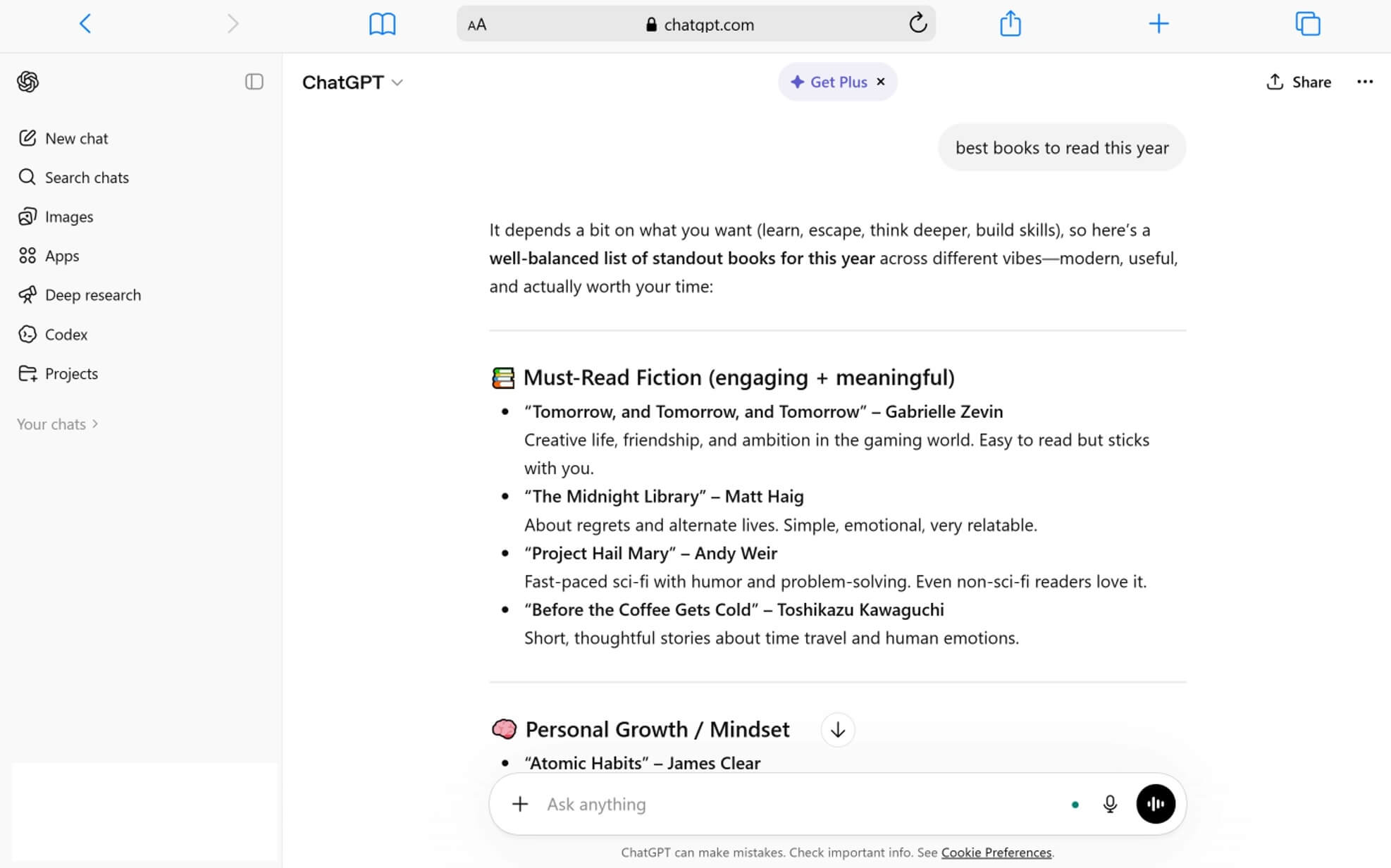
ChatGPT by OpenAI is the most well-known AI chatbot in the world, and it works without login for basic conversations. You visit chatgpt.com and start typing. No forms. No verification. The whole process takes about 5 seconds.
When I used the no-login version, it handled general questions and short writing tasks well. Responses came back within a few seconds. The tone felt natural. Grammar was clean. For quick, one-off tasks, it did the job.
Key Features:
- Access to a basic GPT model without any account
- Text generation for questions, writing, and brainstorming
- Works on all browsers and mobile devices
- Available in multiple languages
Pros:
- Backed by OpenAI, one of the largest AI companies globally
- Clean, distraction-free interface with no ads for non-logged users
- Responses feel conversational and natural
- Works on desktop and mobile without downloading an app
Cons:
- The no-login version runs on an older model (GPT-5.3 ), not GPT-5.4
- You lose all conversations when the browser tab closes
- No file uploads, image generation, or web search without an account
- Message limits are tight — roughly 10 messages every 5 hours before it asks you to sign up
- Free logged-in users now see ads in the United States
Best For: Quick answers, simple writing help, and first-time AI users who want a fast, no-commitment experience.
2. ChatGOT
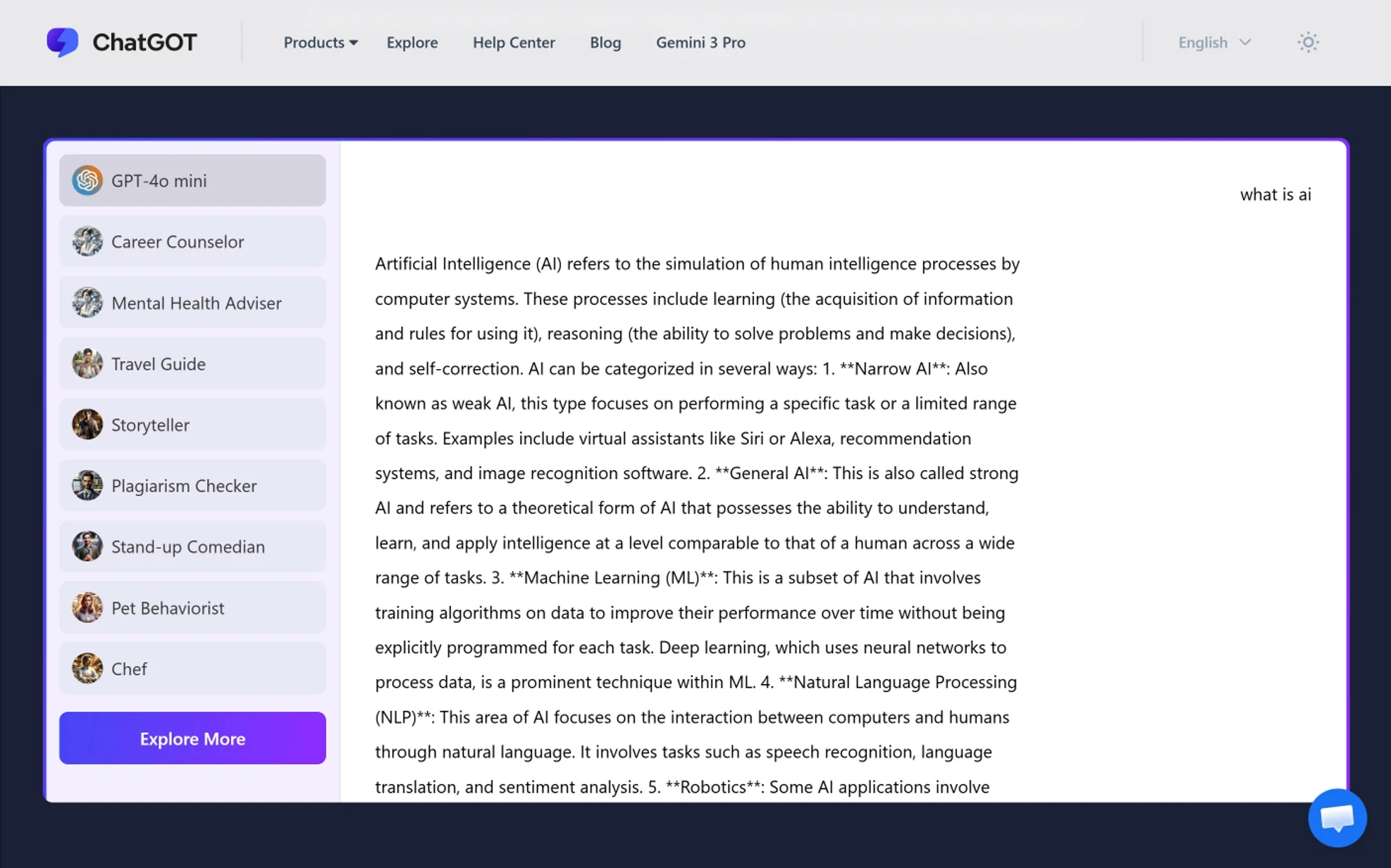
ChatGOT is an all-in-one AI assistant at chatgot.io that combines chat, writing, coding, PDF analysis, and image generation into a single platform without requiring sign-up. I was genuinely surprised by how much it offers for free.
When I tested it, the platform felt smooth. I used it to write a blog outline, analyze a short PDF, and generate an image. All three tasks worked without creating an account. The interface loads fast. The tools are organized by category — chat, write, code, image, PDF — so you’re never lost.
Key Features:
- AI chatbot with web access and research support
- Built-in AI writer with multiple writing styles
- PDF upload and analysis (ChatPDF feature)
- AI image generation with no watermarks
- Custom AI agent builder available for free
- Chrome and Edge browser extensions
Pros:
- Combines 5+ tools into one platform — chat, write, code, image, PDF
- No sign-up required for core features
- Image generation produces high-resolution, watermark-free results
- Supports multilingual translation
- Cross-platform: web, browser extension, mobile, and desktop
Cons:
- Advanced features may require account creation for full access
- Free tier has daily usage limits that aren’t clearly stated upfront
- Less well-known than ChatGPT, so community support is smaller
- Response quality varies by task — writing is strong, coding is moderate
Best For: Users who need one platform for multiple tasks like writing, researching PDFs, and generating images without juggling separate tools.
3. TinyWow

TinyWow is a collection of free AI writing and file tools at tinywow.com that requires no sign-up and no account. Their tagline says it directly: “Free Tools You’d Usually Pay For. No Limits, No Sign-Up.”
I’ve used TinyWow more than any other tool on this list. It has over 20 AI writing tools, including an article writer, essay writer, paragraph generator, story generator, grammar fixer, and sentence rewriter. Each tool is its own page. You enter your input, hit generate, and get results in under 10 seconds.
Key Features:
- 20+ specialized AI writing tools (article writer, essay writer, grammar fixer, content improver, story generator, and more)
- AI PDF tools for merging, splitting, compressing, and converting
- Image and video editing tools alongside writing features
- No account, no login, no credit card required
- Premium option available at $5.99/month for an ad-free experience
Pros:
- Largest variety of free, focused writing tools in one place
- Each tool is purpose-built, which improves output quality for specific tasks
- Works instantly without any barriers
- Supports file tools (PDF, image, video) alongside writing
- Results generate in under 10 seconds for most tools
Cons:
- Free version shows ads and requires CAPTCHA verification
- Each tool handles one specific task, so you can’t have a back-and-forth conversation
- Output quality is good for short content but struggles with long-form, in-depth articles
- No chat-based interaction — it’s a generate-and-copy workflow
Best For: Students, bloggers, and content creators who need quick, specific writing tasks done fast without signing up for anything.
4. Picsart AI Writer
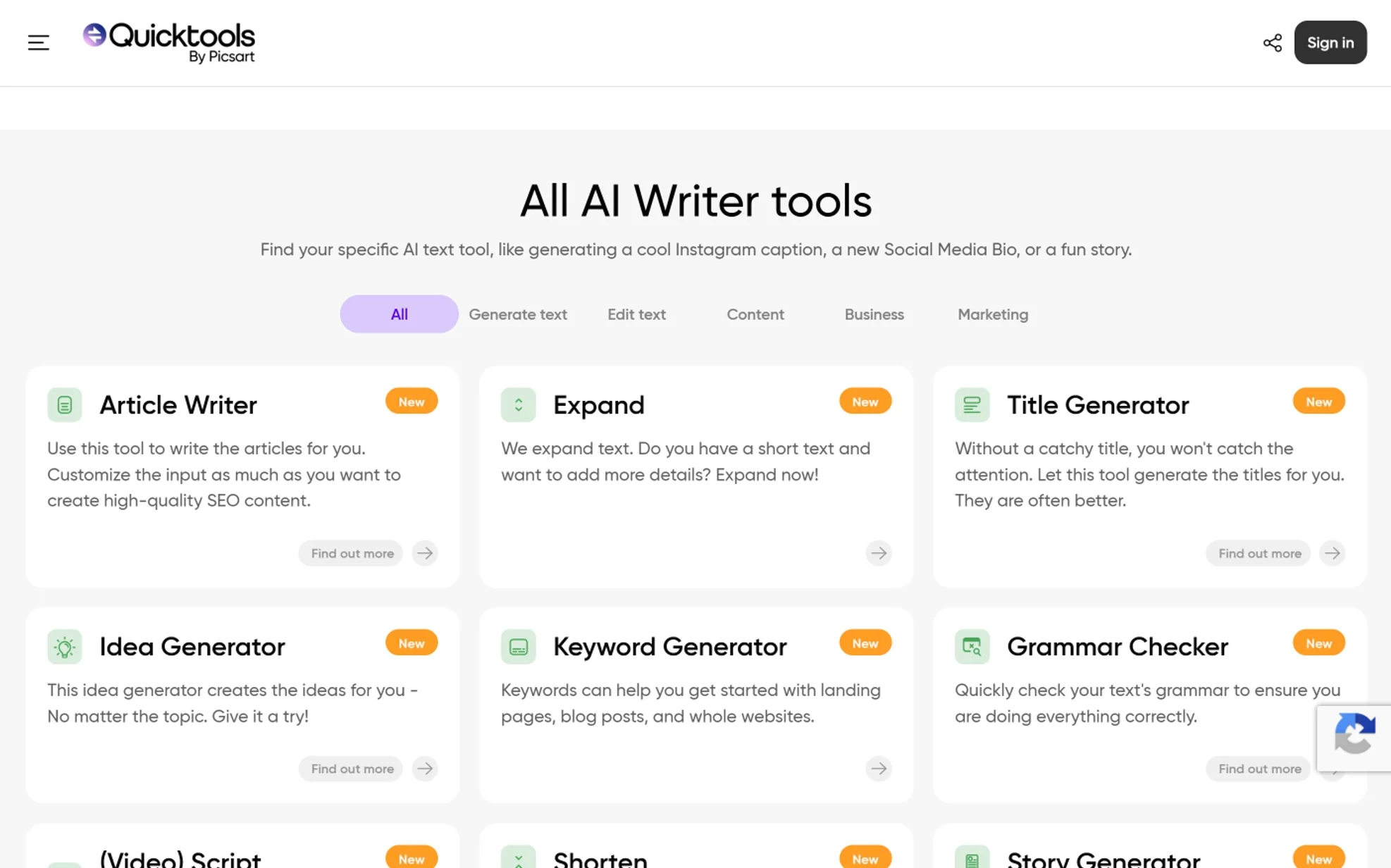
Picsart AI Writer (Quicktools) at tools.picsart.com offers over 16 free AI text generation tools with no sign-up required. It’s rated 4.7 out of 5 by over 868 users. The focus is on marketing, social media, and business content.
When I tested it, the ad copy generator stood out. I entered a product description and target audience. It returned 3 variations of ad copy within 5 seconds. The social media bio tool and hashtag generator also performed well. These tools are designed for speed and short-form content.
Key Features:
- 16+ AI writing tools: ad copy, social media bio, slogan maker, hashtag generator, product descriptions, title generator, story generator , email writer, and more
- Article writer with SEO customization options
- Paraphraser and summarizer tools
- Prompt generator for AI image creation
- Grammar checker and text expander/shortener
Pros:
- Completely free with no sign-up requirement
- Excellent for short-form marketing and social media content
- Clean, intuitive interface that loads quickly
- Tools are categorized clearly — easy to find what you need
- Multiple output variations give you choices, not just one result
Cons:
- Designed for short-form content — not ideal for long essays or book chapters
- No conversational chat feature — it’s a tool-based, input-output workflow
- Limited customization for tone and style compared to full chatbots
- Some tools produce generic results that need manual editing
Best For: Small business owners, marketers, and social media managers who need quick, professional copy for ads, posts, bios, and product descriptions.
5. DeepAI Chat

DeepAI Chat at deepai.org/chat is an AI chatbot that generates text, writes stories, helps with code, and creates images — all without requiring any sign-up. It offers one of the fastest entry points among all the tools I tested.
I opened the page and started chatting immediately. No pop-ups. No “create an account” prompts. Just a text box ready to go. The responses were decent for general questions. Image generation worked within the free tier, though the quality was basic compared to DALL-E or Midjourney.
Key Features:
- AI chatbot for text conversations, stories, and code
- Image generation from text prompts
- File upload support (up to 10 images per message, max 20MB)
- Online search capability within chat
- Available as a mobile app on Google Play and iOS
Pros:
- Zero sign-up friction — the chat loads instantly with no barriers at all
- Supports image uploads alongside text conversations
- Generates images directly in the free tier
- Mobile app available for on-the-go access
- Combines text, image, and search in one interface
Cons:
- Free version shows ads throughout the interface
- Output quality is lower than ChatGPT, Claude, or Gemini
- The AI model behind the free tier is less advanced than competitors
- Pro version costs $9.99/month for “Genius” and “Super Genius” modes
- Lacks features like PDF analysis and custom instructions
Best For: Users who want immediate, zero-friction AI access for casual conversations, basic image creation, and simple writing tasks.
6. Squibler AI Story Generator
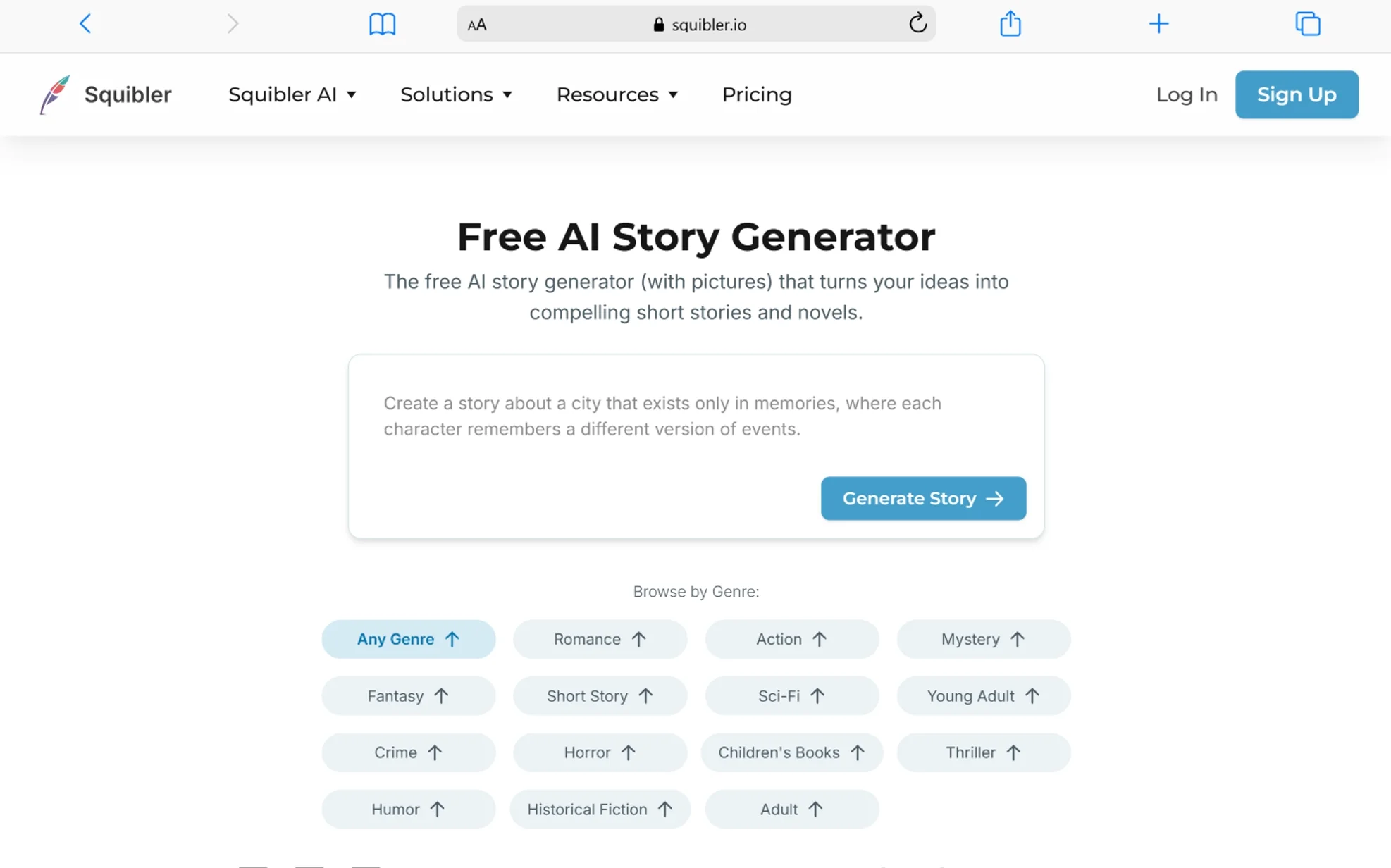
Squibler’s AI Story Generator at squibler.io/ai-story-generator is a free tool that turns your ideas into short stories and full-length narratives without sign-up. It specializes in fiction writing across genres like romance, horror, science fiction, children’s stories, and more.
I tested it by entering a short prompt about a detective in a futuristic city. Squibler generated a 1,500-word short story in under 30 seconds. The output included dialogue, scene descriptions, and a basic plot structure. It wasn’t perfect — some dialogue felt stiff — but as a starting draft, it saved significant time.
Key Features:
- AI story generation across 10+ genres (romance, horror, sci-fi, mystery, children’s books, and more)
- Customizable tone, style, and voice settings
- Short story and long-form novel generation
- AI-generated illustrations to accompany stories
- Full writing environment with planning boards and templates (requires account for advanced features)
Pros:
- Purpose-built for fiction and creative writing — not a generic chatbot
- Generates complete stories with structure, not just random paragraphs
- Supports specific genres with tailored prompts and output styles
- Free story generator requires no sign-up
- Illustrations can be generated alongside the text
Cons:
- Free version is limited to the story generator — the full writing platform requires a paid plan at $20/month
- AI-generated fiction can feel formulaic and needs human editing for depth
- Some users on Reddit report that the free version doesn’t always match the quality shown in demos
- Character development and emotional nuance remain weak points in generated stories
- Customer support has received mixed reviews on Trustpilot
Best For: Fiction writers, hobbyists, and students who need a creative starting point or first draft for stories across multiple genres.
7. Microsoft Copilot
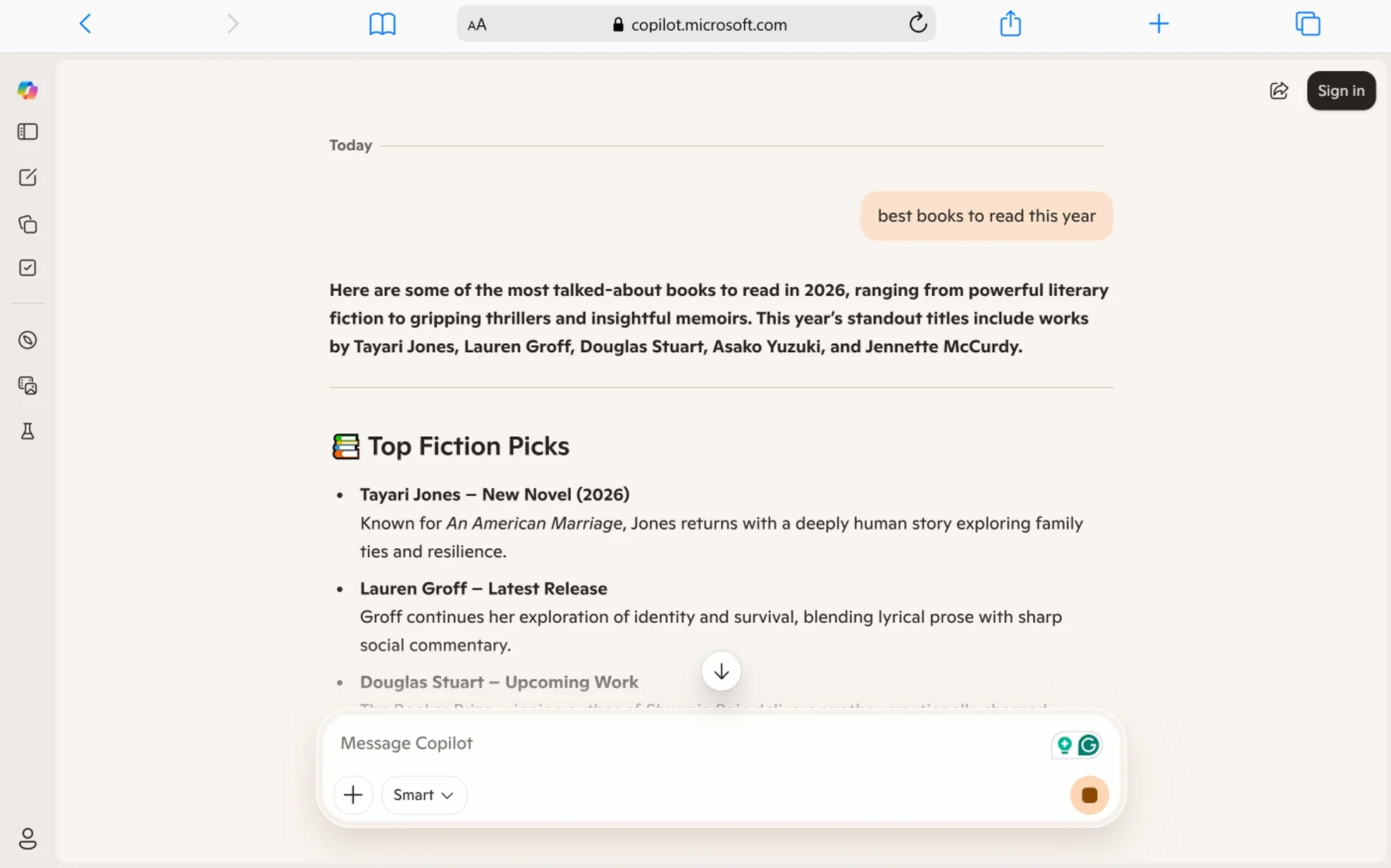
Microsoft Copilot at copilot.microsoft.com is a free AI assistant powered by GPT-4 Turbo that includes web search, image generation, and conversation — all without requiring a separate sign-up if you access it through a browser. A Microsoft account unlocks more features but is not required for basic chat.
I’ve used Copilot regularly for research-style questions. Its strongest advantage over ChatGPT’s no-login version is live web search. When I asked about a recent news event, Copilot pulled real-time results from Bing and cited sources directly. That alone makes it more useful than many free alternatives for factual questions.
Key Features:
- Powered by GPT-4 Turbo with web search integration
- Image generation through Microsoft Designer (DALL-E based)
- Built into Microsoft Edge browser and Bing search
- Conversation limits of 30 turns per session
- Integration with Microsoft 365 apps like Word, Excel, and PowerPoint (though free Office Copilot features are being restructured as of April 2026)
Pros:
- Web search produces cited, up-to-date answers — a major advantage for research
- Image generation included for free using Microsoft Designer
- GPT-4 Turbo delivers stronger reasoning than many competitors’ free tiers
- Available across platforms: web, Windows, mobile, and within Edge browser
- No separate account needed for basic browser-based chat
Cons:
- Conversations are capped at 30 turns per session — then you must start a new chat
- Responses are heavily filtered, which limits creative and open-ended tasks
- Starting April 2026, free Copilot features in Office apps (Word, Excel, PowerPoint) are being moved behind a paywall
- The interface pushes you toward Microsoft’s ecosystem
- Less flexible than ChatGPT for custom prompts and creative writing
Best For: Researchers, students, and professionals who need AI-powered web search with cited sources and don’t mind working within Microsoft’s ecosystem.
8. Meta AI
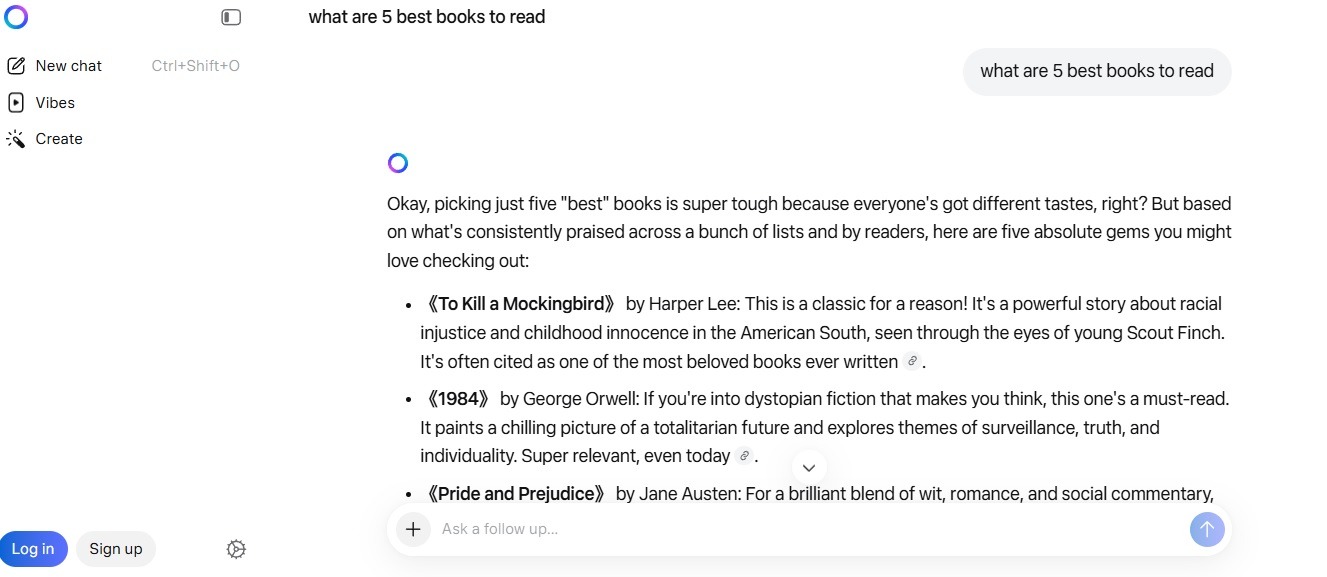
Meta AI is a free AI assistant powered by Meta’s Llama models, available at ai.meta.com and built directly into Facebook, Instagram, WhatsApp, and Messenger. Nearly 1 billion people use Meta AI monthly across Meta’s apps. A standalone Meta AI app launched in April 2025.
I tested Meta AI through both WhatsApp and the standalone app. In WhatsApp, you simply type “@MetaAI” in any chat to ask questions. In the app, you get a full conversational experience with image generation. The convenience factor is unmatched — it lives inside apps you already open every day.
Key Features:
- Built into Facebook, Instagram, WhatsApp, and Messenger
- Standalone app available on iOS and Android
- AI image generation in conversations
- Real-time search-powered answers
- Voice-first interaction supported in the standalone app
- Powered by Meta’s Llama 4 model
Pros:
- Completely free with no separate sign-up if you already use any Meta app
- Seamless integration into WhatsApp, Instagram, and Messenger conversations
- Image generation included at no cost
- Voice chat supported in the standalone app
- Nearly 1 billion monthly users signal strong model development and improvement
Cons:
- Privacy concerns are significant — Meta collects substantial user data across its platforms
- Response quality for complex or technical tasks falls behind ChatGPT and Claude
- Heavily tied to Meta’s ecosystem — using it outside Meta apps requires the standalone app
- Limited file upload and PDF analysis capabilities compared to competitors
- Advanced features and customization options are more limited than ChatGPT Plus or Copilot
Best For: Social media users who want a built-in AI assistant inside WhatsApp, Instagram, or Messenger without downloading a separate app or creating a new account.
9. QuillBot AI Chat

QuillBot AI Chat at quillbot.com/ai-chat is a free AI chatbot designed to generate, improve, and refine written content. QuillBot is already well-known for its paraphrasing tool. The AI Chat feature extends that strength into a full conversational assistant.
I tested it primarily for writing tasks — rewriting paragraphs, fixing tone, and summarizing articles. QuillBot’s strength is text refinement. When I pasted a rough draft and asked it to improve clarity, the output was cleaner than what I got from ChatGPT’s no-login version. It understands sentence structure and readability at a deep level.
Key Features:
- AI chatbot for generating and improving written content
- Integrated paraphraser, grammar checker, and summarizer
- Ask AI tool for question-based answers (supports text, photos, and formulas)
- AI Humanizer tool to make AI-generated text sound more natural
- Tone analyzer for checking writing style
- Browser extension and mobile app available
Pros:
- Purpose-built for writing quality — paraphrasing, grammar, tone, and clarity in one platform
- AI Humanizer is genuinely useful for making AI-generated text pass as natural writing
- Free tier provides access to core tools without account creation for basic usage
- Clean, focused interface designed for writers, not general-purpose chatting
- Strong reputation backed by millions of users globally
Cons:
- Some premium features (advanced paraphrasing modes, longer text limits) require a paid plan
- Less capable than ChatGPT or Claude for general knowledge, coding, or research questions
- Not designed for image generation, PDF analysis, or creative fiction
- Free tier limits the number of characters you can process per session
- The chat feature feels more like a writing tool than a conversational AI
Best For: Students, academic writers, and content creators who need help refining, paraphrasing, and polishing their writing before publishing or submitting.
10. Perplexity AI

Perplexity AI at perplexity.ai is a free AI-powered answer engine that provides real-time, cited answers to any question without requiring login for basic searches. It calls itself an “answer engine” rather than a chatbot, and that difference shows in every response.
I use Perplexity more than any other tool for research. Every answer comes with numbered source links. When I asked about a complex topic, it pulled from 5-8 sources, summarized the findings, and let me click through to verify each claim. No other free tool does this as well.
Key Features:
- AI-powered search engine with real-time web access
- Every answer includes numbered, clickable source citations
- Follow-up question capability for deeper research
- 5 Pro searches per day on the free tier (uses advanced models like GPT-4 and Claude)
- Standard searches unlimited on the free tier
- Available as a web app, iOS app, and Android app
Pros:
- Source citations on every answer make it the most trustworthy free AI tool for research
- Real-time web search delivers current, up-to-date information
- Clean, ad-free interface even on the free tier
- Follow-up questions maintain conversation context for deeper exploration
- 5 daily Pro searches give free users limited access to GPT-4 and Claude-level models
Cons:
- Designed for research and factual questions — not ideal for creative writing or casual chat
- Pro plan costs $20/month; free tier has limited access to advanced models
- Free tier standard searches use a less powerful model than Pro searches
- File upload and analysis features require an account
- Image generation is not available
Best For: Researchers, journalists, students, and anyone who needs accurate, sourced answers to factual questions with verifiable citations.
Quick Comparison: All 10 Tools Side by Side
| Tool | Sign-Up Needed | Best For | AI Model | Web Search | Image Generation | Message Limits |
|---|---|---|---|---|---|---|
| ChatGPT | No | General Q&A | GPT-5.3 | No | No | ~10 per 5 hours |
| ChatGOT | No | Multi-task (write, code, image, PDF) | Multiple | Yes | Yes (no watermark) | Daily cap (unclear) |
| TinyWow | No | Specific writing tasks | Proprietary | No | No | No stated limit |
| Picsart AI Writer | No | Marketing and social content | Proprietary | No | No | No stated limit |
| DeepAI Chat | No | Instant, casual AI chat | Proprietary | Yes | Yes (basic) | Limited free tier |
| Squibler | No (story gen) | Fiction and story writing | Proprietary | No | Yes (illustrations) | Unlimited on generator |
| Microsoft Copilot | Optional | Research with web search | Developed by OpenAI and Microsoft | Yes | Yes (Designer) | 30 turns per session |
| Meta AI | No (via Meta apps) | Social media integration | Llama 4 | Yes | Yes | Not clearly stated |
| QuillBot | No (basic) | Writing refinement | Proprietary | No | No | Character limits |
| Perplexity AI | No (basic search) | Research with citations | Multiple | Yes | No | Unlimited standard |
Frequently Asked Questions
Can you really use AI tools for free without signing up?
Yes. All 10 tools in this list offer some level of free access without creating an account. ChatGPT, ChatGOT, TinyWow, Picsart AI Writer, and DeepAI Chat require zero sign-up. Others like Copilot and Perplexity offer basic access through a browser without mandatory login.
Which free no-sign-up AI tool has the best writing quality?
QuillBot AI Chat delivers the best writing quality among these 10 tools. It is purpose-built for text refinement, paraphrasing, and grammar correction. For general-purpose writing from scratch, ChatGPT and ChatGOT produce the most natural conversational output.
Are these free AI tools safe to use?
Yes, when used on their official websites. Tools like ChatGPT (chatgpt.com), Microsoft Copilot (copilot.microsoft.com), and Perplexity AI (perplexity.ai) use HTTPS encryption and follow standard security protocols. Avoid third-party mirror sites that claim to offer free access to these tools, as their security practices vary.
Which tool is best for students?
Perplexity AI is best for research tasks because every answer includes cited sources. For writing help, QuillBot and TinyWow are strong choices. ChatGPT works well for general homework questions and brainstorming.
Do free AI tools produce lower quality output than paid versions?
Yes, in most cases. Free tiers typically use less powerful models, enforce tighter message limits, and restrict advanced features like file uploads, web search, and image generation. Paid plans on platforms like ChatGPT Plus ($20/month), Copilot Pro, and Perplexity Pro ($20/month) deliver faster, more accurate responses with broader capabilities.
Which free AI tool is best for creating images?
ChatGOT and Microsoft Copilot offer the best free image generation without sign-up. ChatGOT produces watermark-free, high-resolution images through its chat interface. Copilot uses Microsoft Designer (powered by DALL-E) for free image creation with solid quality.
Can these tools replace paid AI subscriptions?
No, not fully. Free tiers serve casual and occasional use well. They handle quick questions, short writing tasks, and basic research. Paid plans are still necessary for daily professional use, long-form content, advanced reasoning, and higher message limits. Combining 2-3 free tools can extend your free usage significantly.
Which tool gives the most features without any account?
ChatGOT offers the widest range of features without sign-up. It combines chat, writing, coding, PDF analysis, and image generation in one platform. TinyWow is the runner-up with its 20+ specialized writing and file tools.
Conclusion
These 10 free AI tools prove you don’t need to hand over your email or credit card to get real value from AI in 2026. Each tool serves a different purpose. ChatGPT handles general questions. Perplexity excels at sourced research. QuillBot polishes your writing. TinyWow and Picsart handle quick content tasks. ChatGOT bundles everything into one place. Microsoft Copilot and Meta AI meet you where you already spend time — in your browser and social apps.
The best approach is to match the tool to your task. Use Perplexity when you need facts with sources. Use QuillBot when your draft needs refining. Use ChatGOT or TinyWow when you need fast, specific content. Use ChatGPT when you want a quick, natural conversation.
No single free tool does everything perfectly. But together, these 10 tools cover writing, research, image creation, fiction, marketing copy, grammar, and general AI chat — all without signing up for anything.
You May Also Like
 AI Tool Reviews
How to Use ChatGPT for Beginners: The Complete Step-by-Step Guide (2026)
 ChatGPT
How to Use ChatGPT at Work: Productivity Tips That Actually Save You Hours
 ChatGPT
How to Use ChatGPT Best Prompts
 AI Tool Reviews
GPTZero vs ZeroGPT: Which AI Detector Actually Holds Up in the Real World?
 AI Models
GPT-5.5 vs Claude Opus 4.7 vs Gemini 3.1 Pro: Real Benchmark Results Compared
 ChatGPT