
If you’ve ever uploaded a photo to Gemini AI and gotten back something that looked nothing like what you had in mind, you already know the problem — vague prompts give you vague results. I’ve tested hundreds of portrait prompts across different AI tools, and the biggest lesson I keep coming back to is this: the quality of your output is almost entirely determined by the quality of your input.
This guide is built around that truth. I put together 54 original prompts from my experience and idea, copy-paste-ready Gemini AI prompts specifically for boys and men portraits — organized by style, use case, and visual mood. Whether you need a clean LinkedIn headshot for yourself, a cinematic portrait for a creative project, an anime version of your kid, or a seasonal shot for the holidays, you’ll find something that works here.
Before you scroll to the prompts, take five minutes to read the first two sections. Understanding why each element of a prompt matters will help you customize these examples and write your own later. That knowledge is what separates someone who gets one good result from someone who consistently gets great ones.
Why Gemini AI Is Worth Using for Boys and Men Portraits
I’ll be direct with you: there are a lot of AI image tools out there right now, and most of them produce results that look generic or slightly off. Gemini AI, especially when you pair it with a reference photo, does something different. It holds on to the person’s facial structure and identity while transforming everything around it — the lighting, the background, the style, the expression context.
That matters a lot when you’re working with portraits of boys or men, because the goal isn’t just a pretty picture. You want it to look like that person. You want it to feel real. Gemini handles that better than most tools I’ve used, and it gets significantly better the more information you give it.
Here’s where it genuinely shines compared to other options:
- Facial identity preservation through reference photos. When you upload a reference image, Gemini doesn’t just use it as a vague style guide — it actively anchors the facial structure of your output to the person in the photo. Other tools often drift away from the original face after applying a style. Gemini tends to hold it steady, which makes it far more useful for personalized portrait work.
- Broad style range in a single platform. You don’t need a separate tool for photorealistic portraits, another for anime, and another for cinematic edits. Gemini handles all of it. I’ve used it to go from a casual teen lifestyle shot to a full manga-style illustration of the same reference photo in the same session, and both results were usable.
- No editing software experience required. This is huge if you’re not a designer. You’re not touching sliders or masking layers. You’re writing a sentence that describes what you want. If you can describe a photo out loud, you can write a prompt for it.
- Fast iteration. Running the same prompt five times gives you five different variations. That means you can find the best result quickly without re-doing any manual work. I usually run three to five variations of any prompt I care about before picking a final.
- Free access for most use cases. The basic Gemini tier supports image generation at no cost. If you want higher resolution or more complex multi-modal outputs, Gemini Advanced is the paid option — but for most portrait work, the free version gets you there.
| Use Case | Who It’s For |
|---|---|
| Social media profile photos | Teens, young adults, content creators |
| Professional headshots | Job seekers, business professionals |
| Character design | Game developers, novelists, illustrators |
| Seasonal and event portraits | Families, personal bloggers |
| Anime and illustration | Manga fans, digital artists |
| Creative personal projects | Students, hobbyists, visual storytellers |
How to Write a Gemini AI Portrait Prompt That Actually Works
This is the part most people skip, and it’s why most people get mediocre results. Writing a good Gemini AI prompt isn’t complicated, but it does follow a structure. Once you internalize that structure, your outputs will improve immediately and consistently.
The 5-Element Prompt Formula
Every strong portrait prompt I’ve written — whether for a realistic teen lifestyle shot or a dramatic cinematic close-up — contains the same five elements. You don’t need to use them in a fixed order, but you need all five to be present.
- Subject. This is who the image is about. Include the age range, gender, any visible physical details you want preserved or changed (hair color, skin tone, build), and what they’re wearing. The more specific you are here, the less Gemini has to guess. “Teen boy” is a starting point. “14-year-old boy with short brown hair wearing an oversized grey hoodie and dark jeans” is a prompt element.
- Lighting. Lighting is the single biggest factor in whether a portrait looks professional or amateur. Gemini responds very well to specific lighting terms — golden hour, Rembrandt lighting, soft diffused window light, rim lighting, neon, overhead gym lighting. Pick one and commit to it. Mixing two or three lighting types in one prompt tends to produce confused results.
- Background. Tell Gemini what’s behind the subject. A clean neutral background gives you a headshot feel. A slightly blurred urban street gives you a lifestyle look. A dark studio background gives you a cinematic or editorial feel. Be as specific as you need — “slightly blurred brick wall” beats “outdoor background” every time.
- Mood and expression. This is one of the most underused elements in portrait prompts. Gemini responds to emotional language. “Calm focused expression” and “intense determined expression” will produce noticeably different results even with identical lighting and background. Think about how you want the subject to feel in the image, then put that into words.
- Technical style. This is where you define the visual language of the output. Are you going for photorealistic? Cinematic? DSLR-style? Anime? Manga? Caricature? Naming the style explicitly — especially combined with terms like “shallow depth of field,” “soft bokeh,” “film grain,” or “flat color shading” — gives Gemini a clear aesthetic target to aim for.
Here’s a side-by-side example of what this looks like in practice:
Weak prompt: “Boy portrait”
Strong prompt: “Teen boy, 14 years old, wearing a grey hoodie, standing on an urban street, soft morning overcast light, shallow depth of field, relaxed natural expression, realistic skin and hair texture, using reference photo”
The difference isn’t just length — it’s specificity. Every detail in the strong prompt removes a decision Gemini would otherwise make on its own. And the decisions Gemini makes on its own are usually generic ones.
One more thing: always end your prompt with “using reference photo” when you’ve uploaded an image. That phrase signals to Gemini that it should treat the uploaded photo as a facial reference and preserve identity, not just use it as a loose style guide.

Trending Gemini AI Prompts for Teen Boys
These prompts are built for lifestyle, casual, and social media-style portraits of boys between roughly 10 and 17. They cover the most commonly requested looks — street style, golden hour, athletic, minimalist — and each one is written to produce a realistic, usable output on the first or second try.
1. Teen Boy in Hoodie — Urban Street Style
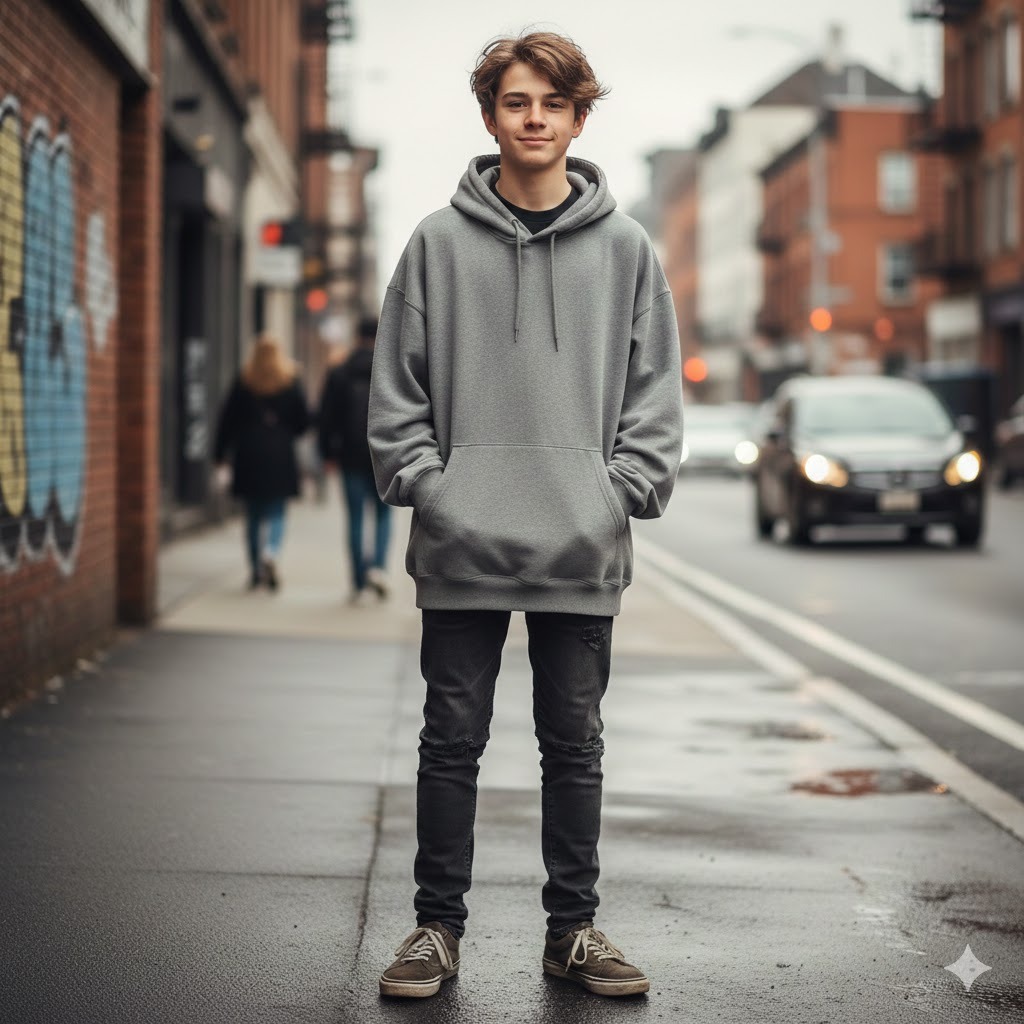
This is one of the most requested looks I come across for teen portraits. The urban street + hoodie combination sits in that sweet spot between casual and cool. The overcast light instruction is deliberate — it’s softer than direct sun and much easier for Gemini to render naturally on skin.
Best for: Social media, casual lifestyle portraits, streetwear content.
14-year-old boy wearing an oversized grey hoodie and dark jeans, standing on a city sidewalk, soft overcast daylight, relaxed natural pose, realistic skin and hair texture, shallow depth of field with blurred street background, authentic street-style mood, using reference photo2. Natural Light Casual Teen Portrait

This works well for profile pictures or any content where you need the boy to look approachable and genuine rather than staged. The window light instruction keeps the shadows soft and one-directional, which tends to be very flattering.
Best for: Profile pictures, everyday lifestyle content, friendly social media posts.
Teen boy casual portrait, seated near a large window, soft natural side light, relaxed genuine expression, clean neutral background slightly out of focus, realistic skin tones and hair detail, warm approachable mood, using reference photo3. Teen Sitting on Outdoor Steps
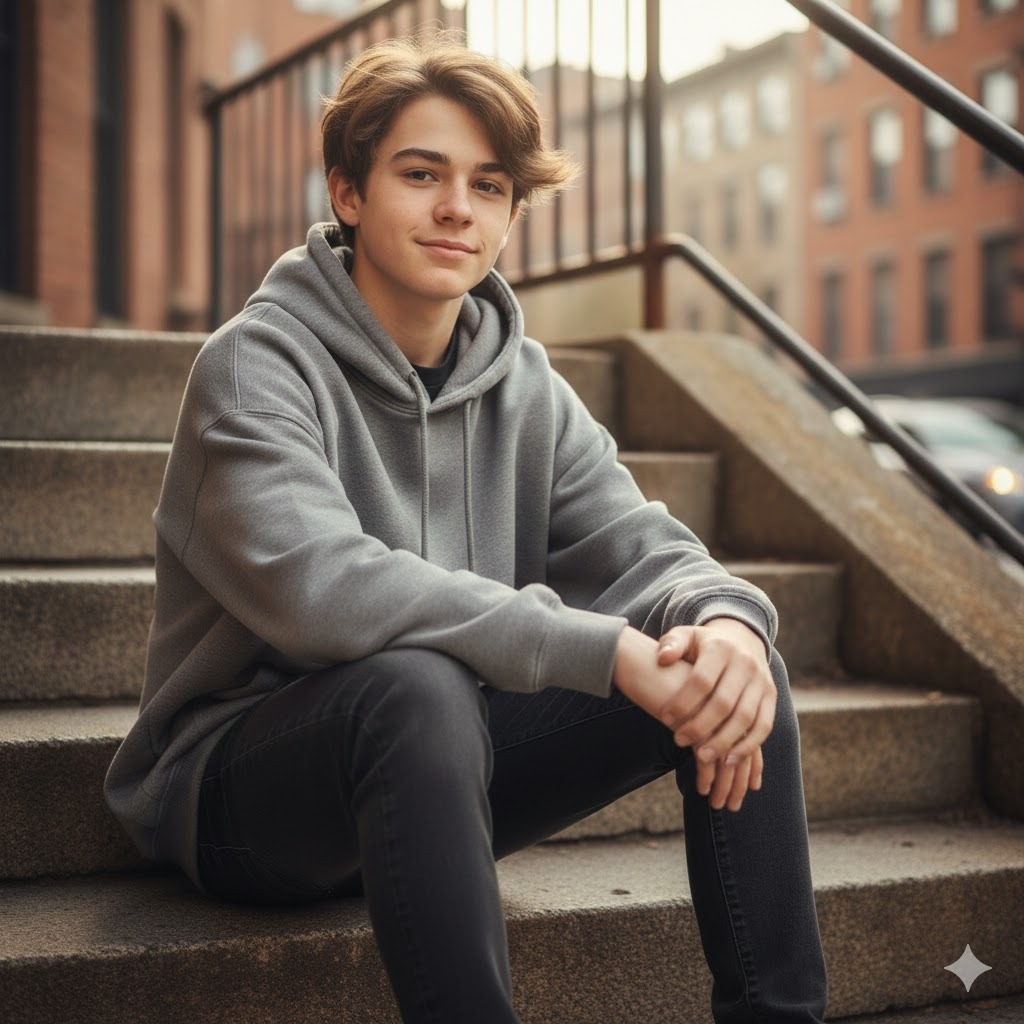
Steps give you a natural depth cue and create a more dynamic composition than a straight standing shot. I find this prompt particularly good for editorial-feeling lifestyle content because the pose reads as unposed even when it’s not.
Best for: Lifestyle photos, editorial content, dynamic compositions.
Teenage boy seated on worn concrete steps outdoors, casual outfit, soft morning side-light, realistic skin and fabric textures, relaxed natural posture, subtle background blur revealing urban environment, authentic candid mood, using reference photo4. Boy with Headphones — Moody Indoor Look
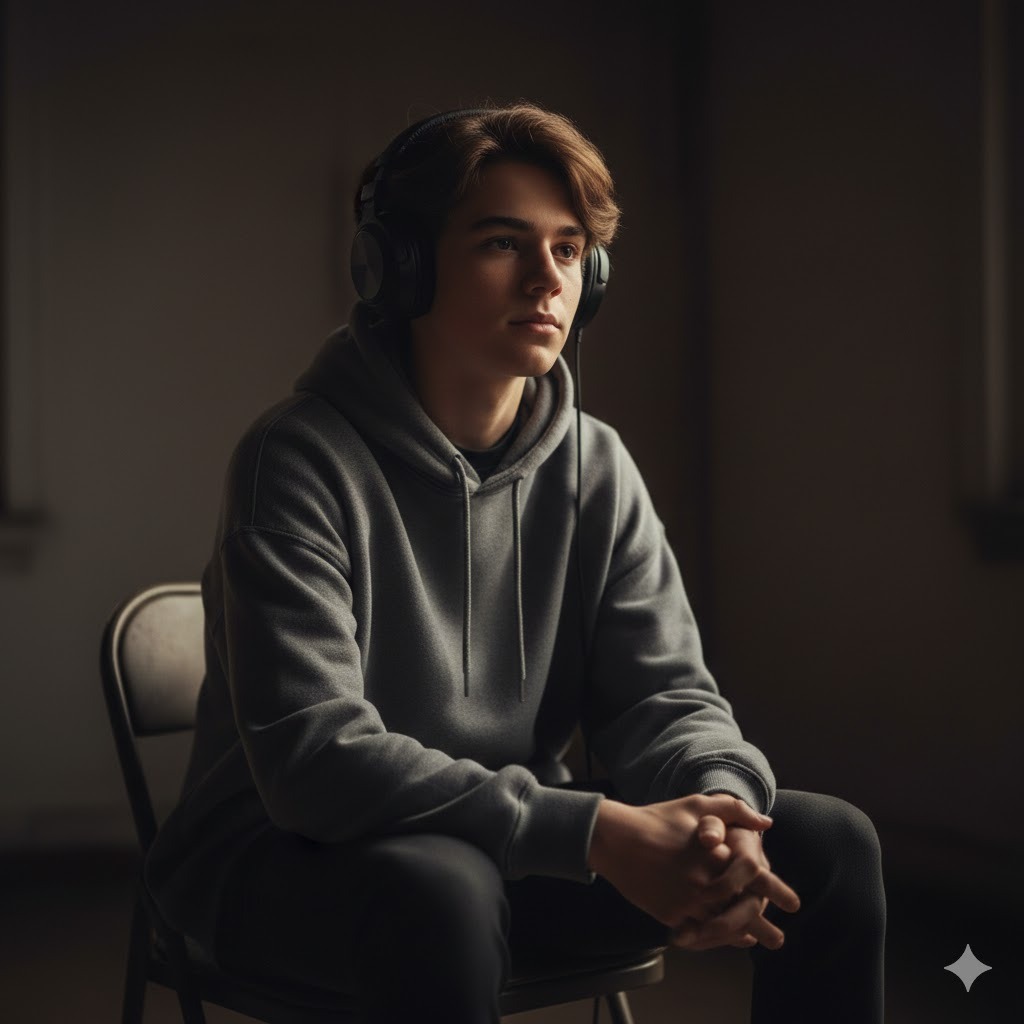
If your subject is into music or you just want a portrait with a bit more personality and atmosphere, this one delivers. The single light source instruction keeps the shadows interesting without going so dark that you lose skin detail.
Best for: Music-related content, mood portraits, editorial social media.
Teen boy wearing over-ear headphones, seated indoors, moody low-key lighting with a single soft light source on one side, cinematic shadow depth, realistic skin and hair, calm focused expression suggesting he's listening intently, using reference photo5. Golden Hour Teen Portrait — Outdoor
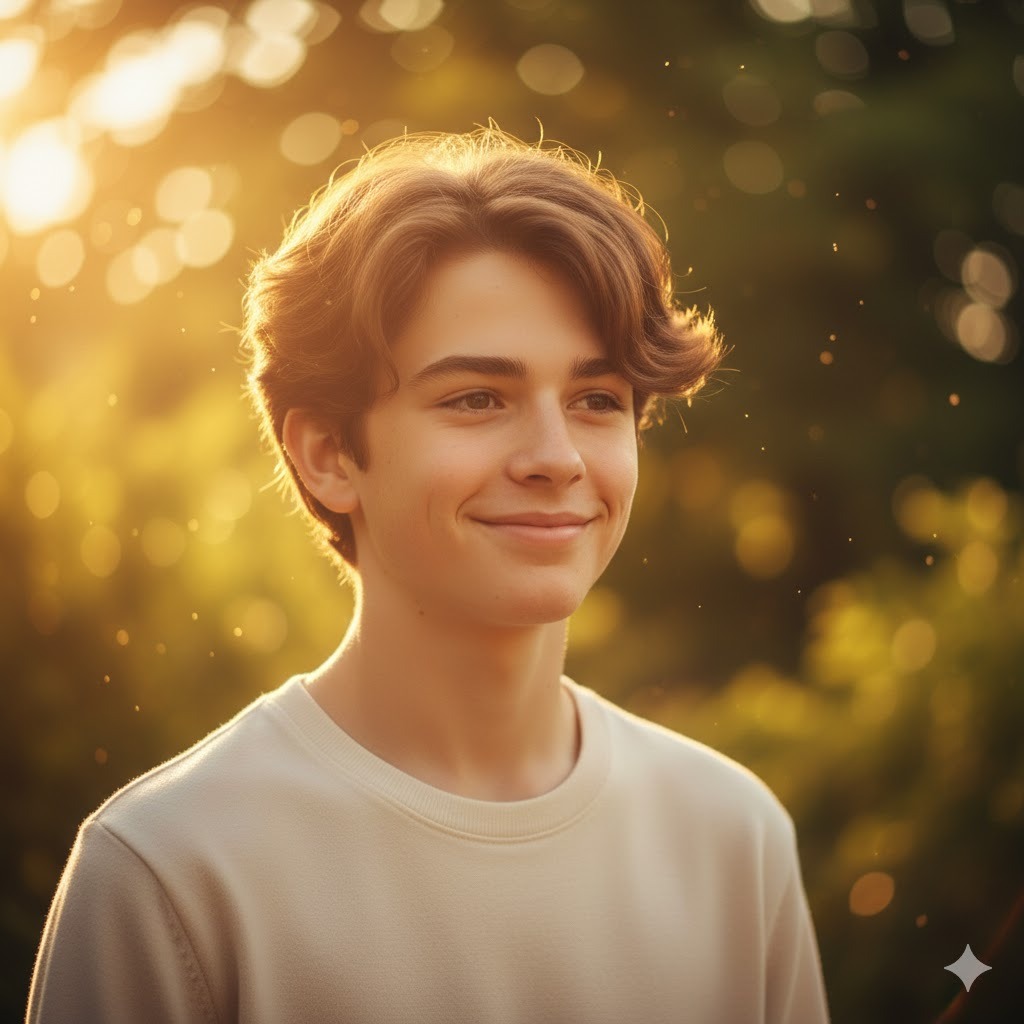
Golden hour is the most universally flattering light for portraits. This prompt leans into that warmth deliberately. The side-lit instruction creates dimension without heavy shadows, and the foliage background keeps it feeling grounded and natural.
Best for: Warm lifestyle shots, Instagram posts, seasonal content.
Teen boy portrait outdoors at golden hour, warm amber sunlight striking from the left side, soft glowing skin tone, natural relaxed smile, slightly blurred foliage background, realistic hair texture catching warm light highlights, using reference photo6. Low-Angle Street Portrait — Confident Stance
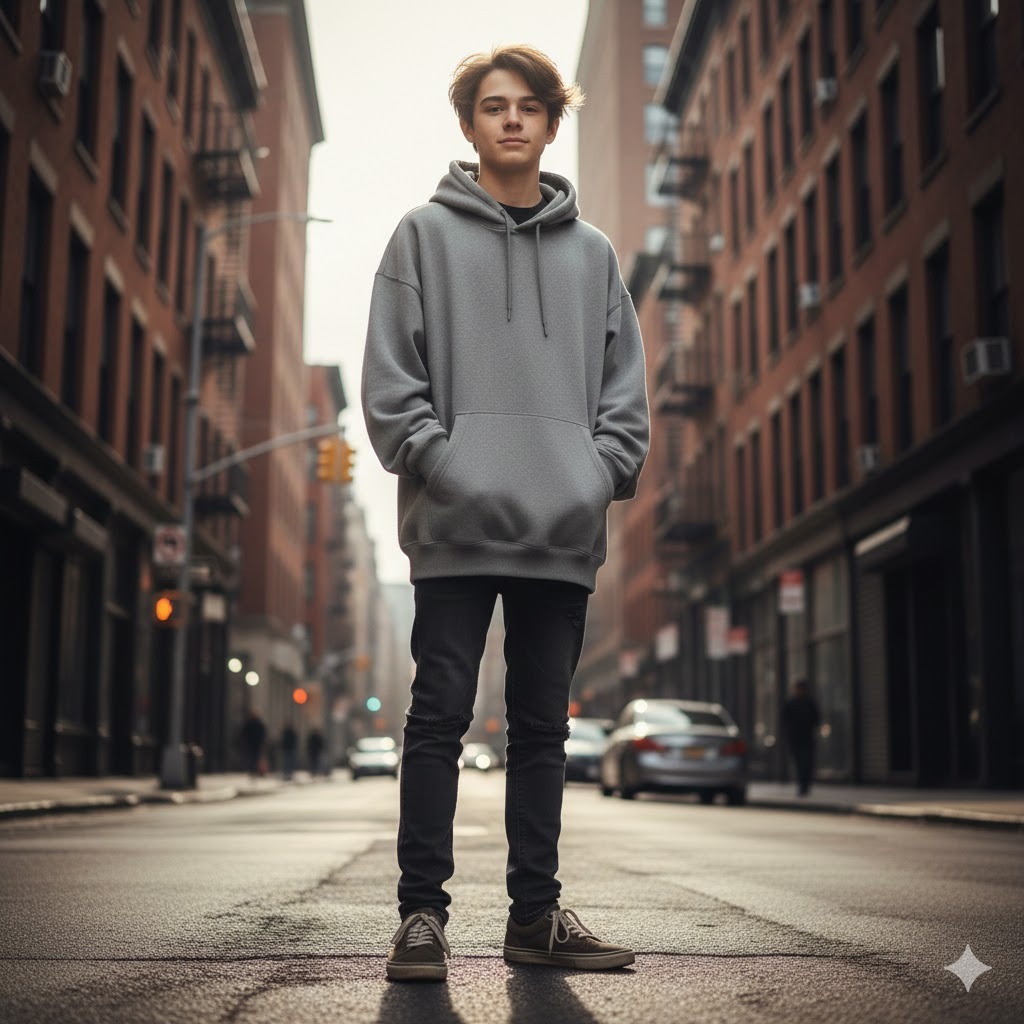
Low-angle shots make subjects look confident and larger in the frame. This works especially well for teens who want a portrait with energy and presence. The midday light is intentional — it gives you strong defined shadows from below when paired with a low angle.
Best for: Dynamic fashion content, high-energy social media, editorial style.
Teen boy full-body street portrait shot from a low angle looking up, confident upright stance with hands at sides or in pockets, urban street and building background, bright midday light, realistic skin and clothing texture, strong commanding visual presence, using reference photo7. Candid Walking Shot — City Environment

The candid walking shot is one of the hardest looks to pull off in real photography — but Gemini AI handles it well if you include the motion context. The slight background blur instruction mimics what a longer lens would do on a moving subject.
Best for: Lifestyle storytelling, candid-style social media, authenticity-focused content.
Teen boy mid-stride walking along a busy city street, candid natural motion pose, casual streetwear, natural daylight, authentic relaxed expression, slight motion blur on background suggesting movement, realistic skin and clothing textures, using reference photo8. Minimalist Teen Portrait — Clean Background
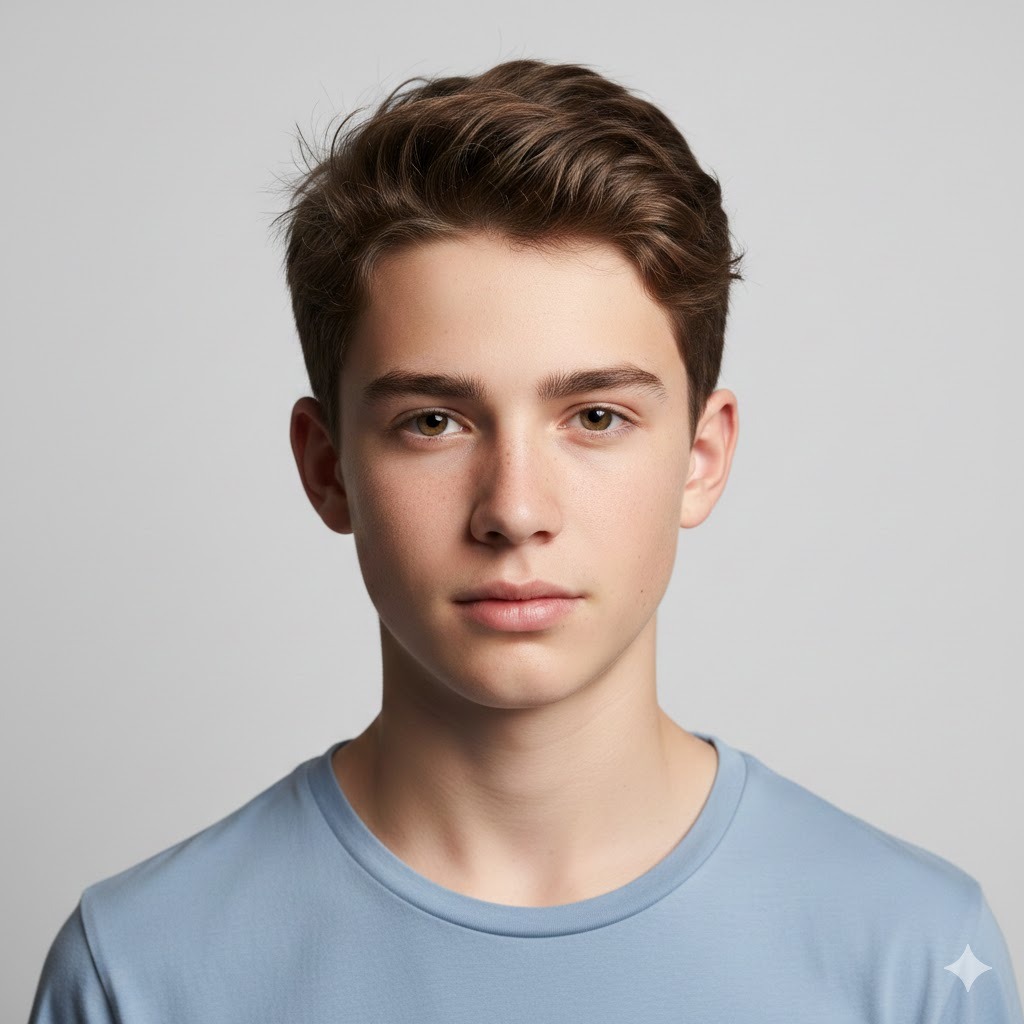
Sometimes you just need a clean, simple portrait with no distractions. This is the prompt for that. It works for avatars, profile photos, and any context where the face needs to be the only focal point.
Best for: Profile pictures, avatars, clean aesthetic social media pages.
Teen boy portrait, clean white or light grey seamless background, soft even lighting from the front with slight shadow depth, natural calm expression, sharp facial detail and hair texture, modern minimalist aesthetic, using reference photo9. Teen with Backpack — Back-to-School Feel
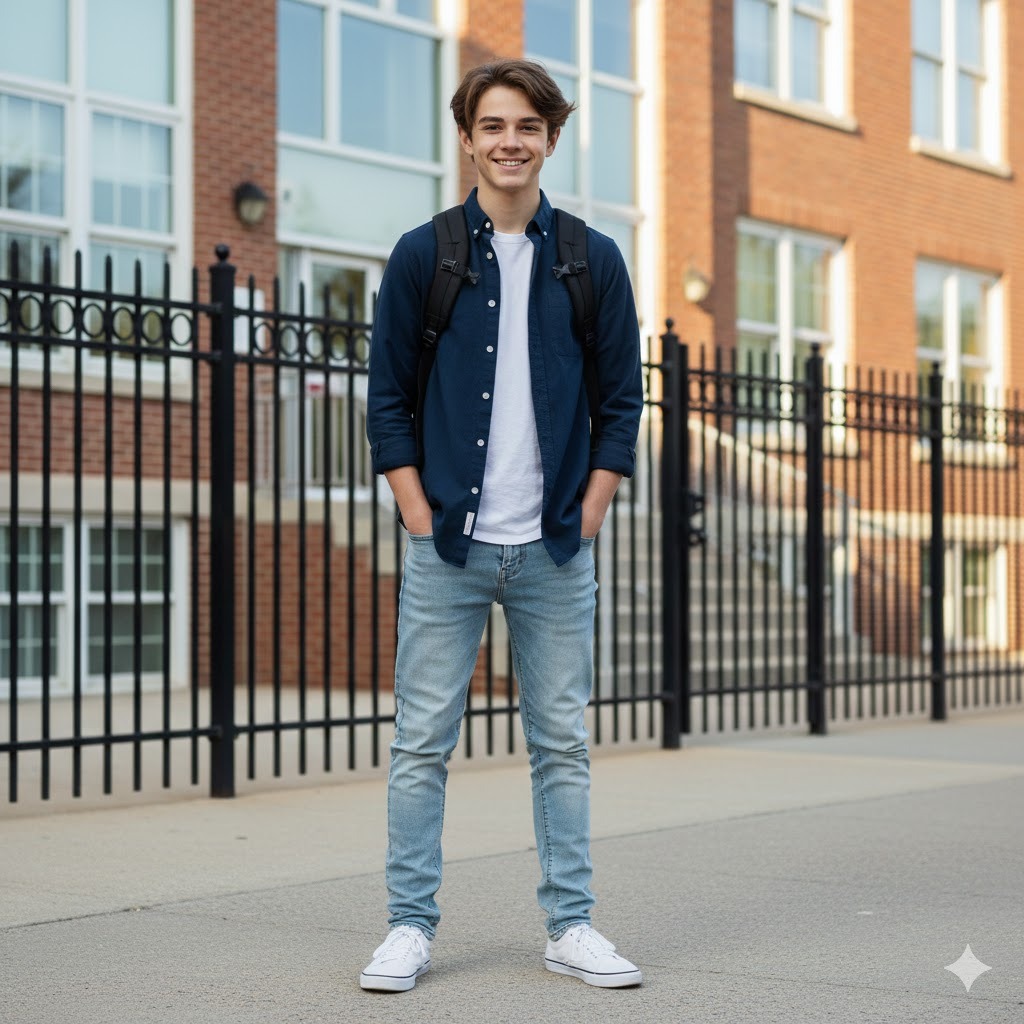
This one is great for seasonal content, back-to-school campaigns, or any family or lifestyle blog that needs an authentic teen moment. The morning light instruction matters — it grounds the shot in a realistic daily routine context.
Best for: Seasonal content, school campaigns, lifestyle blogs.
Teen boy wearing a backpack, standing outside near a school entrance or fence, bright crisp morning daylight, casual school outfit with neat but not overly formal look, genuine confident expression, realistic skin and hair, slightly blurred school building background, using reference photo10. Athletic Teen — Gym and Fitness Portrait
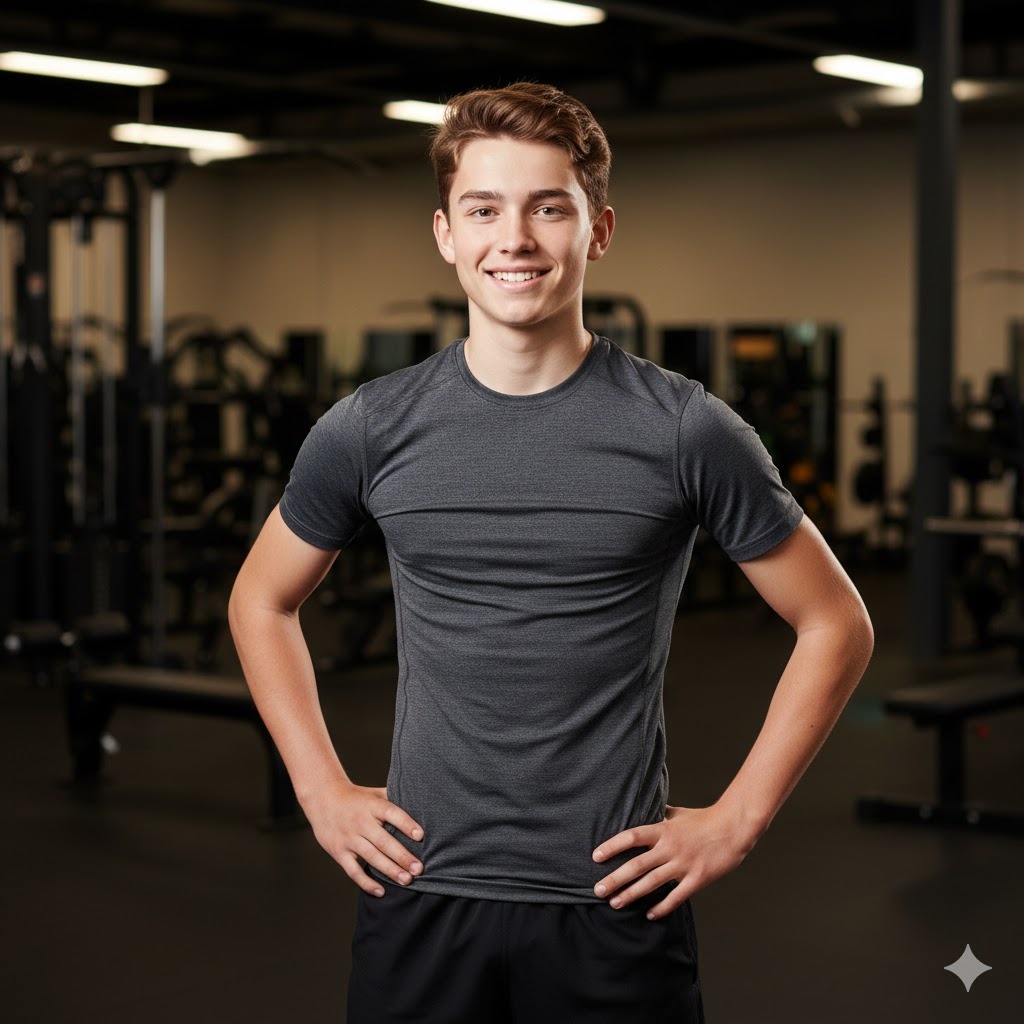
This prompt is built for sports and fitness content. The overhead gym lighting is the key element — it creates downward shadows that emphasize jaw and cheekbone structure, which reads as athletic and defined rather than flat.
Best for: Sports content, fitness brands, motivational social media.
Teen boy in athletic shorts and a fitted t-shirt, standing confidently in a gym setting, warm overhead gym lighting emphasizing athletic build and posture, realistic skin texture with slight natural sheen, dynamic energetic mood, dark gym equipment blurred in background, using reference photo11. Glow-Up Portrait — Smooth Enhanced Skin
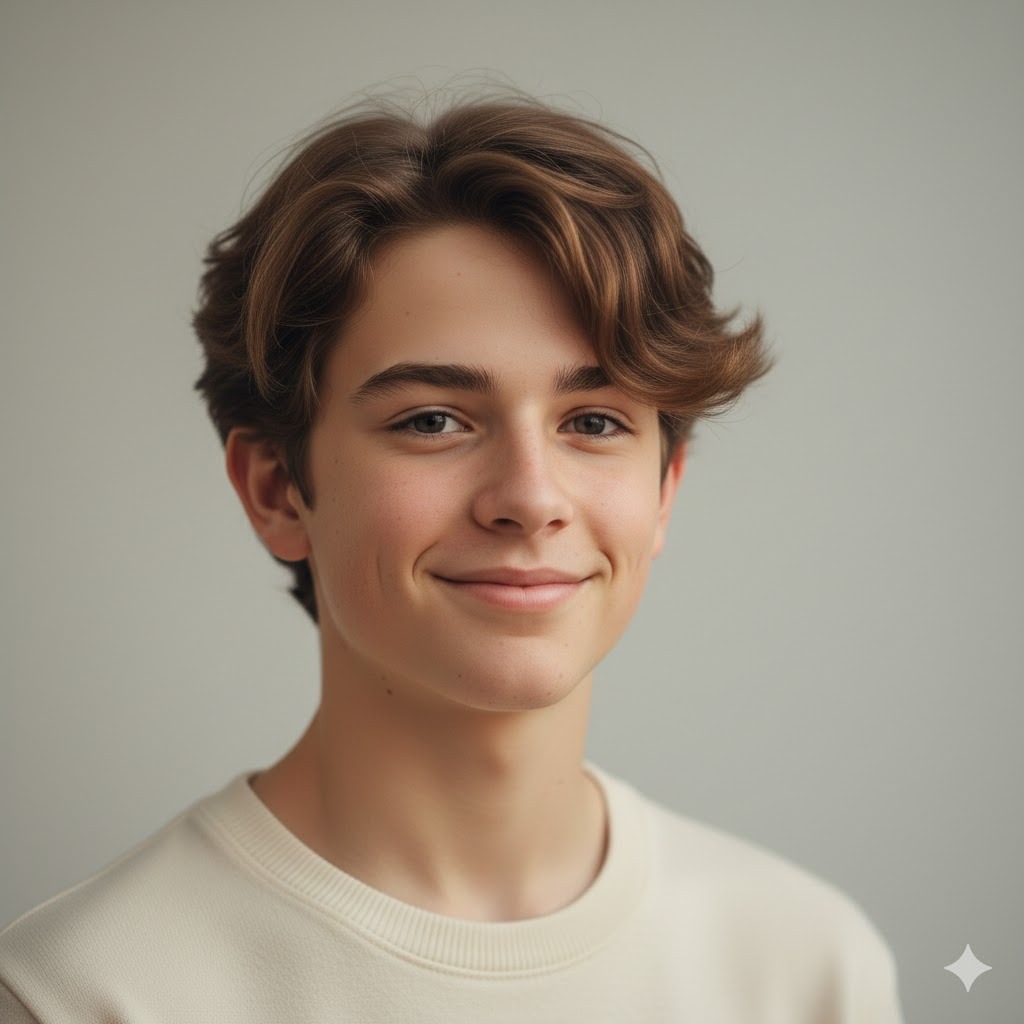
This is one of the most popular uses I see for Gemini portrait prompts — a polished, enhanced version of an existing photo. The key is keeping the instruction on “natural” even while asking for enhancement, so the result doesn’t tip over into looking artificial.
Best for: Before-and-after edits, lifestyle upgrades, clean aesthetic portraits.
Teen boy portrait with enhanced but natural-looking smooth skin, soft professional studio-quality lighting, clear bright eyes, enhanced skin tone staying true to original complexion, clean neutral background, modern glow-up aesthetic, realistic hair detail, using reference photo12. Enhanced Lighting with Blurred Background

If you have a photo that’s decent but the background is cluttered or the lighting is flat, this prompt essentially asks Gemini to fix those two things while keeping the face intact. It’s one of the most practical prompts on this list.
Best for: Cleanup edits, professional lifestyle shots.
Teen boy portrait with enhanced studio-quality lighting applied, sharp clear facial detail, soft smooth bokeh background blur removing background distractions, realistic hair and skin texture, natural calm expression, clean professional aesthetic, using reference photoGemini AI Prompts for Men’s Portraits
These prompts cover the full range of men’s portrait styles — from polished professional headshots to editorial fashion looks, beard transformations, and fitness photography. Each one is calibrated for realism and identity preservation.
13. Professional Headshot — Neutral Background

This is the foundational professional portrait prompt. The light neutral grey background is the standard for corporate headshots because it doesn’t compete with the subject and renders skin tones accurately. If your subject needs a headshot for LinkedIn or a company website, start here.
Best for: LinkedIn profiles, resumes, corporate directories.
Professional male headshot, man in his early 30s, soft even studio lighting from slightly above and to the left, light neutral grey background, sharp focus on face and eyes, natural confident expression, realistic skin and short hair texture, clean collar visible, using reference photo14. Man in a Tailored Suit — Confident Business Portrait

The suit portrait prompt is deceptively tricky because you have to communicate both the formality of the garment and the confidence of the person wearing it. The combination of charcoal fabric and a slightly darker background creates a strong contrast that reads executive without feeling cold.
Best for: Executive branding, business profiles, corporate content.
Man wearing a charcoal tailored suit with white dress shirt and no tie, standing upright with a composed confident posture, soft directional studio light from the upper left, neutral dark grey or dark blue background, realistic skin and fine fabric texture, composed professional expression, using reference photo15. Casual Portrait by a Window
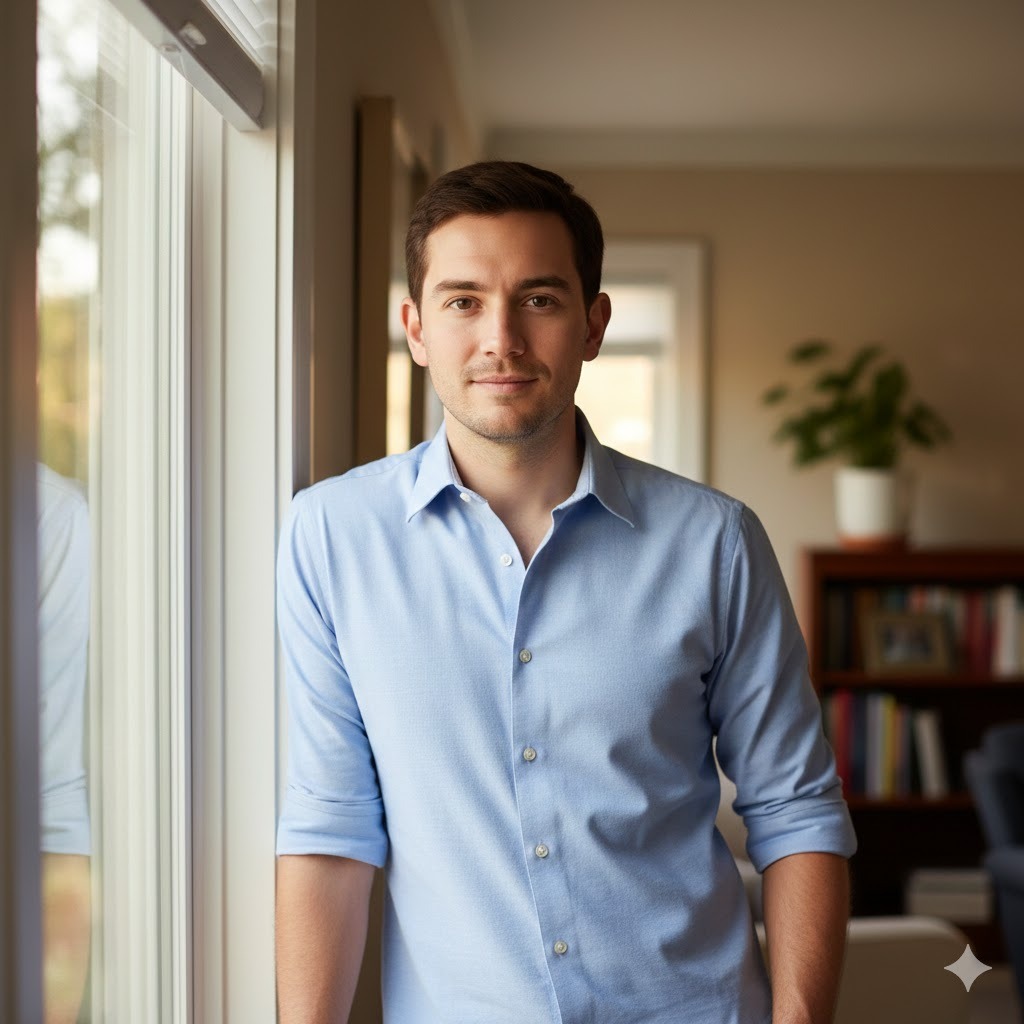
The casual window light portrait is my personal favorite for personal branding content that doesn’t want to feel stiff. Window light is naturally directional and warm, and it creates shadows that add depth without drama. This reads as real and unposed, which is valuable for any brand that wants to communicate authenticity.
Best for: Personal branding, approachable professional profiles.
Man in his 30s in a casual button-down shirt, seated or leaning near a large window, soft warm natural side-light, gentle relaxed expression, slightly blurred indoor room background suggesting home or office, realistic skin and hair textures, approachable personal branding feel, using reference photo16. Bearded Man — Cinematic Lighting
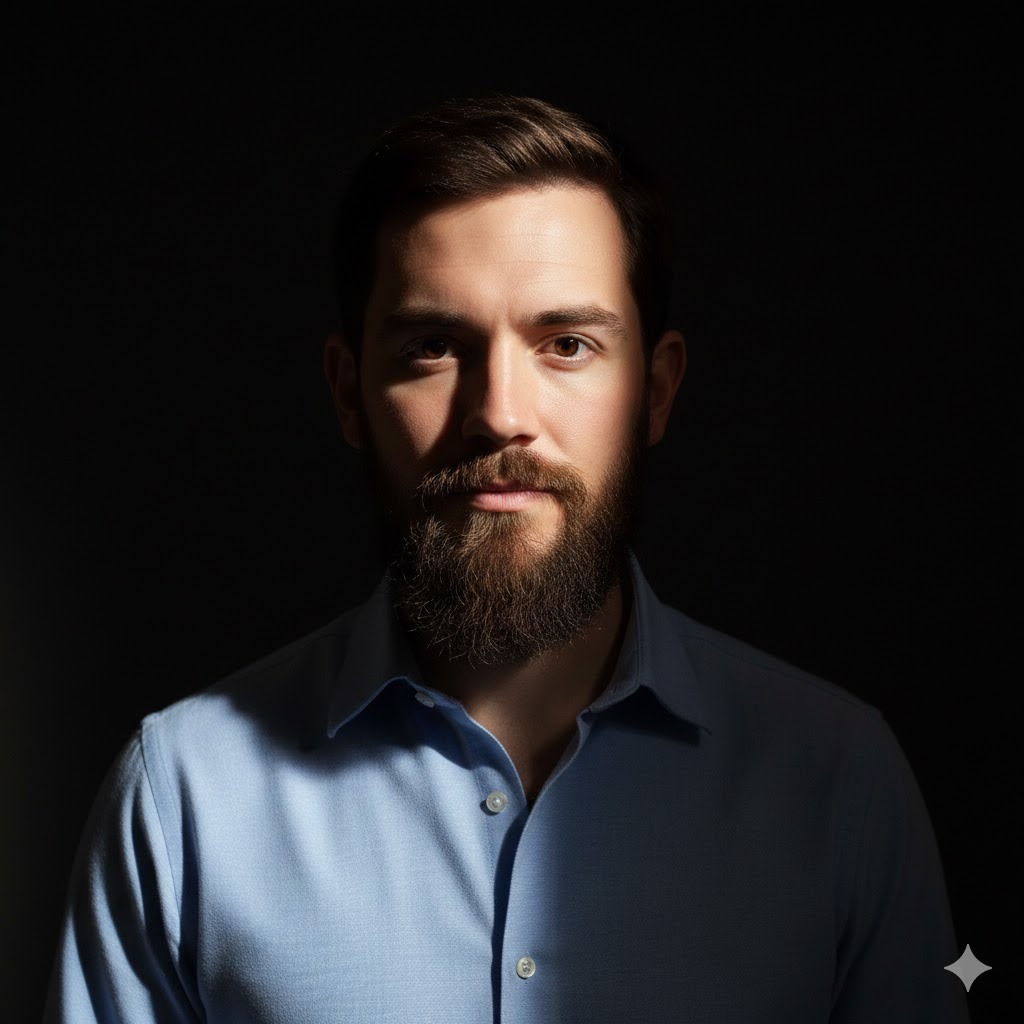
This prompt is for dramatic impact. The Rembrandt lighting instruction creates a pattern where roughly two-thirds of the face is lit and one-third falls into shadow — the classic cinematic portrait structure. If your subject has a beard, this setup shows the facial hair texture beautifully.
Best for: Editorial content, magazine-style portraits, dramatic personal branding.
Man with a well-groomed medium beard, cinematic Rembrandt lighting with strong key light from the upper right and a deep corresponding shadow, realistic facial hair texture showing individual strand detail, intense but composed expression, dark studio background, using reference photo17. Business-Casual Clean Look

This is what I recommend when someone needs a professional portrait but the full suit feels too stiff for their industry. A light grey polo or Oxford shirt reads as competent and approachable at the same time — it works for tech, consulting, creative agencies, and most modern businesses.
Best for: Modern business branding, startup culture, approachable professional portraits.
Man in business-casual attire, light grey Oxford shirt with collar open at the top, clean neutral or white background, soft balanced natural-looking light, genuine and confident expression, realistic skin and hair detail, modern professional aesthetic without stiffness, using reference photo18. Outdoor Lifestyle Portrait — Natural Setting
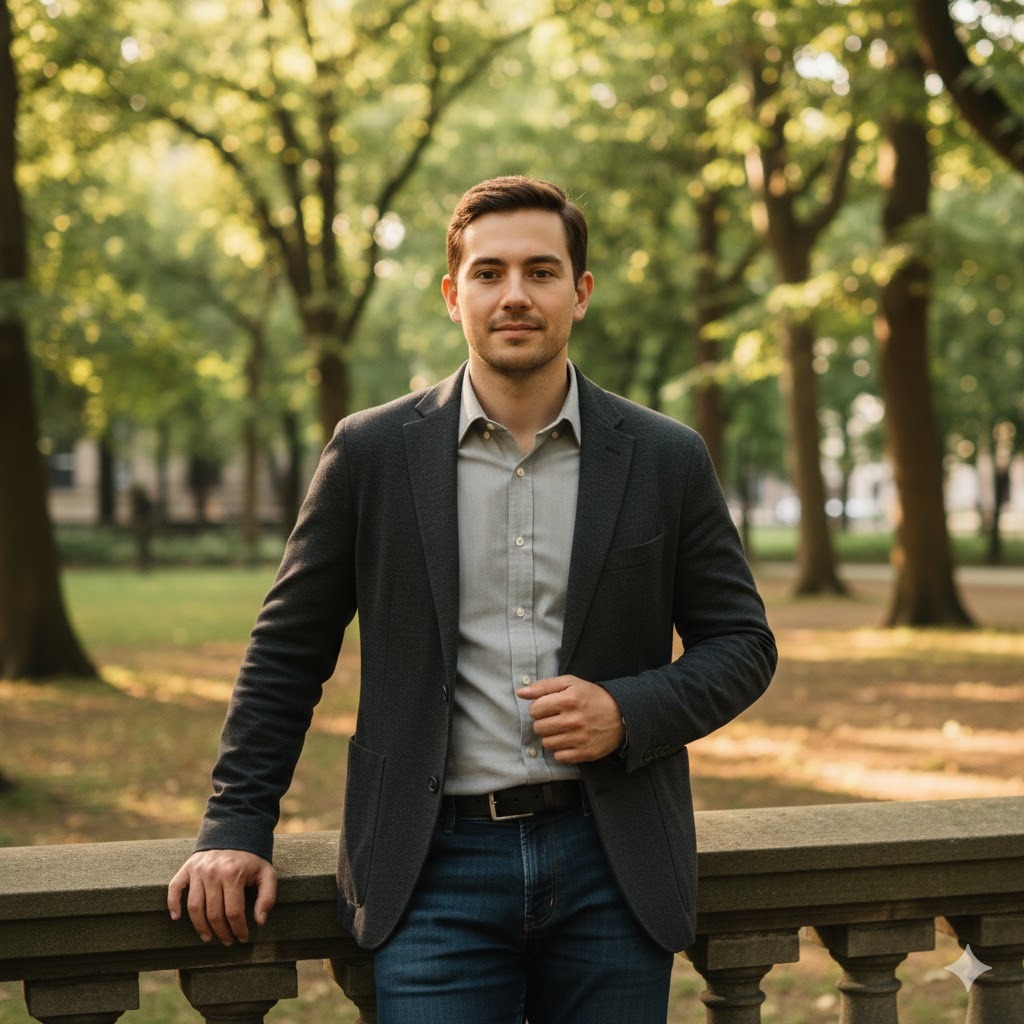
This is great for personal brands that want to signal being down-to-earth, active, or outdoors-oriented. The park or wooded setting keeps it natural without going full wilderness. The light filtering through trees creates that soft dappled look that makes outdoor portraits feel editorial.
Best for: Lifestyle brands, personal blogs, outdoor and travel content.
Man outdoors in a casual jacket and dark jeans, lightly wooded park or urban garden setting, soft afternoon light filtering through tree canopy, relaxed natural standing or leaning posture, realistic skin and hair, natural depth of field with softly blurred trees in background, using reference photo19. Close-Up Detail Portrait — Realistic Skin and Eyes

Use this when you need maximum detail in the face — for character design references, skincare or grooming brands, or any high-resolution portrait use case. The tight framing and pore-level detail instruction pushes Gemini toward its highest realism output.
Best for: High-resolution portfolio work, grooming brands, character design reference.
Tight close-up portrait of a man, sharp focus on eyes and mid-face, soft even lighting from the front with subtle shadow depth, visible realistic skin texture including natural pores and fine detail, calm focused expression, clean neutral background, ultra-realistic render, using reference photo20. Editorial Portrait — Dramatic Framing and Composition
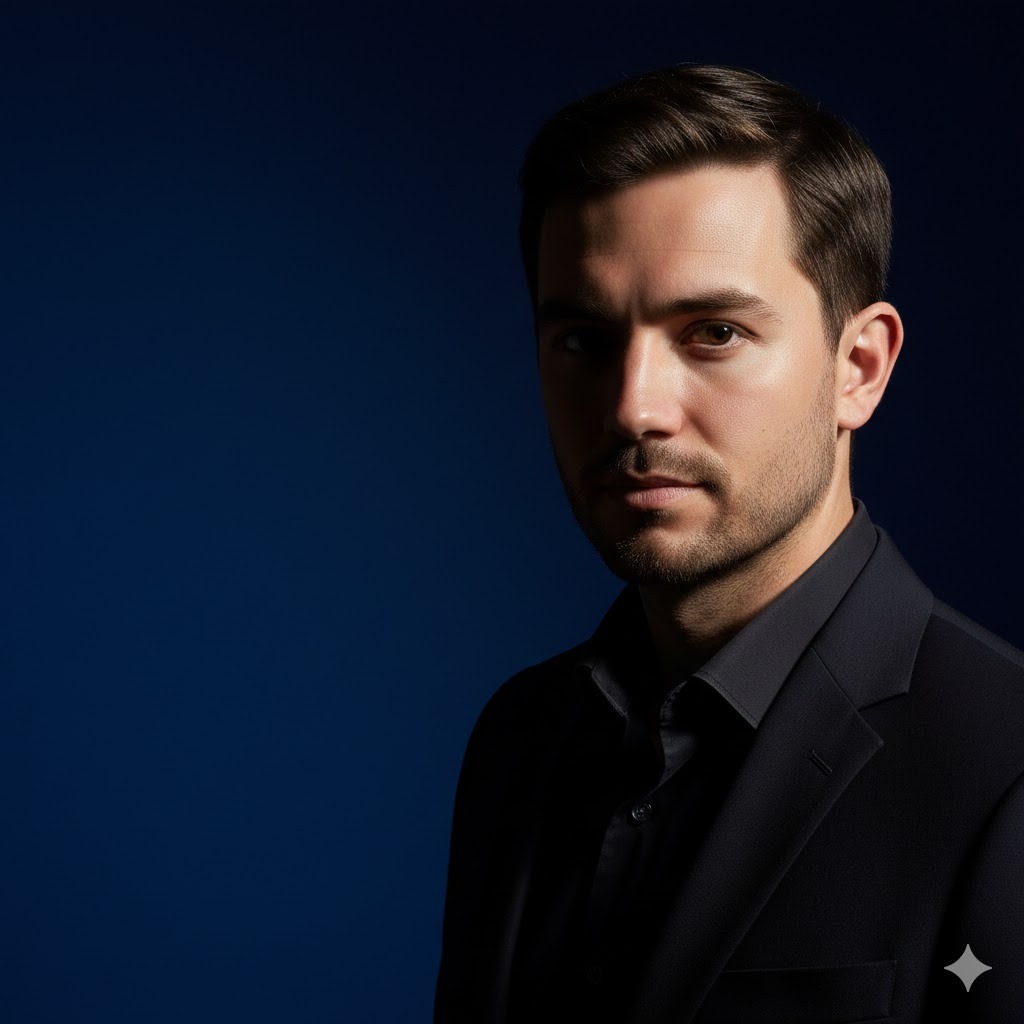
Editorial portraits don’t follow the same rules as clean professional shots. They’re allowed to be bold, asymmetrical, and visually striking. This prompt uses off-center framing and strong contrast to create the kind of image you’d expect on a magazine page.
Best for: Magazine covers, brand campaigns, creative editorial content.
Man editorial portrait, strong off-center framing with subject positioned to one side of frame, bold directional lighting with deep contrasting shadows on opposing side, confident and intense expression, dark or deep jewel-toned background, sharp realistic facial detail, using reference photo21. Fade Haircut Portrait — Trendy Hairstyle

One of the most common portrait customization requests I see is hairstyle changes. This prompt specifically calls for a modern fade, which is one of the most searched men’s haircuts right now. The key is asking for realistic hair texture in the same prompt — otherwise Gemini tends to render hair as a flat shape rather than individual strands.
Best for: Barbershop content, grooming brands, hairstyle exploration.
Man with a modern high fade haircut, tight tapered sides blending smoothly into short natural hair on top, soft studio lighting showing hair texture and clean fade lines, neutral background, natural relaxed expression, realistic skin and hair strand detail, using reference photo22. Full Beard Added — Realistic Facial Hair

Adding a beard to a reference photo that doesn’t have one is something Gemini handles surprisingly well — but only if you’re specific about the beard style and ask for natural blending. Without those instructions, you sometimes get a beard that looks pasted on.
Best for: Beard style exploration, grooming brands, virtual makeover content.
Man with a full natural beard added, beard hair texture blending naturally with existing skin tone and facial structure, medium length covering jaw and upper lip fully, soft directional lighting, neutral background, realistic result with natural-looking hair density and curl pattern, using reference photo23. Fitness Portrait — Athletic Male

This prompt is built for anyone in the fitness industry or anyone who wants a portrait that communicates physical strength and confidence. The combination of overhead gym lighting and a dark background is the classic fitness photo setup — it creates definition without looking artificial.
Best for: Fitness industry, sports content, motivational personal branding.
Athletic man in a fitted gym tank top, strong overhead gym lighting emphasizing shoulder and jaw structure, confident symmetrical stance, realistic skin with natural light sheen, dark blurred gym equipment in background, dynamic and physically commanding presence, using reference photo24. Moody Portrait with Soft Side Shadows

Moody doesn’t always mean dark. This prompt creates atmosphere through shadow placement and color warmth rather than pure darkness — the result is a portrait that feels cinematic and introspective without losing readability.
Best for: Artistic personal branding, cinematic social media, creative portraits.
Man portrait with atmospheric moody lighting, single soft side light source warming one side of face, gradual deep shadow on opposing side, thoughtful or inward-looking expression, realistic skin texture, warm neutral dark background, cinematic emotional depth, using reference photoSocial Media and Aesthetic Prompts for Boys and Men
These prompts are built around the visual languages that perform well on Instagram, TikTok, and Pinterest. Each one targets a specific aesthetic trend — from the soft pastel look to neon cyberpunk — and is calibrated to produce feed-ready results.
25. Soft Pastel Aesthetic Portrait

Best for: Instagram lifestyle content, dreamy personal branding, soft aesthetic feeds.
Male portrait bathed in soft pastel light, pale blush pink and warm lavender color temperature, smooth even skin rendering, gentle natural expression, dreamy softly blurred background in matching pastel tones, delicate and aesthetic social media mood, using reference photo26. Moody Rim-Lit Portrait
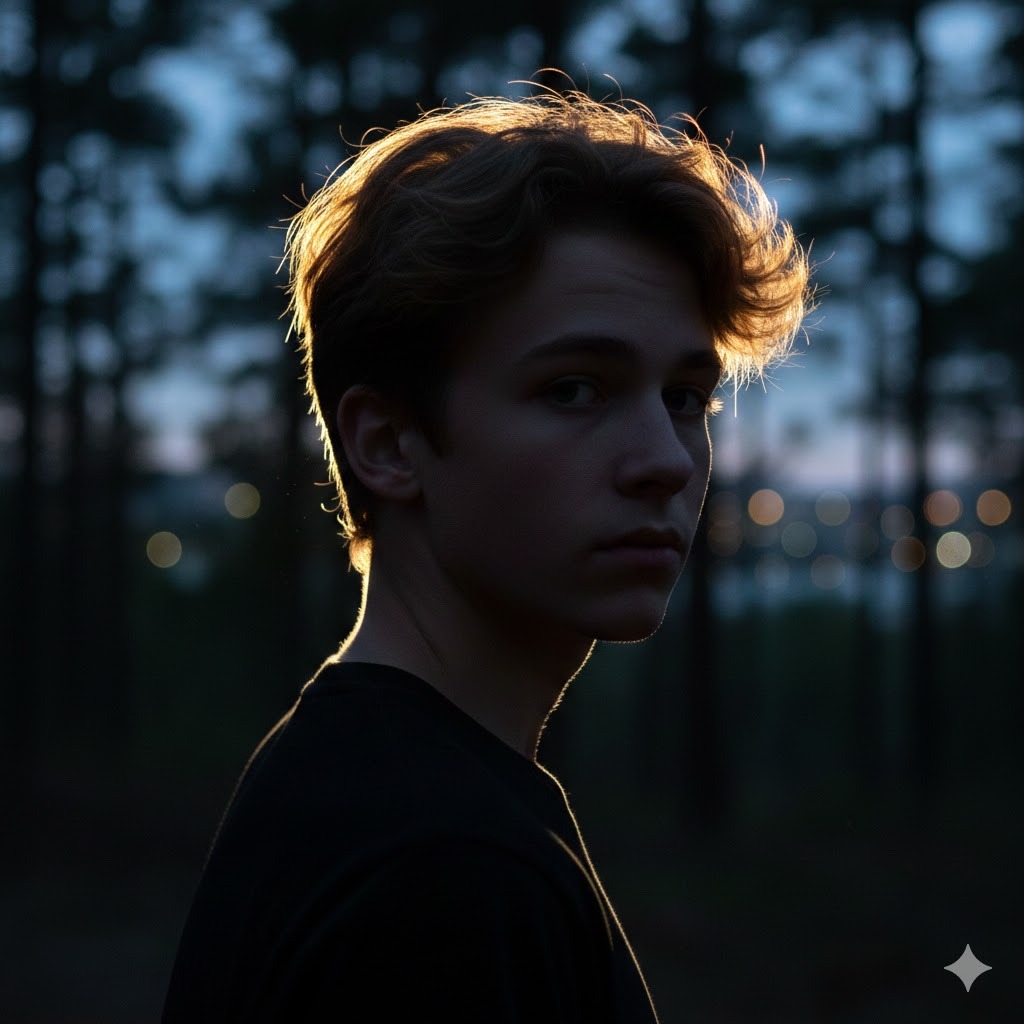
Best for: Dramatic social media posts, Instagram reels covers, high-contrast personal branding.
Teen boy portrait with rim lighting technique, single backlight creating a bright defined outline around hair and shoulders, dark atmospheric foreground, strong contrast between lit edge and shadowed face, realistic hair catching backlight, cinematic drama, using reference photo27. Film-Style Muted Color Tones

Best for: Artistic social media content, nostalgia-themed feeds, storytelling aesthetics.
Male portrait with analog film-style color grading, slightly desaturated warm color palette, soft low contrast, subtle film grain texture applied evenly, natural candid expression, outdoor or window-lit setting, nostalgic 35mm film atmosphere, using reference photo28. Neon Cyberpunk Aesthetic
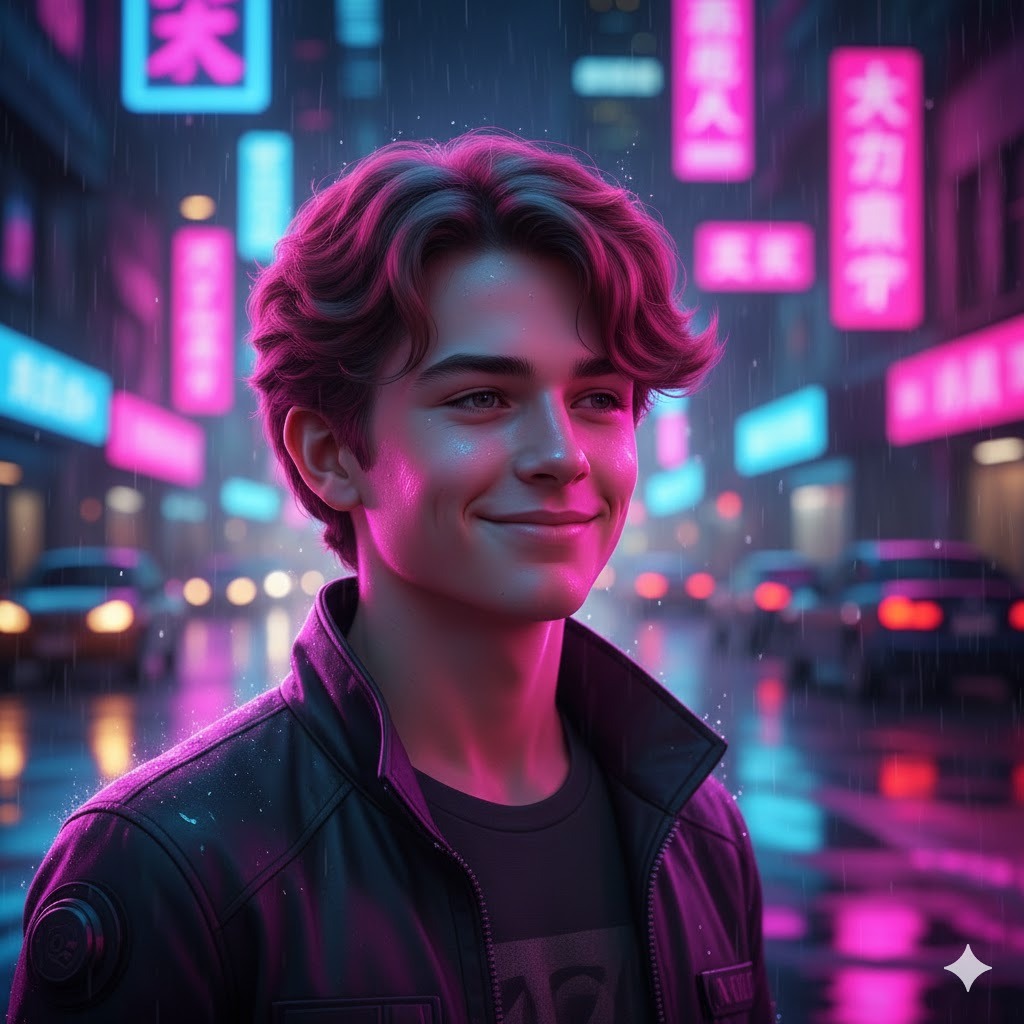
Best for: Gaming content, tech-focused social media, bold creative portraits. You can upload your photo.
Man portrait in a neon-lit urban night setting, vivid magenta and electric blue neon light reflections on face and shoulders, night city background with wet pavement reflections, sharp realistic skin and hair, dramatic cyberpunk visual language, using reference photo29. High-Contrast Black and White Portrait
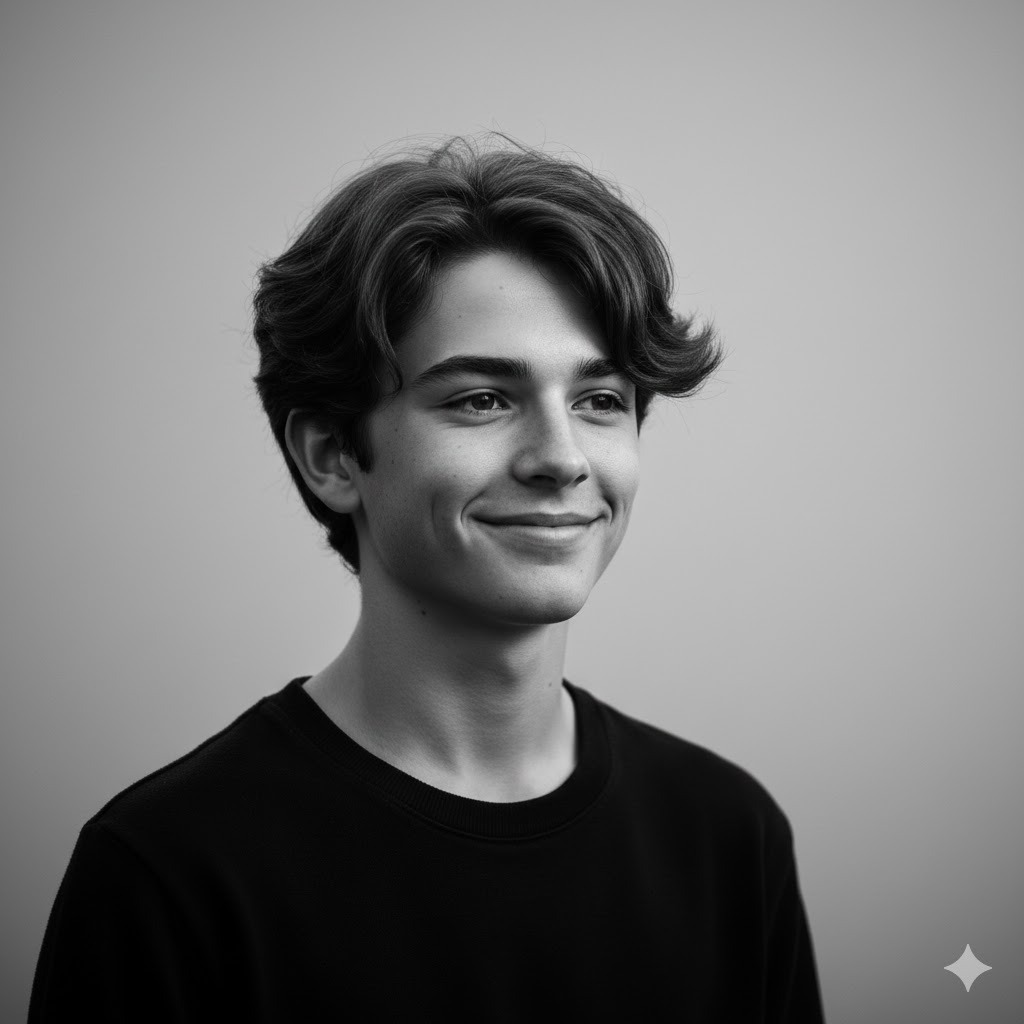
Best for: Minimalist feeds, portfolio work, timeless editorial portraits.
Male portrait rendered in high-contrast black and white, deep rich pure shadows with bright clean highlights, sharp skin texture and facial detail retained, strong expressive composition, neutral seamless background, timeless editorial aesthetic, using reference photo30. Backlit Silhouette with Glowing Rim
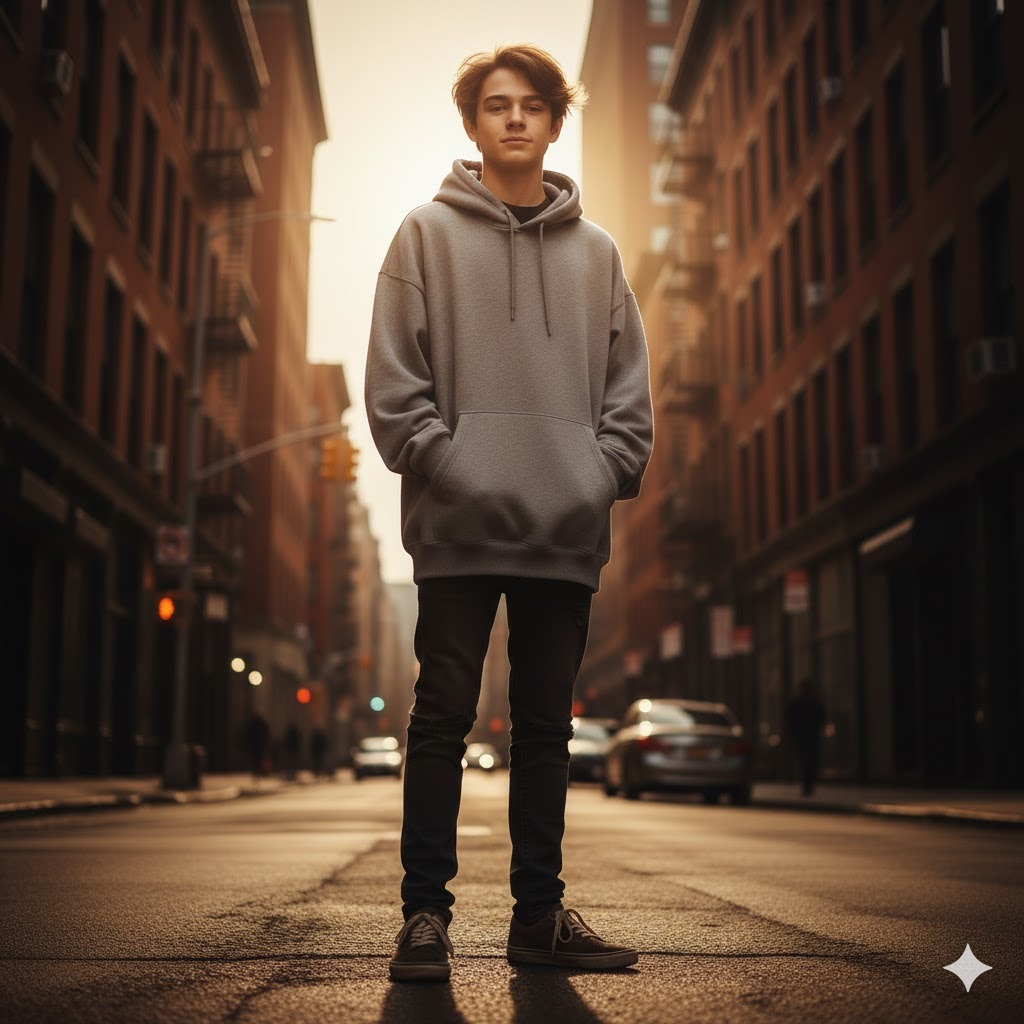
Best for: Story-driven social media, artistic portrait projects, mood-heavy content.
Boy or man portrait with strong backlighting creating a glowing warm rim of light around head and shoulders, warm golden or amber light source directly behind subject, dramatic exposure contrast, minimal visible foreground detail, artistic and cinematic mood, using reference photo31. Minimalist Warm Beige-Tone Portrait
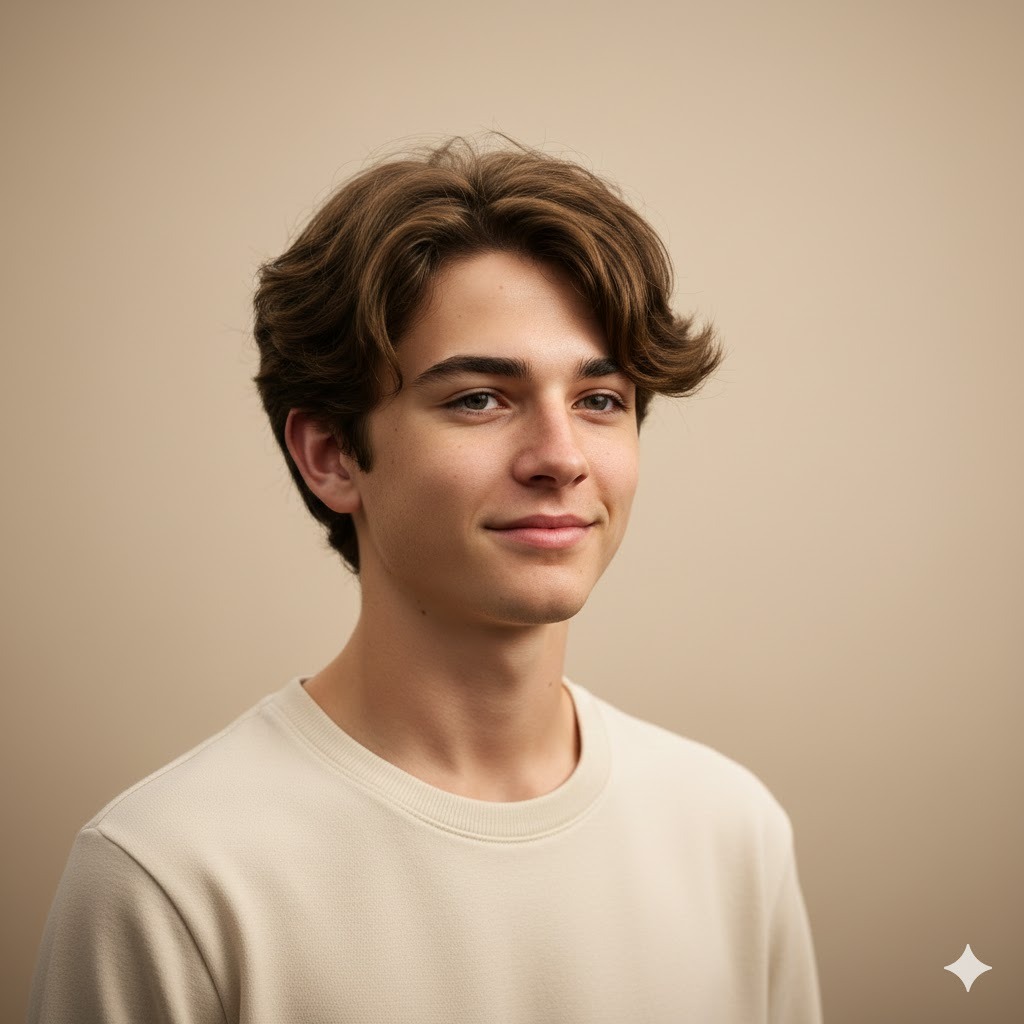
Best for: Neutral aesthetic feeds, personal branding, clean lifestyle content.
Male portrait in warm minimalist color palette, cream and warm beige tones in lighting and background, soft diffused even lighting, calm neutral expression, realistic skin and hair, uncluttered modern lifestyle aesthetic, using reference photo32. Cinematic Color-Graded Look

Best for: Influencer branding, creative editorial, high-production social media.
Man portrait with cinematic teal and orange color grading, warm orange tones in skin highlights contrasting cool teal shadow tones, soft directional light, natural composed expression, shallow depth of field, dramatic polished film-grade result, using reference photo33. DSLR-Style Sharpened Portrait
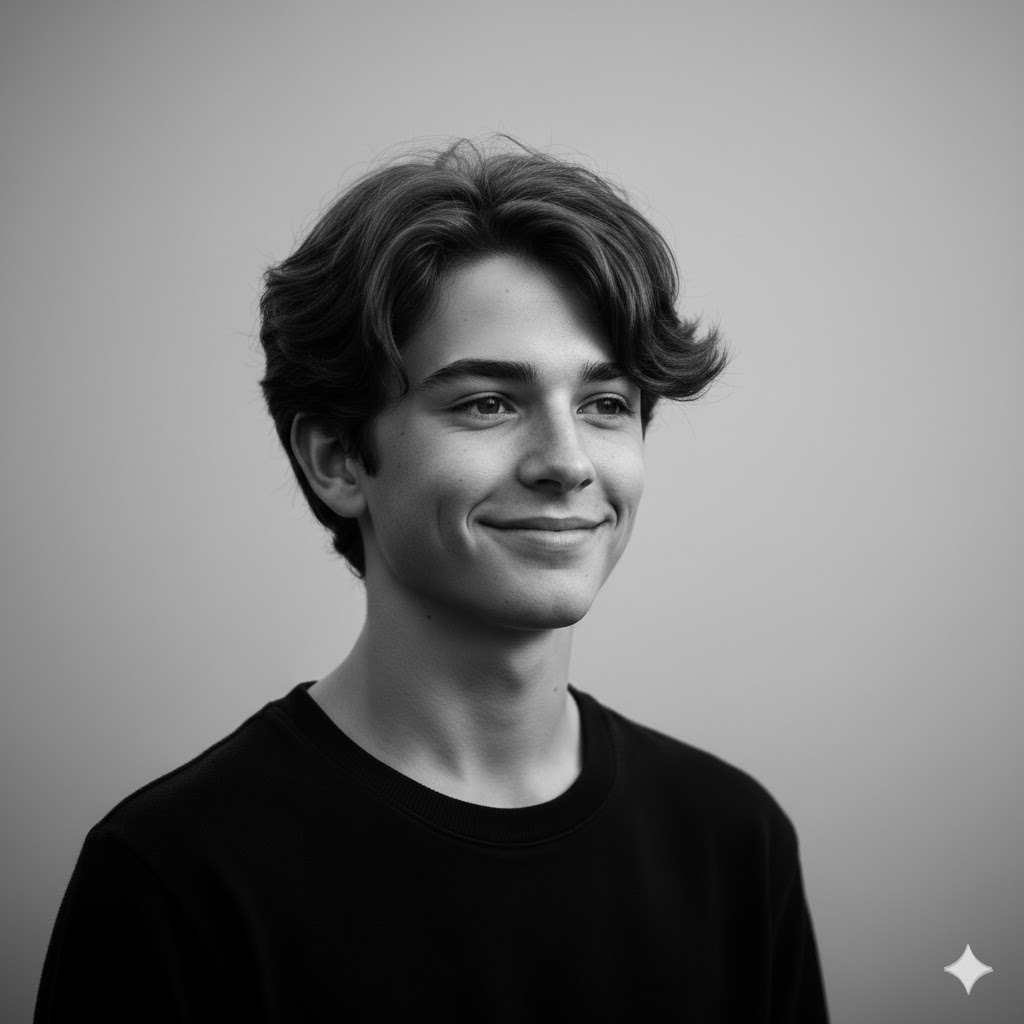
Best for: High-resolution social media, portfolio use, professional personal branding.
Male portrait emulating professional DSLR camera output, sharp tack-focus on eyes with creamy background bokeh, 85mm lens-style shallow depth of field, realistic fine skin and hair strand texture, natural lighting balanced for photography, true-to-life color rendering, using reference photo34. Instagram-Optimized Clean Portrait

Best for: Instagram feed photos, profile pictures, clean aesthetic personal accounts.
Boy or man portrait optimized for Instagram feed composition, clean bright even lighting, approachable genuine expression, neutral or softly blurred warm background, sharp realistic facial detail, modern clean social media aesthetic, using reference photoAnime, Manga, and Illustration Prompts for Boys
These prompts shift from photorealism into stylized illustration territory. They work best when you have a reference photo to anchor the facial structure, even though the output will look nothing like a photograph.
35. Classic Anime Boy Portrait — Clean Line Art
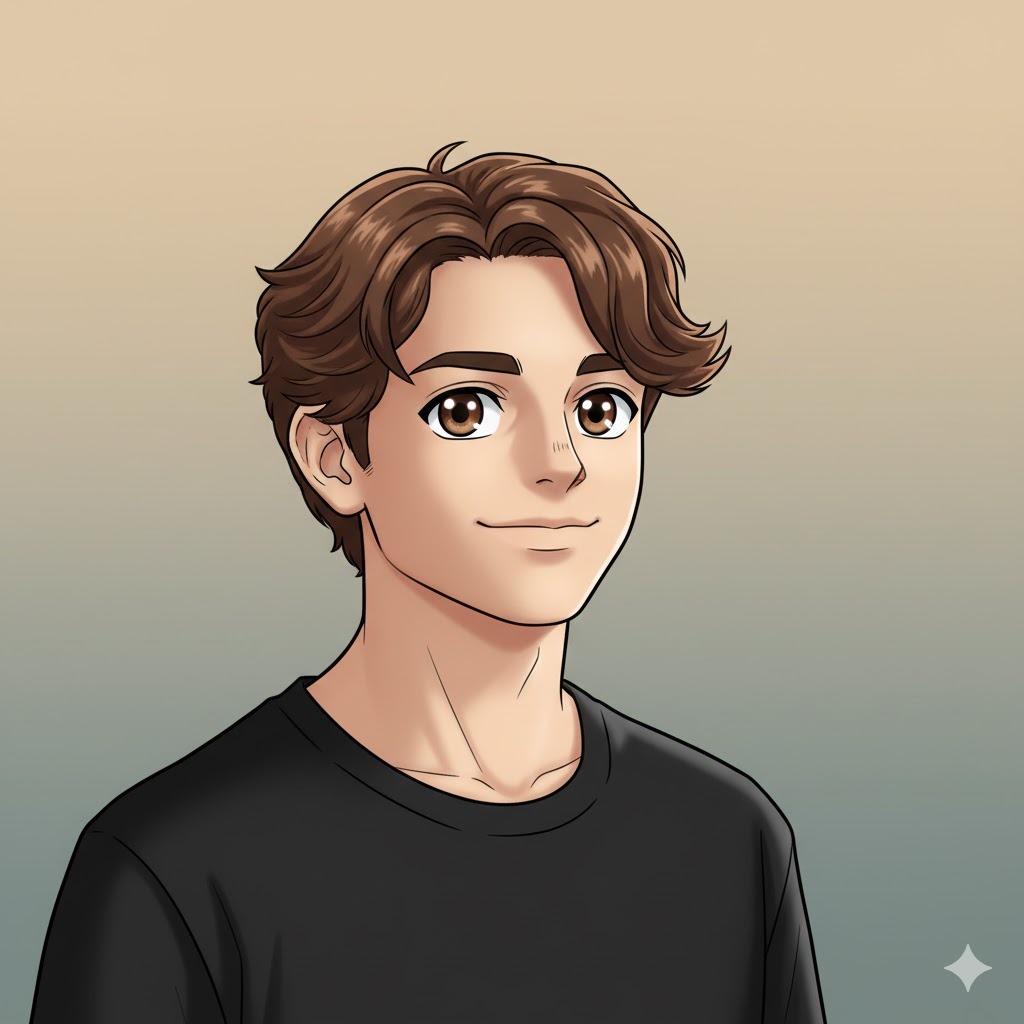
Best for: Character design, fan art, anime-themed social media content.
Anime-style portrait of a boy, clean defined black outlines, large expressive eyes with detailed iris and catchlight, stylized spiky or flowing hair, soft cel-shaded flat color fills, simple gradient background, classic anime art style aesthetic, using reference photo36. Manga Teen — Expressive Eyes and Dramatic Shading
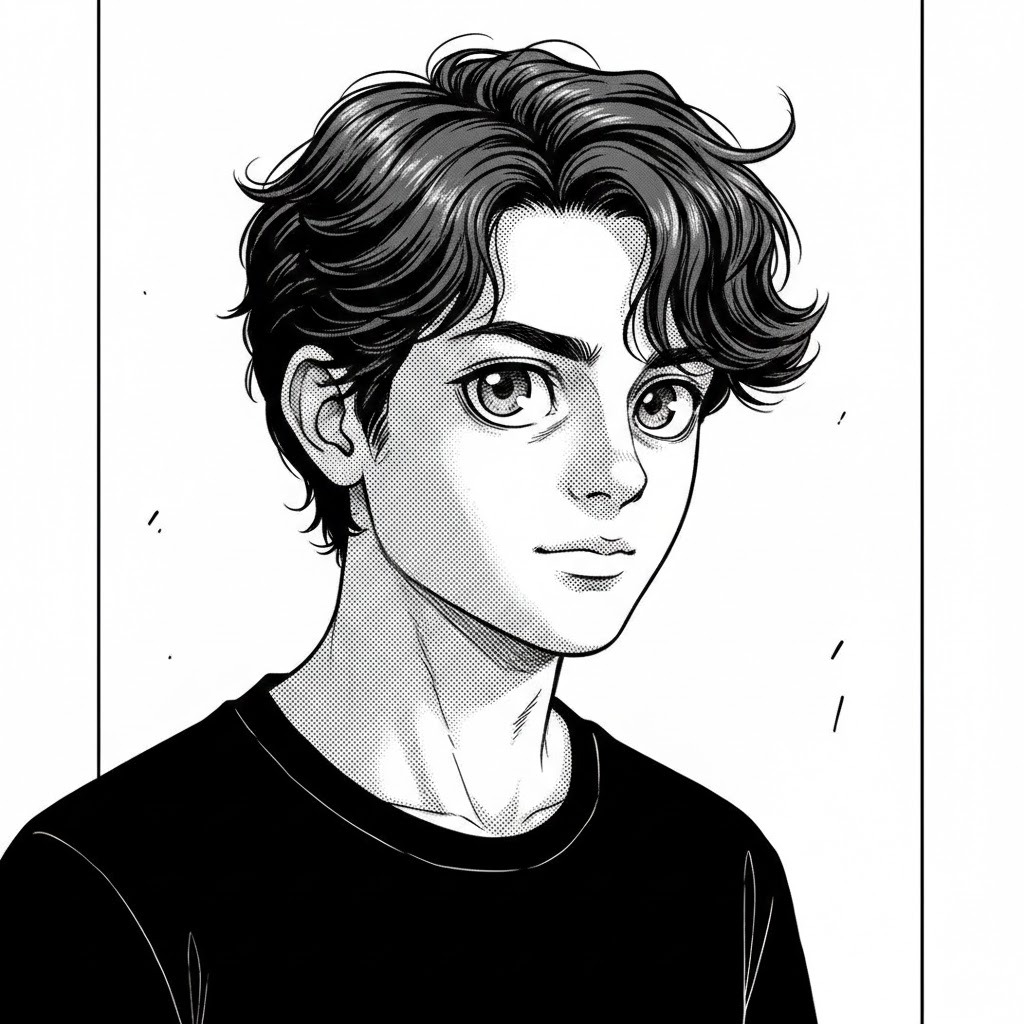
Best for: Manga character creation, expressive illustration, monochrome art projects.
Manga-style teenage boy portrait, bold expressive oversized eyes with screen-tone shading and dramatic lash detail, strong ink-style line work, dramatic side lighting translated into halftone shading, intense focused expression, clean white background with minimal line-art framing, using reference photo37. Semi-Realistic Anime Boy — Detailed Textures
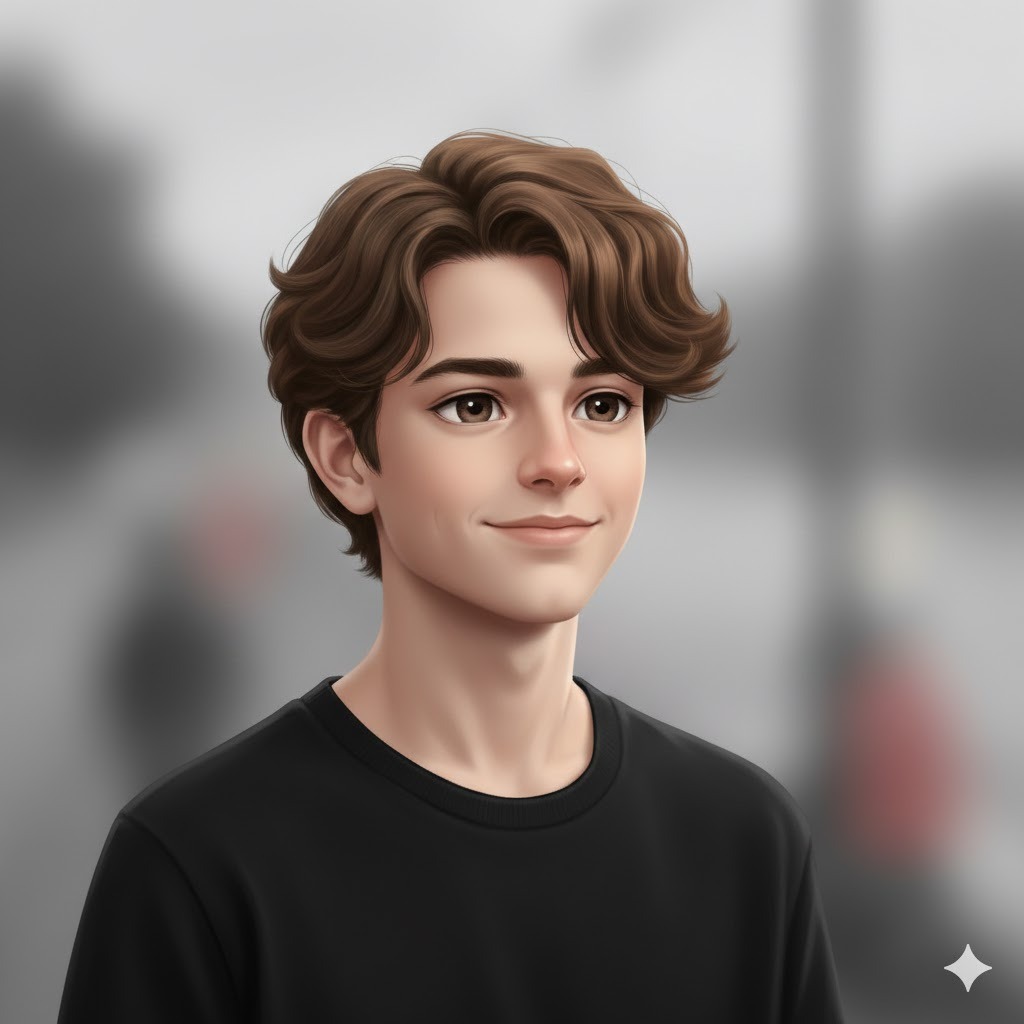
Best for: Modern anime illustration style, character art with realistic depth.
Semi-realistic anime boy portrait blending realistic skin shading with anime-style eyes and stylized hair strands, soft gradient shading throughout, natural relaxed expression, subtle environmental background out of focus, modern anime art style quality, using reference photo38. Cartoon Boy — Fun Exaggerated Features

Best for: Children’s content, fun avatar creation, cartoon character projects.
Cartoon-style portrait of a boy, simplified and exaggerated round eyes and facial proportions, bright vivid flat color fills with bold clean outlines, fun cheerful or playful expression, clean solid color or simple shape background, energetic cartoon character feel, using reference photo39. Chibi Boy Character — Cute Oversized Head
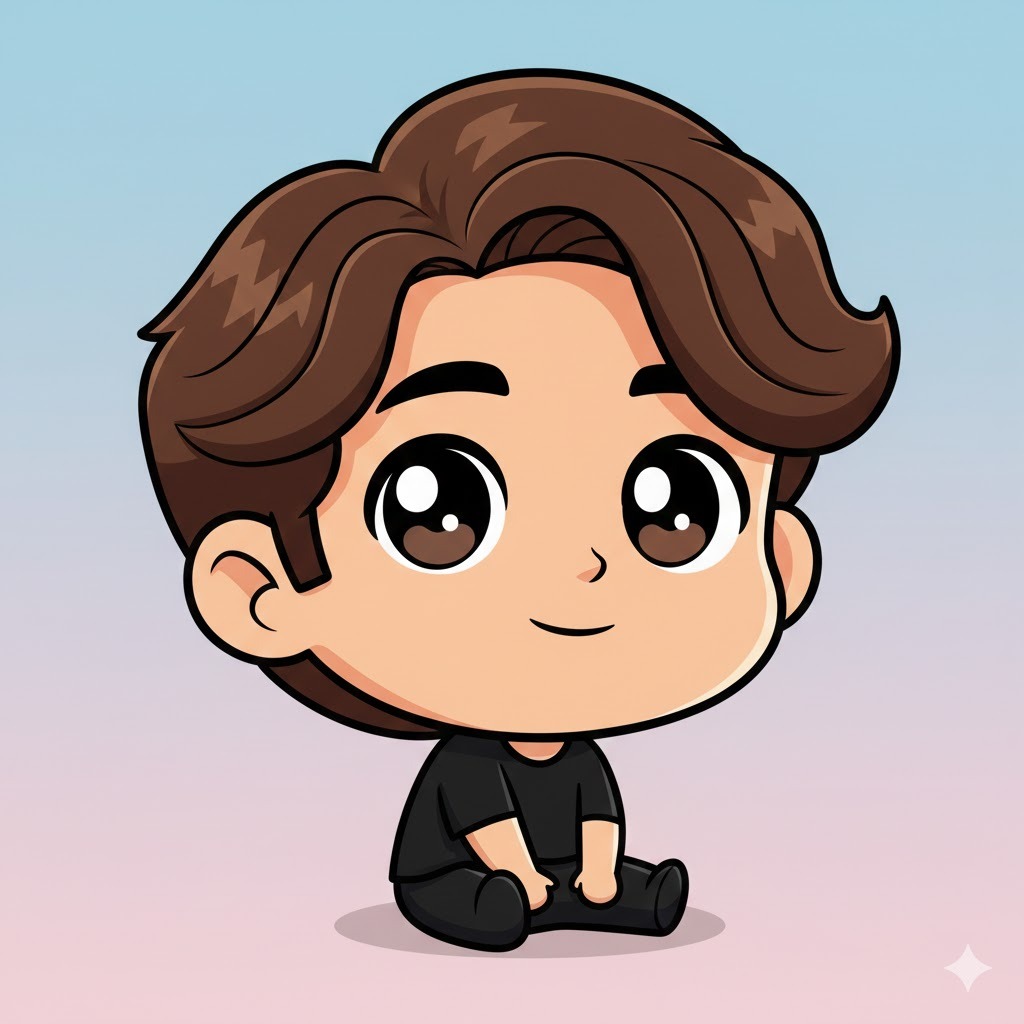
Best for: Stickers, avatars, kawaii-style illustrations, fan merchandise.
Chibi-style character portrait of a boy, greatly oversized round head with small simplified body, large sparkling expressive eyes, pastel soft color palette, adorable playful sitting or standing pose, simple flat or gradient background, kawaii aesthetic, using reference photo40. Playful Caricature Portrait

Best for: Humor-based content, personalized gifts, fun event portraits.
Caricature-style portrait of a boy or man, exaggerated rendering of dominant facial features such as jawline, nose, or eyebrows, bold energetic line work, warm bright cartoon color palette, humorous expressive face, simple background with flat color fill, using reference photo41. Anime-Inspired Full Color Illustrated Boy

Best for: Polished digital art projects, anime-inspired character profiles, creative social media.
Fully illustrated anime-inspired boy portrait, vibrant full-color digital painting, detailed layered hair with highlights and shadow, bright expressive eyes with detailed iris reflection, dynamic slightly angled pose, stylized soft background with gradient light, polished professional digital art quality, using reference photoCinematic Storytelling Prompts for Boys and Men
These prompts are for when you want a portrait to feel like a frame from a movie — where the image alone tells a story or creates a mood without needing any caption.
42. Dramatic Shadows — Emotional Depth
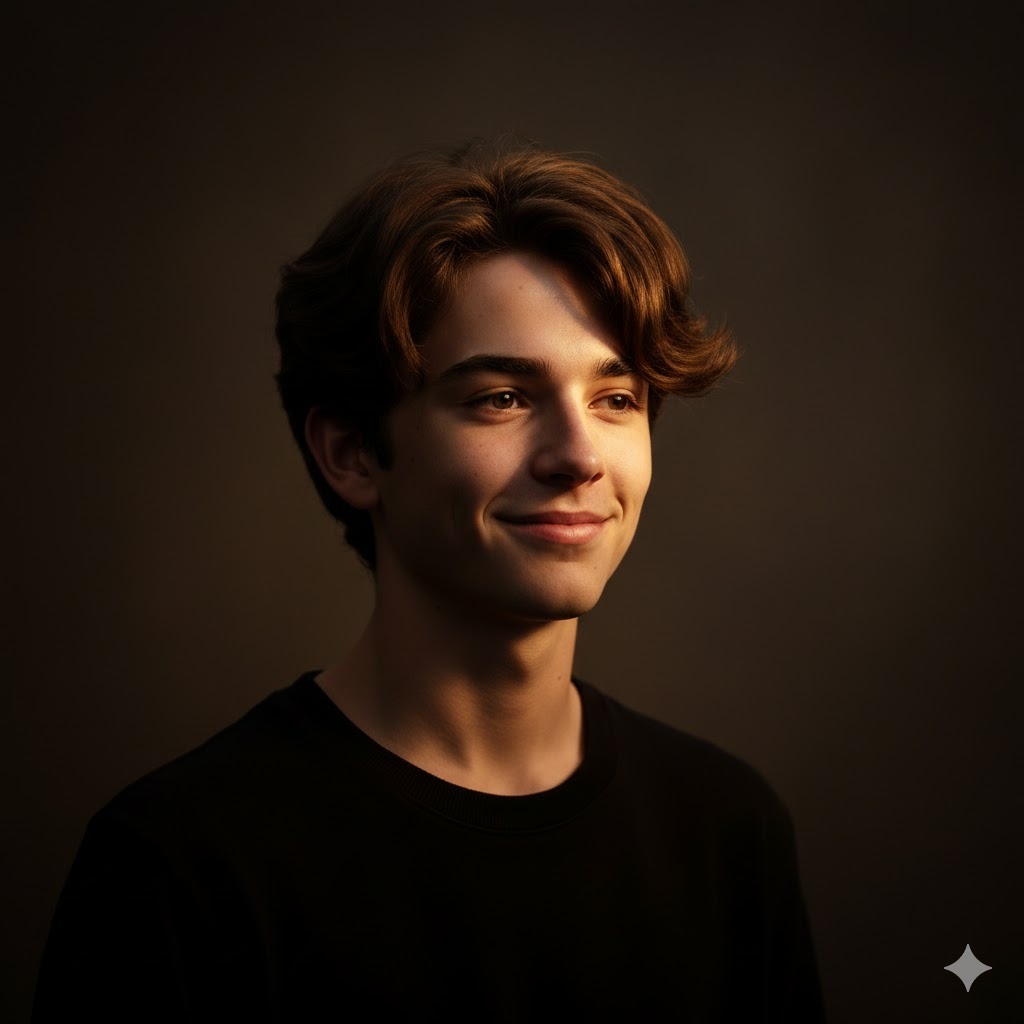
Best for: Cinematic personal branding, storytelling social media, editorial projects.
Male portrait with dramatic Rembrandt lighting, strong warm key light on two-thirds of face, deep shadow falling across opposing eye and cheek, thoughtful or quietly intense expression, realistic skin texture with visible pore detail, dark muted warm background, cinematic portrait quality, using reference photo43. Man in Rainfall — City Night Scene
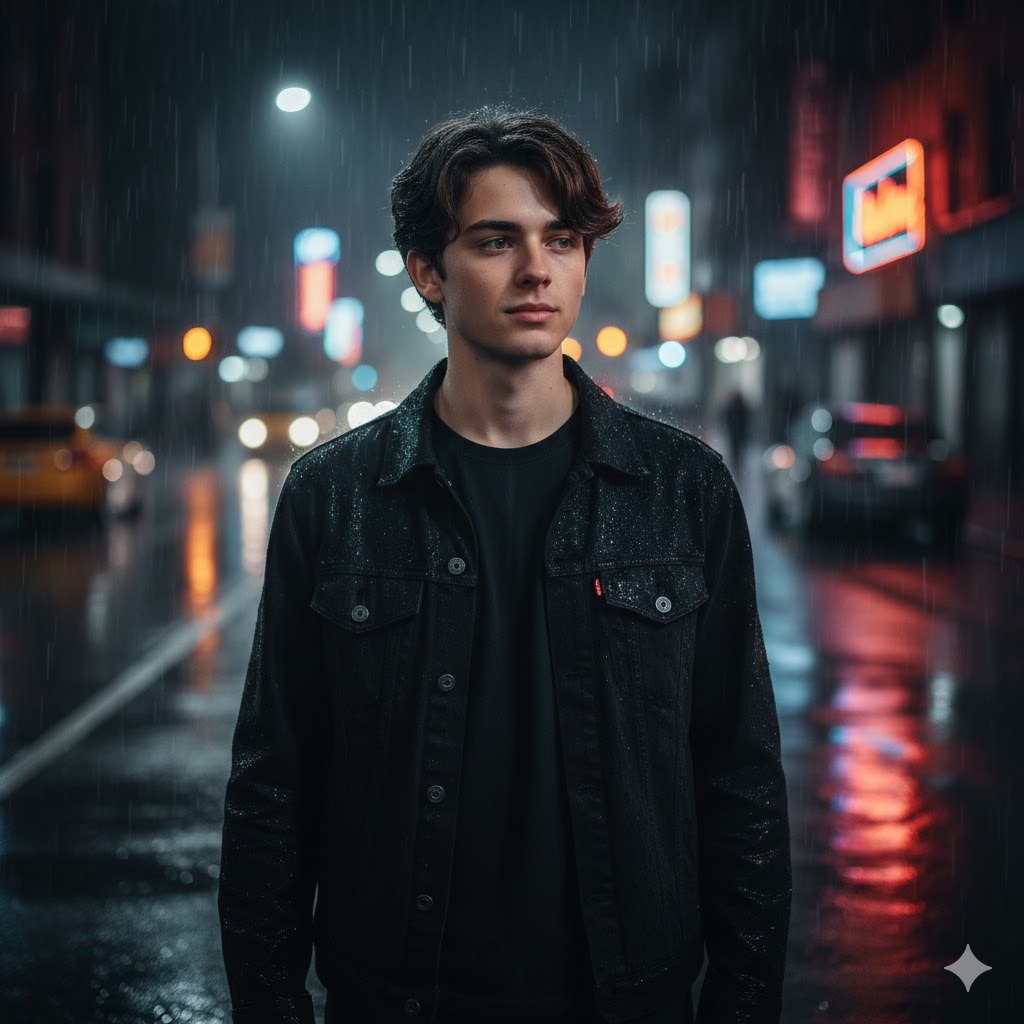
Best for: Cinematic narrative content, film-inspired art projects, dramatic storytelling.
Man standing alone on a rain-soaked city street at night, realistic water droplets on face and jacket, wet pavement reflecting surrounding streetlights and neon signage in background, cinematic atmospheric lighting, moody and introspective expression, realistic skin and wet fabric, using reference photo44. Intense Movie-Style Close-Up

Best for: High-impact editorial portraits, character study visuals, powerful personal branding.
Extreme close-up portrait of a man, sharp precise focus locked on eyes, dramatic single-source side lighting with deep shadow, realistic skin pore and stubble detail, subtle cinematic film grain, powerful emotional expression conveying tension or determination, using reference photo45. Teen Under Streetlight — Night Urban Scene
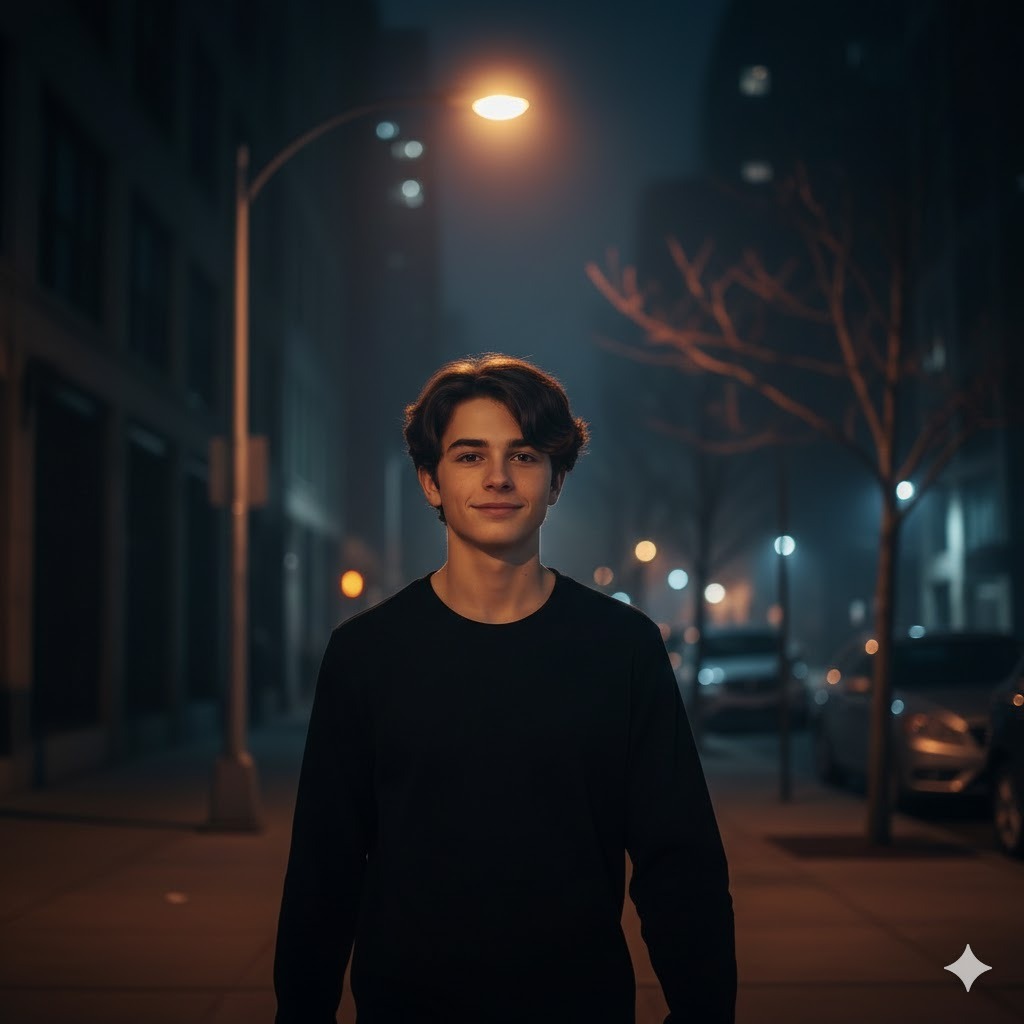
Best for: Youth storytelling content, coming-of-age narrative visuals, cinematic teen portraits.
Teen boy walking alone on an empty urban sidewalk at night, warm orange streetlight casting a soft pool of light on his face and shoulders, surrounding environment in soft darkness, realistic skin and hair texture, calm but atmospheric nighttime mood, cinematic composition, using reference photo46. Epic Hero Portrait — Strong Dramatic Lighting

Best for: Gaming characters, superhero-inspired content, powerful personal branding visuals.
Man in a powerful heroic portrait pose, strong upward-angled light source sculpting facial structure and casting dramatic downward shadows, confident and determined expression, dark atmospheric background with subtle environmental light haze, cinematic hero aesthetic, realistic skin and clothing detail, using reference photo47. Character-Driven Storytelling Portrait
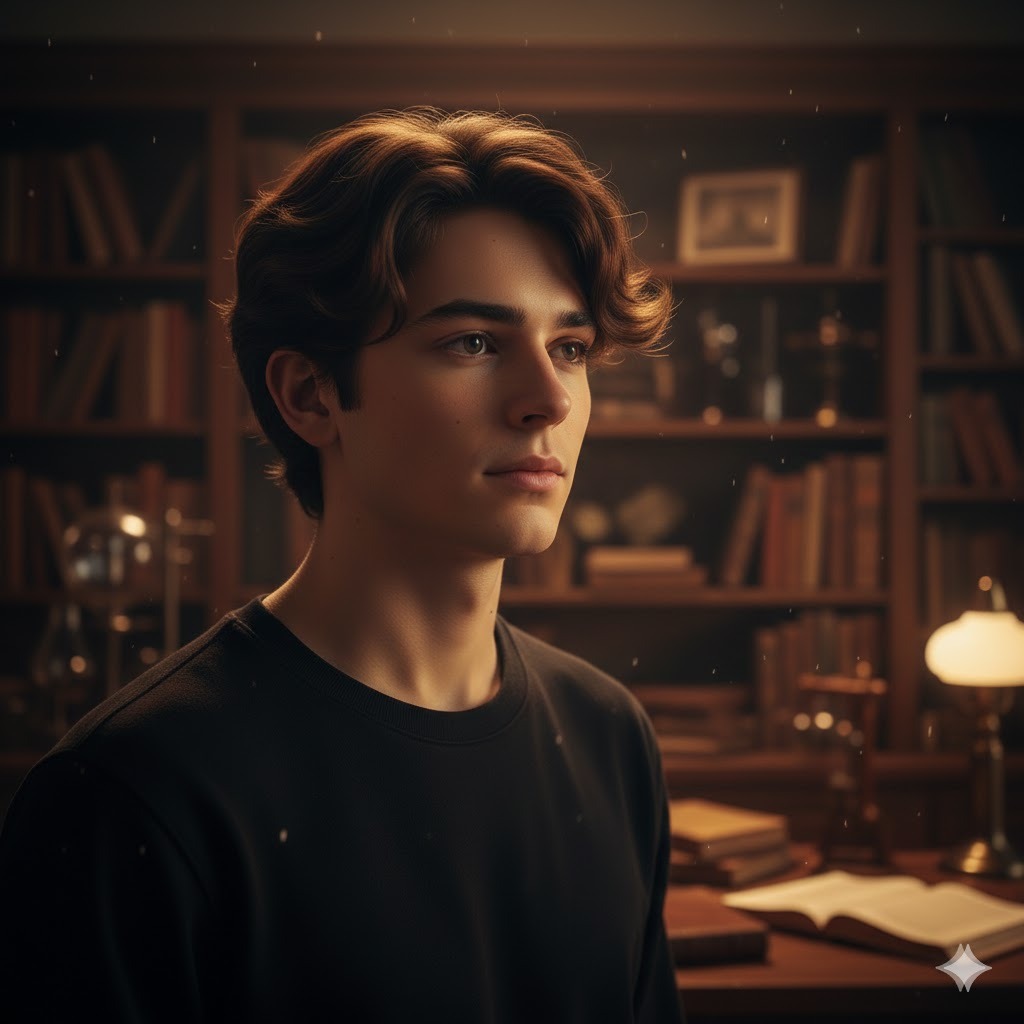
Best for: Author photos, narrative brands, creative character backstory visuals.
Male portrait in a narrative-rich environment, subject positioned in front of softly blurred bookshelves, vintage workshop, or worn urban wall, warm key light from the side creating story-telling depth, thoughtful inward expression suggesting the character has history, realistic skin and hair, shallow depth of field on background, using reference photoSeasonal and Event-Based Gemini AI Prompts for Boys and Men
These prompts tie into specific moments of the year. They work well for social media content calendars, holiday greeting images, or any portrait project tied to a seasonal theme.
48. Valentine’s Day Portrait — Soft Romantic Tones
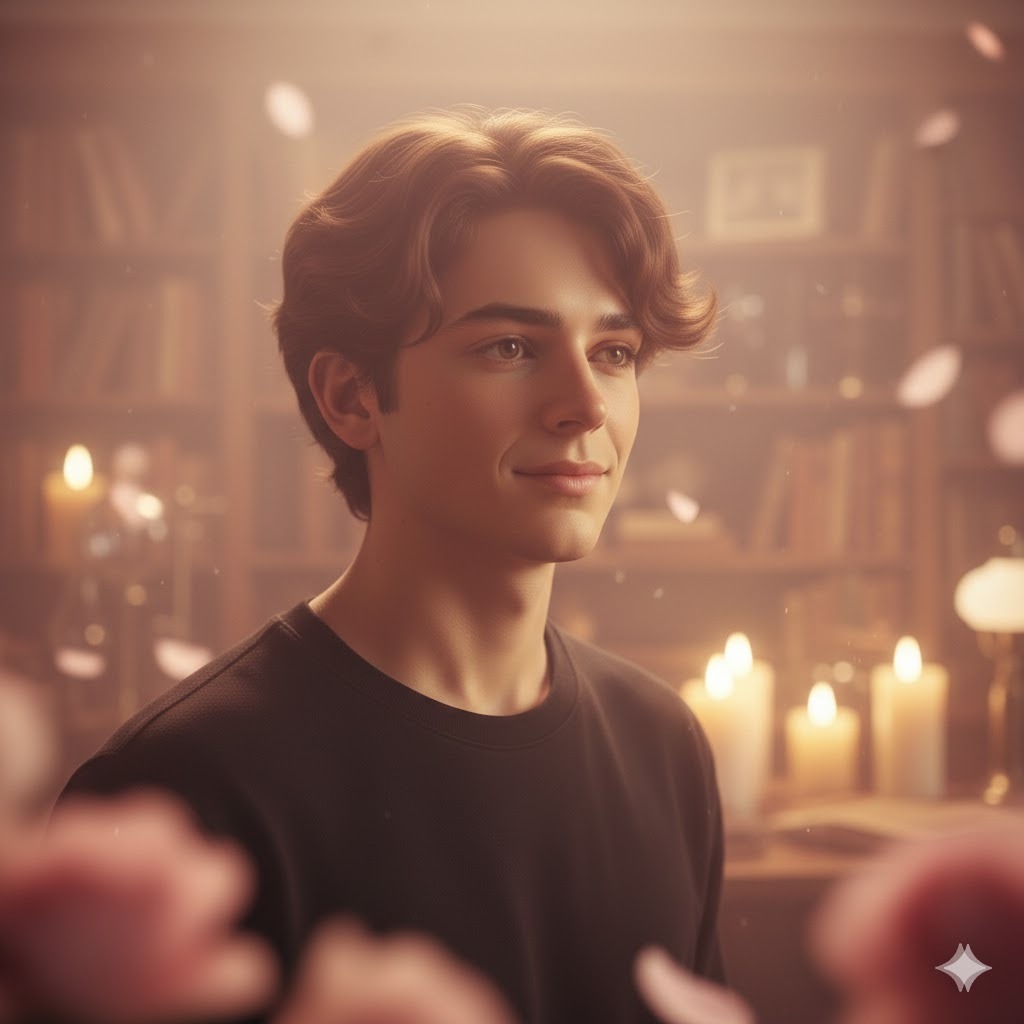
Best for: Valentine’s Day posts, romantic lifestyle content, seasonal social media.
Teen boy or man portrait with soft romantic Valentine's Day lighting, warm blush pink and cream color temperature, gentle diffused front light, sincere warm expression, softly blurred background with subtle suggestion of flowers or candles in distance, using reference photo49. New Year’s Eve Celebration Portrait
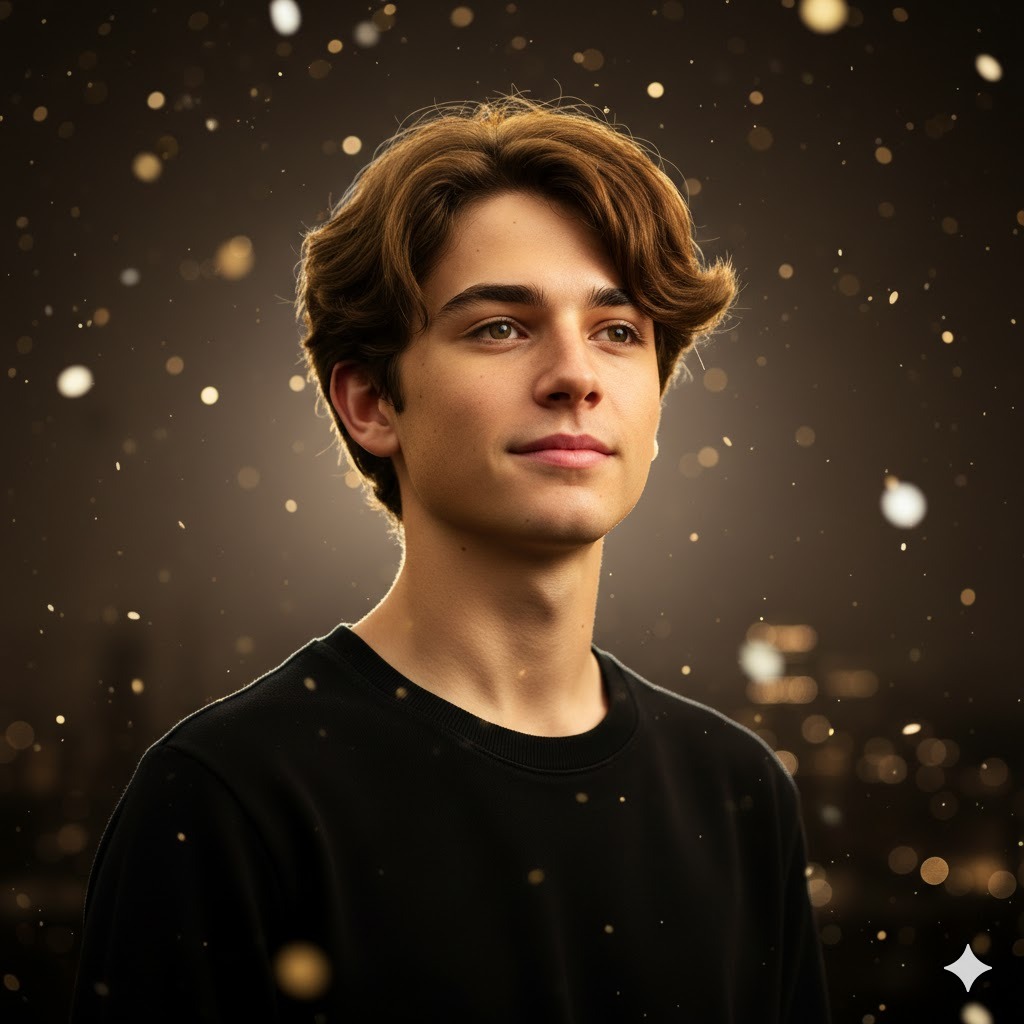
Best for: New Year social media, festive greeting content, celebratory posts.
Man or teen boy portrait with festive New Year's Eve atmosphere, warm gold and silver bokeh confetti particles in blurred background, bright celebratory warm light on face, genuine joyful expression with slight smile, realistic skin and hair, party energy without being over-the-top, using reference photo50. Christmas Winter Cozy Portrait
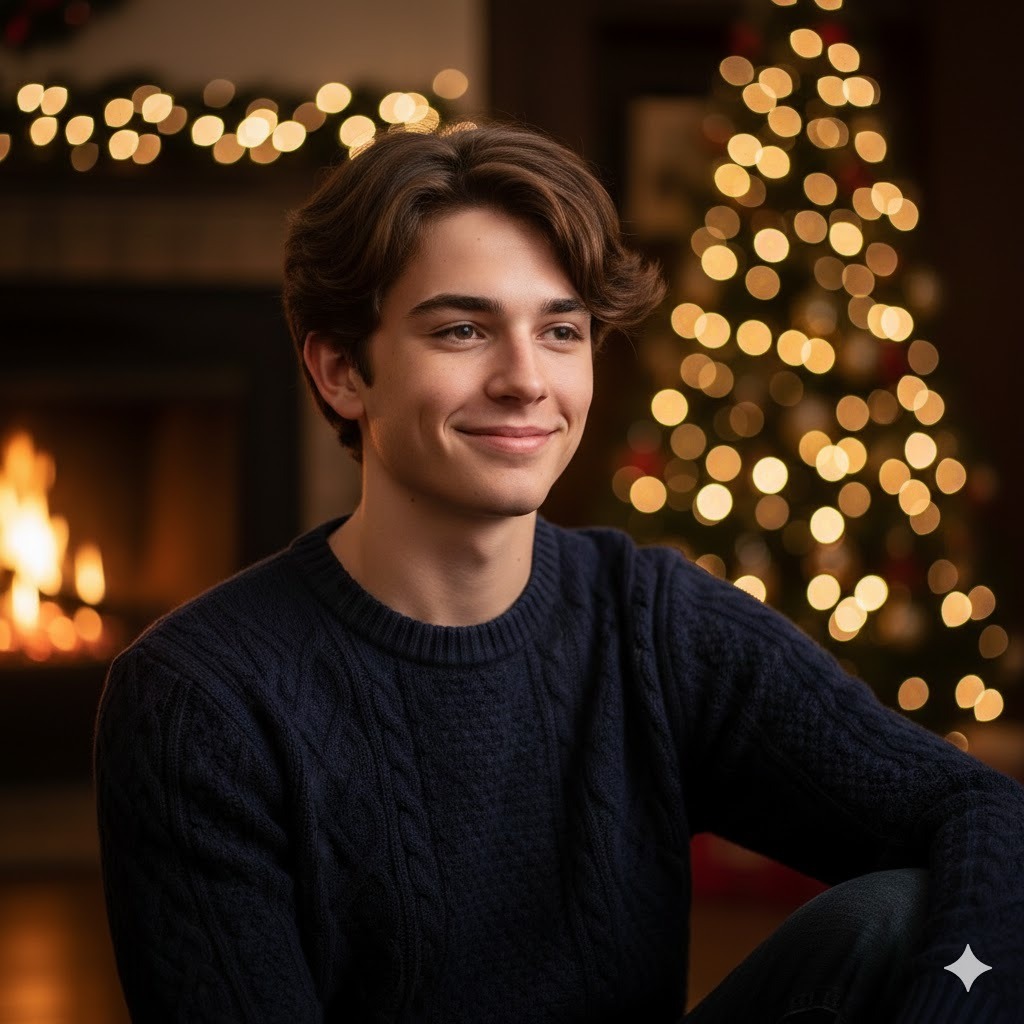
Best for: Holiday greeting cards, Christmas social media posts, festive personal branding.
Man or teen boy in a cozy Christmas setting, soft warm fireplace light on face, wearing a knit sweater in navy or dark red, softly blurred Christmas tree with warm light bokeh visible in background, genuine relaxed smile, realistic skin texture, holiday warmth and comfort mood, using reference photo51. Summer Vacation — Bright Outdoor Portrait

Best for: Summer social media, travel and lifestyle content, bright seasonal posts.
Teen boy or man outdoor summer portrait, bright warm direct sunlight, casual summer outfit such as linen shirt or plain tee, vibrant outdoor background suggesting beach, park, or open field, natural squinting expression from sunlight, realistic sun-kissed skin tone, energetic warm summer mood, using reference photo52. Back-to-School — Fresh Teen Portrait
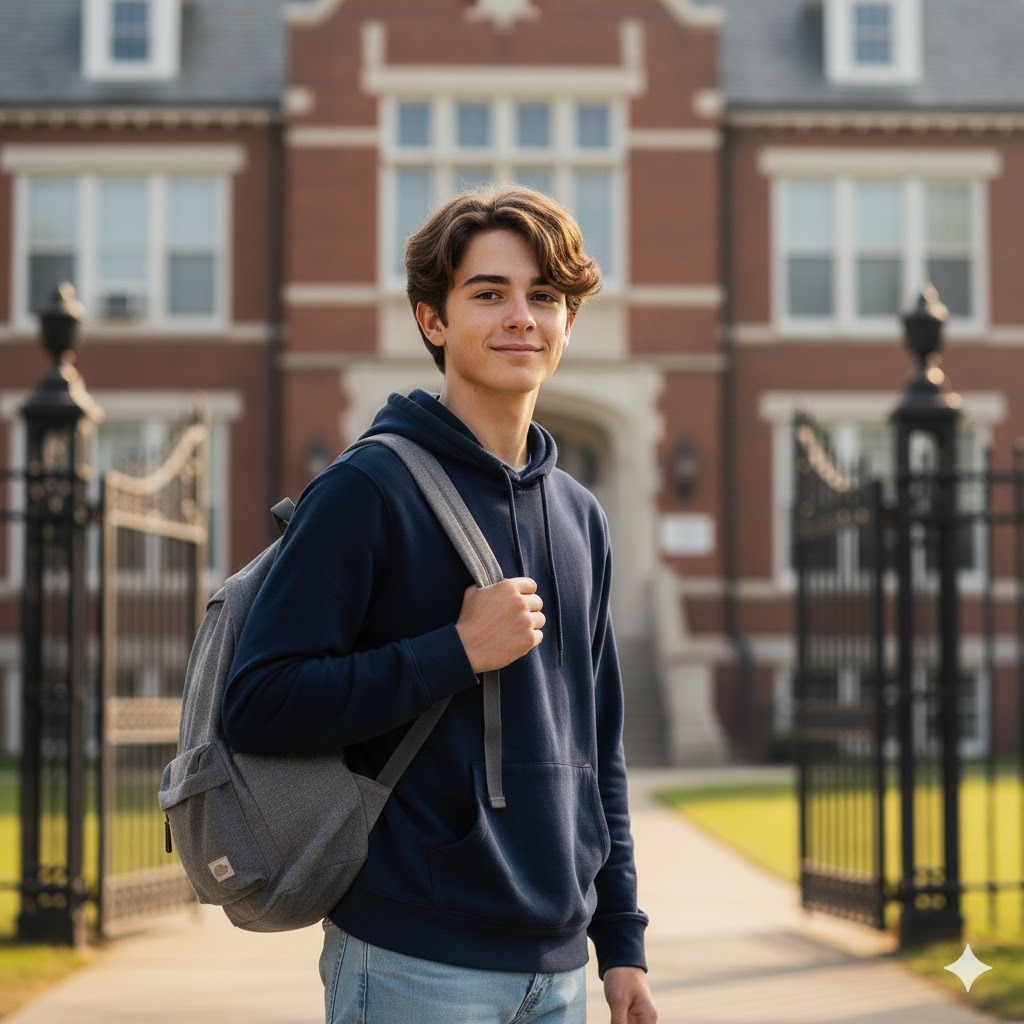
Best for: Seasonal campaigns, school-themed lifestyle content, teen social media.
Teen boy with a backpack slung over one shoulder, standing near a school building or gate, crisp clear morning light, neat casual school outfit, confident ready expression suggesting the first day energy, realistic skin and hair, slightly blurred school building in background, using reference photo53. Halloween Portrait — Mysterious Moody Lighting

Best for: Halloween social media, seasonal creative content, spooky themed portraits.
Teen boy or man in a Halloween portrait, dramatic orange and deep purple color temperature lighting, carved jack-o-lanterns or wisps of atmospheric smoke in blurred background, mysterious or playfully sinister expression, realistic skin detail, theatrical Halloween mood without going into graphic territory, using reference photo54. Birthday Celebration Portrait — Joyful and Bright
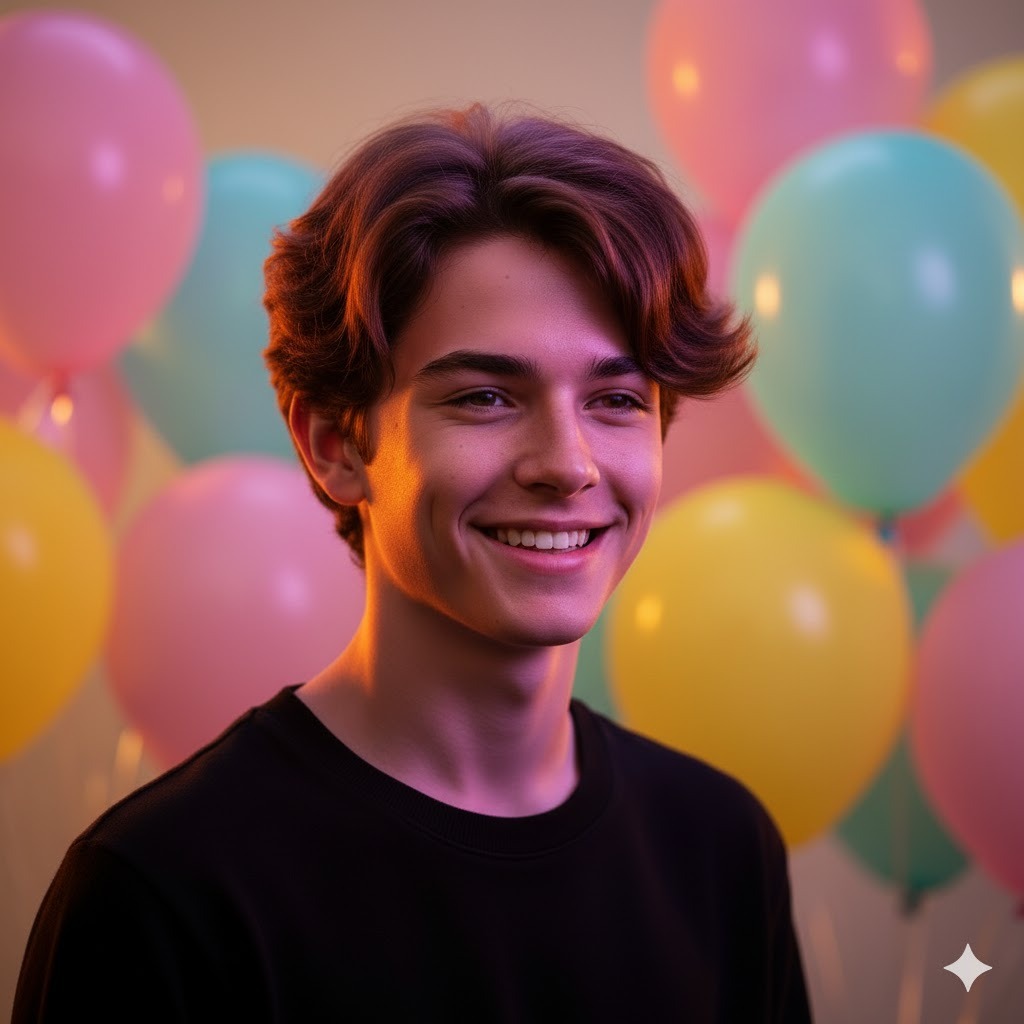
Best for: Birthday greetings, celebratory social media, personalized event portraits.
Boy or man birthday portrait, cheerful warm bright lighting, colorful pastel balloon bokeh in softly blurred background, genuine wide smile conveying real joy, celebratory festive mood, realistic skin and hair, vibrant warm energy, using reference photoHow Gemini AI Portrait Styles Compare Side by Side
Choosing the right style for your project matters as much as writing the right prompt. Here’s a breakdown of how each major style category differs so you can make an informed decision before you start.
| Style | Best Lighting | Background | Color Tone | Realism Level |
|---|---|---|---|---|
| Professional Headshot | Soft even studio light | Neutral grey or white | True-to-life natural | Very high |
| Cinematic | Strong directional or Rembrandt | Dark, atmospheric | Teal-orange film grade | High |
| Social Media Aesthetic | Soft natural or ring light | Blurred lifestyle setting | Pastel, muted, or neon | High |
| Anime / Manga | Flat cel shading or screen-tone | Simple gradient or white | Vibrant or monochrome | Stylized |
| Casual Lifestyle | Natural daylight or window | Outdoor or indoor blur | Warm natural tones | High |
| Seasonal / Event | Themed (warm, festive, dark) | Event-themed setting | Event-matched palette | Medium-high |
| Fitness / Athletic | Overhead gym or dramatic | Dark gym or open sky | Warm high-contrast | High |
Pro Tips for Getting Better Results Every Time
I’ve written and tested a lot of these prompts, and there’s a pattern to what separates a first-attempt success from five rounds of frustrating revisions. Here’s what I’ve learned directly from working with Gemini AI on portrait prompts:
- Start with a sharp, well-lit reference photo. The quality of your reference photo directly affects the quality of your output. A blurry or badly lit reference gives Gemini poor facial data to work from. Use the clearest, most front-facing photo you have — ideally with the subject’s face fully visible, not angled away or partially shadowed.
- Always end your prompt with “using reference photo.” This phrase is your instruction to Gemini to treat the uploaded image as a facial anchor, not just a style reference. Without it, Gemini may change the face significantly when applying a style transformation. Keep it as the last clause of every portrait prompt.
- Name the exact clothing item, not just the category. “Casual outfit” means nothing to Gemini. “Oversized grey hoodie and dark slim-fit jeans” gives it something concrete to render. The more specific your clothing description, the more realistic and intentional the output looks.
- Use named lighting styles rather than general terms. “Good lighting” doesn’t help. “Rembrandt lighting,” “golden hour side-light,” “split lighting,” “soft ring light,” or “overhead gym lighting” all produce distinct and predictable results. Learn five or six lighting terms and you’ll use them in almost every prompt you write.
- Describe the background with a modifier. “Blurred urban street,” “soft neutral grey,” “slightly out-of-focus bookshelves” — these are useful background descriptions. “Nice background” is not. The background is roughly a third of any portrait, and Gemini will fill it in with something generic if you don’t tell it what you want.
- Stick to one visual style per prompt. Mixing anime with photorealism, or cinematic lighting with pastel aesthetics, tends to produce outputs that don’t fully commit to either style. Pick the style that fits your goal and describe it clearly. You can always create a separate prompt for a different style variation.
- Run the same prompt 3 to 5 times before changing it. Gemini generates a different output each time you run the same prompt. Before you start editing the prompt itself, run it a few times and compare. The variation you’re looking for might already exist in the third or fourth run.
- Use parentheses to signal high-priority detail. If a specific element is critical to your output — like skin texture or hair curl pattern — add “(high detail)” or “(priority)” after it. For example: “realistic skin and pore texture (high detail).” This consistently improves the fidelity of that particular element in my experience.
Conclusion
What I hope you take away from this guide is that the gap between a bad AI portrait and a great one almost always comes down to the prompt — not the tool. Gemini AI is genuinely capable of producing professional-quality portrait work across a huge range of styles. But it needs clear instructions to do it.
You now have 54 ready-to-use prompts across every major category — from casual teen lifestyle shots and professional men’s headshots to cinematic storytelling scenes, anime illustrations, and seasonal event portraits. Each one is written to give Gemini the five elements it needs: subject, lighting, background, mood, and technical style.
Start with the category that fits your current project. Copy the prompt directly from the code block, upload your reference photo, and customize the specific details — age, clothing, hair, and setting — to match your subject. Run it two or three times. See what comes back. Then adjust one element at a time until you get exactly what you’re looking for.
Your next great portrait is already in there — you just have to write the right prompt to find it.
Frequently Asked Questions
Can Gemini AI generate realistic portraits of boys and men from a reference photo?
Yes, it can — and this is one of Gemini’s strongest capabilities. When you upload a reference image alongside your prompt, Gemini uses it as a facial anchor. It preserves the subject’s bone structure, skin tone, and overall identity while applying whatever lighting, background, or style transformation you’ve described in the prompt. The more specific your prompt, the more accurately Gemini preserves the original face.
Do I need to pay for Gemini AI to use image generation prompts?
No, you don’t need a paid plan for most portrait work. The free tier of Google Gemini supports image generation and works well for the prompts in this guide. If you want higher-resolution outputs, multi-image generation in a single session, or access to the most advanced Gemini models, Gemini Advanced is the paid subscription tier — but it’s not required to get started.
Can I use these prompts to change a boy’s hairstyle?
Yes, Gemini handles hairstyle changes quite well when you’re specific. Don’t just say “change the hair” — name the exact style: “modern high fade,” “curly medium-length with textured top,” “buzzcut,” or “slicked back with a defined part.” When paired with a reference photo, Gemini applies the new style while keeping the face consistent with the original.
Are these prompts safe to use for children’s portraits?
Yes, every prompt in this guide is age-appropriate and focused on lifestyle, style, and creative imagery. Nothing here targets graphic, inappropriate, or exploitative content. That said, you should always review any AI-generated image before sharing it publicly, especially when the subject is a minor — AI outputs can sometimes produce unexpected results.
Can I use Gemini AI to create anime or cartoon versions of a boy?
Yes, and Gemini does this better than most people expect. The anime, manga, chibi, and caricature prompts in this guide are specifically designed for this. The key is naming the art style explicitly — “clean anime line art,” “manga screen-tone shading,” or “chibi proportions” — so Gemini commits fully to the illustrated look rather than trying to split the difference between a photo and an illustration.
How many times should I run the same prompt before changing it?
Yes, running the same prompt multiple times is absolutely worth it. Gemini generates a different output every time, even from an identical prompt. I typically run any prompt I care about at least three times before I start editing the wording. You’ll often find that what you were looking for was in the second or third variation, not the first.
Do these prompts work without a reference photo?
Yes, Gemini can generate a portrait from a text-only prompt without any image attached. The output will be an AI-generated face with the characteristics you describe — age range, hair color, skin tone, expression. It won’t resemble any specific person. For creative projects like character design or fictional storytelling, text-only prompts work great. For personalized portraits of a real person, you’ll want to include a reference photo.
You May Also Like
 AI Models
GPT-5.5 vs Claude Opus 4.7 vs Gemini 3.1 Pro: Real Benchmark Results Compared
 AI Prompts
20 Funny Things to Ask ChatGPT When You Need a Study Break
 AI Tutorials
How to Use AI in 2026: My Honest Guide After Testing Every Major Tool
 AI Models
The Best AI Models: Types and Examples You Should Know
 AI Tool Reviews
DeepSeek vs. Claude, Grok, Qwen, and Gemini: Which AI Model Actually Fits Your Needs in 2026
 AI Tool Reviews