

Prolific login is the process of signing into your Prolific account at prolific.com to access paid research studies, manage your profile, or publish studies as a researcher. You’ll need your registered email address and a password to get in. The whole process takes less than a minute once your account is set up and verified.
I’ve been using Prolific on and off for a while now. And honestly, it’s one of the few platforms where I felt like my time was actually valued. The studies are real. The pay is fair. The cashout process works. But before any of that happens, you’ve got to get past the login page. And for a lot of people, that part isn’t always smooth. I’ve personally dealt with forgotten passwords, MFA lockouts, and even that annoying waitlist phase where you can’t log in at all because your account hasn’t been fully created yet.
This guide covers every part of the Prolific login experience. You’ll find step-by-step instructions, common problems and how to fix them, security tips, and answers to the questions I see people asking the most. Whether you’re trying to log in for the first time or you’ve been locked out and need help getting back in, everything you need is right here.
What Is Prolific and How Does It Work?
Prolific is an online research platform that connects academic researchers with participants who earn real money for completing surveys, experiments, and other research tasks. It was co-founded at Oxford University in 2014 and is headquartered in the United Kingdom. The platform serves researchers and participants across most OECD member countries, including the United States, Canada, the United Kingdom, Australia, Germany, and dozens more.

I remember when I first heard about Prolific. A friend mentioned it in passing, and I assumed it was just another survey site. It isn’t. The studies come from real universities, AI developers, product teams, and academic institutions. The topics range from psychology experiments to AI training tasks to brand perception surveys. A new task gets published on the platform roughly every 2 minutes, so there’s almost always something available.
There are 2 main types of Prolific users. Participants sign up to take studies and earn money. Researchers create and publish studies to collect human data. Both user types access the platform through the same login page, but the dashboard and tools you see after logging in depend on your account type.
How Much Does Prolific Pay Participants?
Prolific enforces a minimum pay rate of £6.00 per hour (approximately $8.00 USD), and most participants report earning between $6.50 and $12.00 per hour depending on study length and complexity. That’s notably higher than platforms like Swagbucks or Survey Junkie, which often pay well below minimum wage.
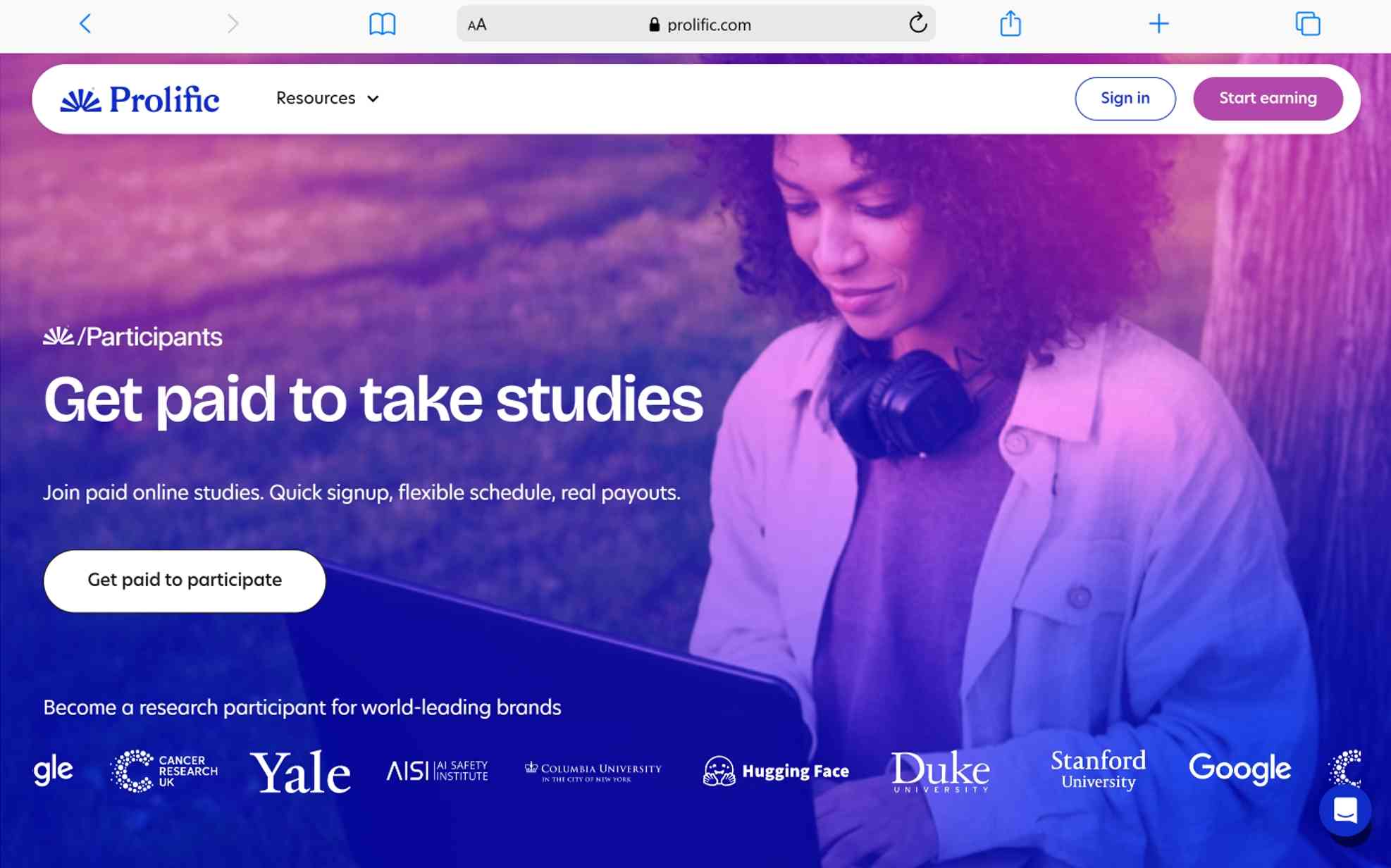
I’ve earned anywhere from $2.00 for a quick 5-minute questionnaire to over $15.00 for a longer, more involved study. It isn’t life-changing income. But as a side hustle you can do from your couch during downtime, it’s honestly solid. Payments go directly to PayPal, and you can cash out once your balance hits $6.00 or £6.00. After your first 4 cashouts, transfers become instant. No gift cards. No points systems. Just real money.
How Do You Create a Prolific Account Before Logging In?
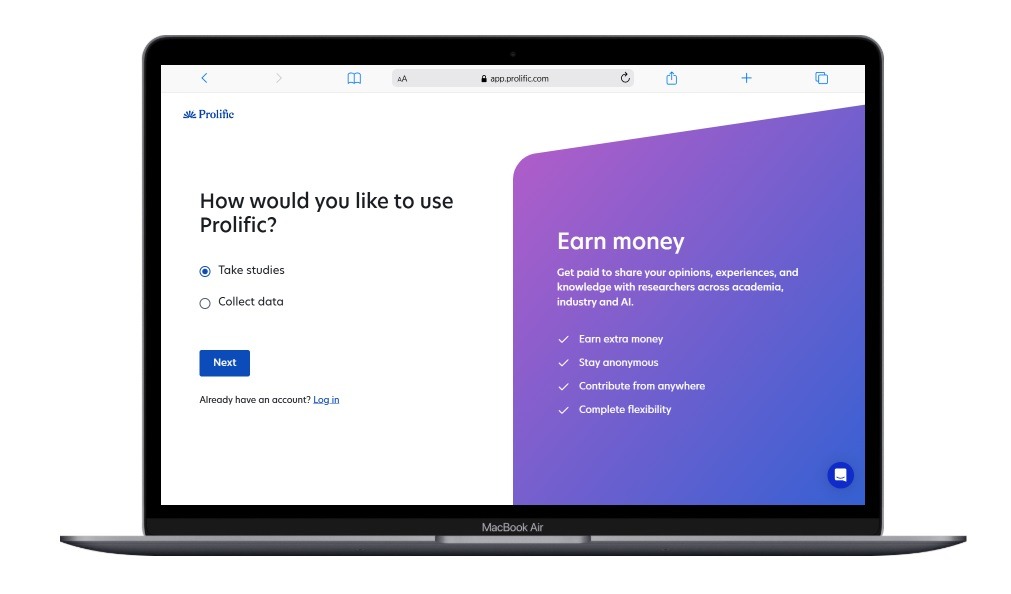
Creating a Prolific participant account involves 6 steps: signing up, joining the waitlist, completing identity verification, finishing a practice study, filling out your “About You” profile, and then starting real studies. The initial sign-up takes about 3 minutes. Full verification takes around 15 minutes once you receive your invite.
Here’s how the process went for me and what you can expect:
Step 1: Sign Up on the Prolific Website
Head to app.prolific.com/register/participant and fill out the basic registration form. You’ll enter your name, email address, and create a password. This part is fast. It took me about 2 minutes.
Step 2: Join the Waitlist
This is the part that surprises a lot of people. Most new sign-ups get placed on a waitlist. You won’t be able to log into a full account until Prolific invites you. I wasn’t expecting this when I first signed up. I thought I’d be browsing studies right away. Instead, I got a “you’re on the waitlist” message.
The wait time varies. Some people get invited the same day. Others wait weeks or even months. It depends on your demographics and what types of participants researchers need at that moment. Prolific selects people to maintain demographic diversity, so it isn’t a first-come-first-served system.
Step 3: Complete Identity Verification
Once you receive your invitation email, you’ll need to verify your identity. Prolific requires this to prevent fraud and ensure data quality. The verification process includes confirming your email address, providing identification details, and passing basic checks. It took me about 15 minutes to finish.
Step 4: Finish the Practice Study
After verification, Prolific gives you a practice study. It’s a short task designed to show you how the platform works. Pay attention to the instructions during this step. There are attention checks built in. I treated it like a real study and took my time. It went smoothly.
Step 5: Fill Out Your “About You” Profile
This part is important and a lot of people rush through it. The “About You” section asks you questions about your background, interests, habits, work, and personal details. Researchers use these answers to match you with relevant studies. The more questions you answer, the more study invitations you’ll receive.
I filled out every single question when I started. It took some extra time, but I noticed I was getting matched with more studies than friends who skipped most of the profile questions. Your information stays anonymous. Researchers can’t link your answers back to your identity.
Step 6: Start Taking Real Studies
Once everything is complete, your dashboard opens up. Studies appear on your Studies page, and you pick whichever ones interest you. That’s it. You’re officially a Prolific participant.
How Do You Log Into Prolific Step by Step?
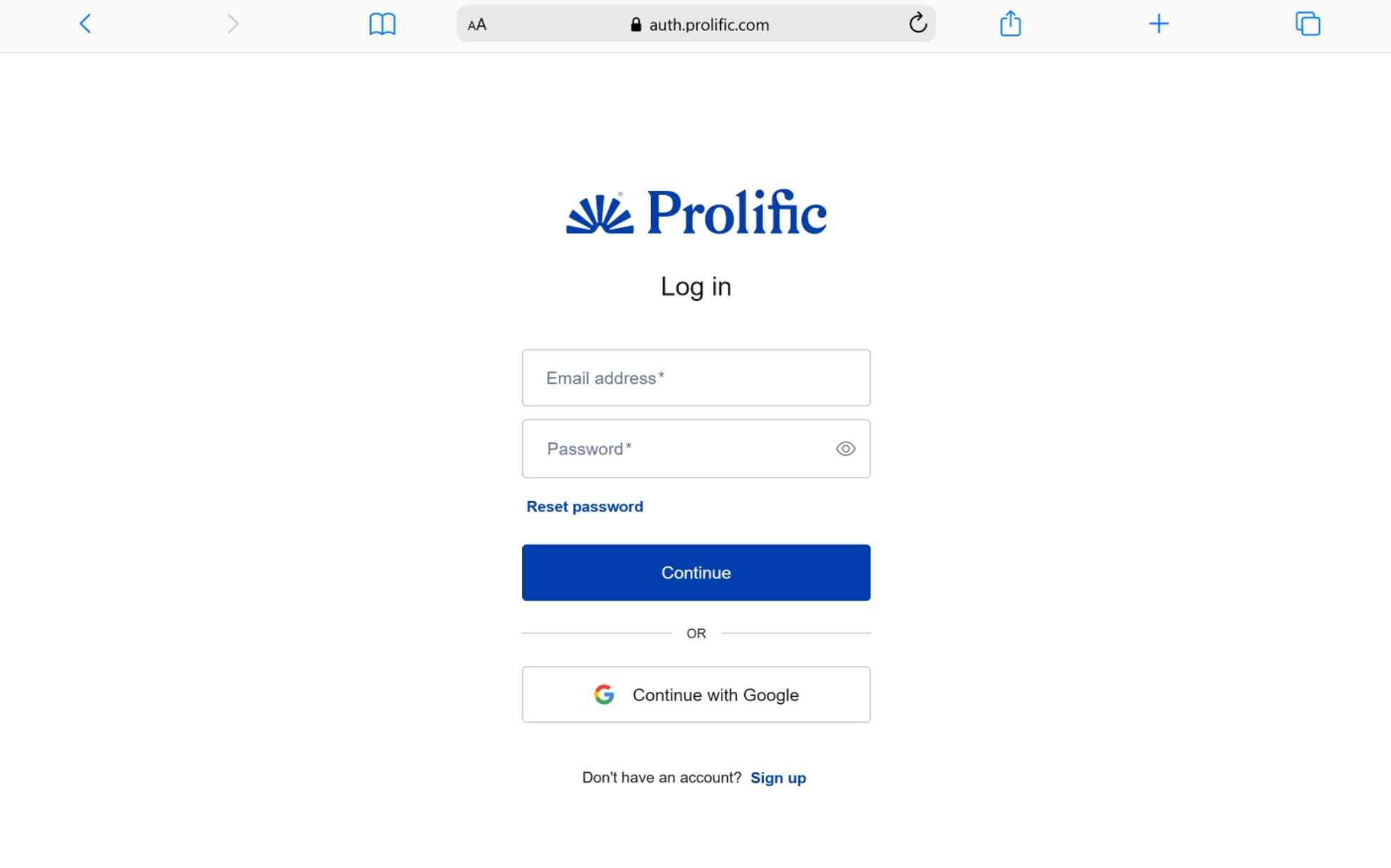
To log into Prolific, visit prolific.com, click the “Log In” button, enter your registered email and password, and complete any multi-factor authentication if enabled. The process takes about 30 seconds for a standard login.
Here’s the full step-by-step breakdown:
- Open your browser and go to prolific.com
- Click the “Log In” button in the top-right corner of the homepage
- Enter your email address that you used during registration
- Type your password carefully (avoid relying on autofill if you’ve had issues before)
- Complete MFA verification if you’ve enabled multi-factor authentication on your account
- Land on your dashboard where you can see available studies, your earnings, and account settings
I’ve logged in hundreds of times and the process is always quick. The only times I’ve had trouble were when my browser was auto-filling an old password or when the site was experiencing heavy traffic. Both issues were easy to fix once I knew what was going on.
What Are the Most Common Prolific Login Problems?
The 6 most common Prolific login problems are: forgotten passwords, waitlist confusion, MFA lockouts, browser compatibility issues, reCAPTCHA errors, and VPN detection blocks. Each one has a specific fix, and I’ve run into several of them personally.
What Should You Do If You Forgot Your Prolific Password?
Click the “Forgot Password?” link on the Prolific login page to receive a password reset email. Check your inbox, click the reset link, and create a new password. If the email doesn’t arrive, check your spam or junk folder.
I forgot my password once after not logging in for a few weeks. The reset email came through within a minute. One thing to watch out for: if you use a password manager, make sure it updates with your new password after the reset. I was stuck in a loop once because my browser kept auto-filling the old password while I kept resetting it. Typing the new password manually solved it instantly.
Why Can’t You Log In While on the Waitlist?
You can’t log into Prolific while on the waitlist because your full account hasn’t been created yet. The waitlist isn’t a holding area inside the platform. It’s a queue outside the platform. Until you receive an official invitation email from Prolific, there’s no account to log into.
This confused me when I first signed up. I kept trying to log in with my email and nothing worked. I thought the site was broken. It wasn’t. I just hadn’t been invited yet. Once the invite email arrived, registration picked up from there and login worked perfectly.
How Do You Fix Multi-Factor Authentication Issues?
If you can’t get past MFA during login, make sure your authenticator app is synced and your device’s clock is set correctly. Prolific supports authenticator apps like Google Authenticator, Microsoft Authenticator, and Duo Mobile for MFA.
If you’ve lost access to your authenticator app and don’t have your recovery code, you’ll need to contact Prolific’s support team through their chatbot. They’ll ask you to verify your identity, and once approved, MFA gets automatically disabled on your account so you can log back in and set it up again.
I enabled MFA on my account after reading about security best practices. It adds a few seconds to every login, but it’s worth the peace of mind. If you’re going to turn it on, save your recovery code somewhere safe. Write it down. Store it in a password manager. Don’t rely on memory alone.
What Browser Issues Can Block Your Prolific Login?
Prolific supports the latest versions of Chrome, Firefox, Safari, Opera, and Edge. If you’re using an outdated browser or one that isn’t officially supported, you may run into login errors. Users have reported problems specifically with the Brave browser, which Prolific has flagged as a known issue.
Here are 4 browser-related fixes that work:
- Switch to a supported browser like Chrome or Firefox
- Clear your cookies and site data for prolific.com
- Disable browser extensions temporarily, especially ad blockers
- Try logging in from a different device to rule out device-specific problems
I was using Brave for everything at one point and kept hitting weird errors on Prolific. Switching to Chrome fixed it immediately. Sometimes the simplest fix is the right one.
What Is the PEC-AS-0005 reCAPTCHA Error?
The PEC-AS-0005 error occurs when Prolific’s reCAPTCHA system can’t verify that you’re a human user. This is a background security check powered by Google reCAPTCHA v3. It runs automatically during login.
If you hit this error, try these 3 fixes:
- Use the audio version of the reCAPTCHA challenge
- Log in from a different browser or device
- Run anti-malware software on your computer, since malware can interfere with reCAPTCHA verification
I never personally got this error, but I’ve seen it come up frequently in Reddit discussions. It seems to affect people using VPNs, shared networks, or devices with security software that interferes with Google’s verification system.
Why Does Prolific Detect a VPN When You’re Not Using One?
Prolific’s VPN detection system can flag certain internet configurations even if you’re not running a VPN. Privacy features like Apple’s iCloud Private Relay, certain browser extensions, or proxy settings on your network can trigger a false positive.
If this happens to you, try these steps:
- Turn off iCloud Private Relay or any similar privacy tool temporarily
- Disable proxy settings in your network configuration
- Switch to a different network like mobile data instead of Wi-Fi
- Try a different browser to see if the issue resolves
One workaround that participants have shared on Reddit is toggling airplane mode on and off on your phone before logging in. This assigns a new IP address and can clear VPN detection flags.
How Do You Keep Your Prolific Account Secure?
Protect your Prolific account by enabling multi-factor authentication, using a strong unique password, monitoring for suspicious activity, and never sharing your login credentials. Security matters on Prolific because your account is connected to your PayPal and contains personal demographic information.
Should You Enable MFA on Prolific?
Yes. Enabling MFA adds a second verification layer that blocks unauthorized access even if someone steals your password. Prolific supports authenticator apps like Google Authenticator, Microsoft Authenticator, and Duo Mobile. You can turn MFA on through your account settings page.
I turned mine on about a month after joining. It was easy to set up. The app generates a 6-digit code that changes every 30 seconds. You enter it after your password during login. The extra step takes about 5 seconds and makes your account significantly harder to compromise.
What Security Tips Should Every Prolific User Follow?
Follow these 5 security practices to keep your Prolific account safe:
- Use a unique password that you don’t reuse on other websites
- Enable MFA through a trusted authenticator app
- Cash out earnings regularly so your balance doesn’t accumulate unnecessarily
- Watch for phishing emails that impersonate Prolific and ask for your login credentials
- Never share your account with another person, as Prolific strictly prohibits multiple users on one account
Prolific’s own security team recommends all of these practices. I’ve followed them since day one and haven’t had a single issue with unauthorized access.
What Does the Prolific Dashboard Look Like After Login?
After logging in, the Prolific participant dashboard displays available studies, your earnings summary, submission history, and account settings. The layout is clean and simple. You don’t need any technical knowledge to navigate it.
Here’s what you’ll see on the main dashboard sections:
| Dashboard Section | What It Shows |
|---|---|
| Studies | Available studies matched to your profile |
| Submissions | History of studies you’ve completed or returned |
| Balance | Current earnings and cashout options |
| About You | Demographic profile questions for study matching |
| Account | Email, password, MFA, and payment settings |
I found the dashboard intuitive from the first time I logged in. Studies appear as cards with the title, estimated completion time, and pay rate clearly visible. You click on a study, read the description, and decide whether to participate. Everything is straightforward.
How Do You Find and Accept Studies After Logging In?
Studies appear on your Studies page automatically based on your demographic profile and the “About You” answers you’ve provided. You don’t need to search or apply for studies. They’re matched to you and show up when you’re eligible.
One thing I learned early on is that studies fill up fast. Popular ones can disappear within minutes. I started keeping the Prolific tab open in my browser and checking it a few times a day. Some participants use the Prolific Assistant browser extension, which sends notifications when new studies become available. That extension was a game changer for me. I caught studies I would have missed otherwise.
Which Countries Support Prolific Participation?
Prolific is available to participants from most OECD member countries, including the United States, United Kingdom, Canada, Australia, Germany, France, Japan, South Korea, Mexico, Brazil, and dozens more. If you live in a supported country, you can sign up and join the waitlist.
If your country isn’t on the supported list, you can still join the waitlist. Prolific may contact you if opportunities open up and your profile matches their needs. However, there’s no guarantee of acceptance for unsupported countries.
I was lucky enough to be in a supported country when I signed up. The process was smooth. But I’ve seen people in unsupported regions express frustration on forums about not being able to participate. It’s a limitation of the platform’s current scope.
Prolific Login for Researchers: Is It Different?
Researchers log in through the same prolific.com login page, but they register through a separate researcher sign-up flow at app.prolific.com/register/researcher. After logging in, researchers see a different dashboard designed for creating studies, managing participants, and analyzing data.
The researcher side of Prolific doesn’t require a waitlist. You can sign up, add funds to your workspace using a credit or debit card or bank transfer, and start publishing studies relatively quickly. Prolific charges researchers based on participant pay rates plus a service fee.
I haven’t used the researcher side extensively, but I’ve explored it out of curiosity. The interface is well-organized. Study setup includes options for targeting specific demographics, setting time limits, and configuring pay rates. The minimum pay rate of £6.00 per hour is enforced on the researcher side too, which is what keeps participant earnings fair.
How Does Prolific Compare to Other Survey Platforms?
Prolific offers higher pay rates, better study quality, and stronger ethical standards than most competing survey and research platforms. The main trade-off is that study availability depends on your demographics and location, so earnings aren’t always consistent.
| Feature | Prolific | Swagbucks | MTurk | User Interviews |
|---|---|---|---|---|
| Minimum hourly pay | £6.00 (~$8.00) | No minimum | No minimum | Varies by study |
| Payment method | PayPal | Gift cards, PayPal | Amazon credit, bank | PayPal, bank |
| Study quality | Academic and professional | Mixed | Mixed | Professional |
| Waitlist required | Yes | No | No | Sometimes |
| OECD countries focus | Yes | Global | Primarily US/India | Primarily US |
| Minimum cashout | $6.00 / £6.00 | $1.00–$25.00 | $1.00 | Varies |
I’ve tried MTurk and Swagbucks before landing on Prolific. MTurk had more tasks available, but the pay was often terrible. Swagbucks felt like a grind for small rewards. Prolific studies take less time, pay more per hour, and feel more meaningful because you’re contributing to real research. That combination kept me coming back.
What Should You Do If Your Prolific Account Gets Put on Hold?
If your Prolific account is on hold, it means the platform has temporarily restricted certain actions on your account, often due to verification issues, suspicious activity, or policy violations. You’ll see a notification when you log in explaining the hold status.
The most common reasons accounts get placed on hold include:
- Incomplete identity verification after receiving your invitation
- Inconsistent profile information detected during quality checks
- VPN or proxy usage flagged by the security system
- Multiple account suspicion which Prolific strictly prohibits
- Low-quality study submissions that researchers have reported
I’ve never had my account placed on hold, but I’ve been careful to follow the platform’s guidelines closely. If it happens to you, contact Prolific’s support team through their chatbot. They’ll review your account and let you know what needs to be resolved. Most holds get lifted once the underlying issue is cleared up.
Tips to Get the Most Out of Your Prolific Account
Follow these 7 tips to improve your study availability and earnings on Prolific:
- Complete every “About You” question to maximize your study matches
- Keep the Prolific tab open or install the Prolific Assistant extension for notifications
- Check your dashboard multiple times per day since studies fill up fast
- Respond quickly when a new study appears, because popular ones disappear in minutes
- Read study instructions carefully to avoid rejections and maintain your reputation
- Cash out regularly once your balance reaches the minimum threshold
- Keep your profile updated if your circumstances change, like moving to a new city or changing jobs
I started following these habits about a month into using Prolific. My study frequency increased noticeably. Before that, I was only catching 2 to 3 studies a week. After optimizing, I was getting 5 to 8 per week consistently. Small changes in how you use the platform make a real difference in your earnings.
Frequently Asked Questions About Prolific Login
Is Prolific Free to Join as a Participant?
Yes. Prolific is completely free for participants. There are no sign-up fees, subscription charges, or hidden costs. You earn money by completing studies. Prolific makes its revenue by charging researchers a service fee on top of participant pay rates. You never pay anything out of pocket.
Does Prolific Have a Mobile App?
No. Prolific does not have a dedicated mobile app for iOS or Android as of 2026. You access the platform through a mobile or desktop web browser at prolific.com. The website is mobile-responsive, so it adjusts to your screen size. I’ve used it on my phone a few times. It works, but the experience is more comfortable on a laptop or desktop.
Can You Have More Than One Prolific Account?
No. Prolific strictly prohibits multiple accounts. Each person is allowed only one participant account. If the platform detects duplicate accounts, both may be suspended or permanently banned. I’d strongly recommend sticking to one account and keeping your profile information accurate.
How Long Does the Prolific Waitlist Take?
Waitlist times range from the same day to several months. It depends entirely on your demographics and what types of participants researchers need at that moment. Prolific doesn’t operate on a first-come-first-served basis. They select people to maintain diversity and balance in their participant pool. There’s no way to speed up the process. You just have to wait for your invitation email.
Is Prolific Legitimate and Safe?
Yes. Prolific has been a trusted research platform for over 10 years, founded at Oxford University in 2014. It works with leading universities, AI developers, and organizations globally. Participant data is stored securely in the cloud and is never shared with third-party advertisers. Payments are processed through PayPal with real money, not points or gift cards.
What Should You Do If You Lose Access to Your Email?
Contact Prolific’s support team through their chatbot if you’ve lost access to the email address linked to your account. They’ll guide you through an identity verification process to recover your account. This is one situation where having MFA and a recovery code becomes especially important.
Why Aren’t You Receiving Any Studies After Logging In?
Study availability depends on your demographic profile, your “About You” answers, and current researcher demand. If you’re not seeing studies, make sure you’ve completed all available profile questions. Also check that your account isn’t on hold and that you’re not using a VPN or proxy that might be blocking study access. Some weeks are naturally slower than others depending on academic schedules and research cycles.
Can You Use Prolific Outside of OECD Countries?
It depends. Prolific primarily supports participants from OECD member countries. If your country isn’t on the supported list, you can join the waitlist, but access isn’t guaranteed. If you’re from an unsupported country but currently live in a supported one, you may still be eligible to participate.
Final Thoughts on Prolific Login and the Platform Overall
Prolific login is a simple process that takes under a minute for verified users, but the journey to getting a fully active account involves a waitlist, identity verification, and profile completion that can take days to months. Once you’re in, the platform delivers a genuinely solid experience. Fair pay. Real research. Quick cashouts through PayPal.
I’ll be honest with you. Prolific isn’t going to make you rich. It’s a side income platform. But compared to every other survey and research site I’ve tried, it respects your time the most. The minimum pay rate means you’re never working for pennies. The studies are interesting. And the login process, once your account is set up, is fast and painless.
If you’ve been sitting on the waitlist feeling frustrated, hang in there. It took me a little while to get in too. But once that invitation email landed in my inbox and I completed verification, everything moved quickly. Fill out your “About You” profile completely. Install the Prolific Assistant extension. Check your dashboard a few times a day. Those small habits turn Prolific from an occasional $5 here and there into a consistent side earner that’s actually worth your time.
You May Also Like
 AI Tutorials
How to Use Claude Opus 4.7 for Free
 AI Tutorials
What Jobs Will AI Replace and Not Replace?
 AI Tutorials
Character AI Review: A Complete, Honest Guide for 2026
 AI Tutorials
Classplus Login: How to Sign In as a Student or Teacher
 AI Tutorials
15 Fun and Creative Ways to Use AI at Work
 AI Tutorials