

AI workplace tools save the average employee 3-5 hours per week by handling repetitive tasks, generating content, and organizing messy workflows. You do not need a tech background to start using them. Most work through plain English prompts. You tell the AI what you need. It does the heavy lifting.
Let me be honest with you. My workday used to feel like a hamster wheel. Emails piling up. Meetings are eating my calendar. Reports due yesterday. Creative blocks hitting at the worst possible moments. Then I started weaving AI into my daily routine. Not to replace my brain, but to free it up for the stuff that actually needs me.
Below are 15 creative ways to use AI at work. I have personally tried most of these. Some saved me a few minutes. Others completely changed how I work. Let me share what I learned.
1. AI Can Brainstorm Ideas When Your Brain Hits a Wall
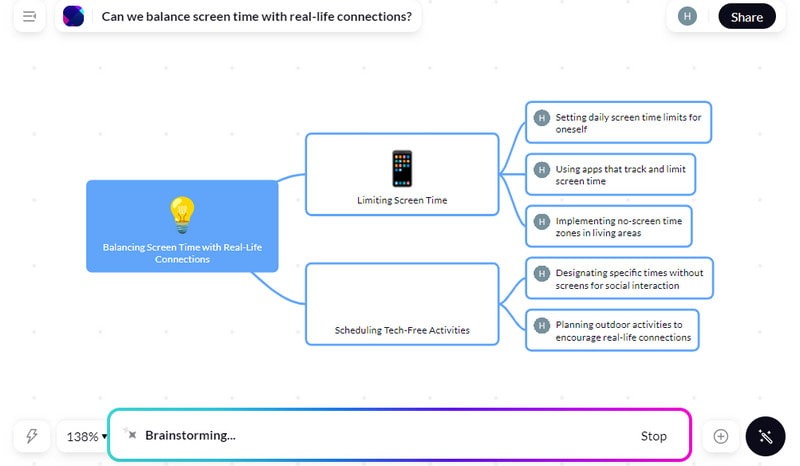
AI brainstorming tools generate dozens of fresh ideas in seconds by pulling from patterns across millions of topics and industries. You type your problem. It throws back angles you never considered.
We have all been there. You sit down to brainstorm. You stare at a blank page. Nothing comes. Your coffee gets cold. Twenty minutes later, you have three mediocre ideas and a headache.
That is where AI steps in. Tools like ChatGPT, Claude, Miro AI, Taskade, and Ideamap turn brainstorming into a conversation instead of a staring contest. I needed 20 marketing angles for a product launch last month. Described the product, the audience, the budget. Claude gave me 20 ideas in about 30 seconds. Were all 20 brilliant? No. But 5 of them were genuinely strong, and 2 became the actual campaign.
The trick is giving your AI tool specific context. Do not just say “give me ideas.” Say “give me 10 low-budget Instagram campaign ideas for a plant-based protein bar targeting college students.” The more detail you feed in, the better the output you get back.
Miro AI adds a visual layer. It organizes your ideas into mind maps and clusters them by theme right on a shared whiteboard. Your team can jump in and build on each one. It beats sticky notes on a conference room wall by a mile.
2. AI Can Take Your Meeting Notes So You Can Actually Pay Attention
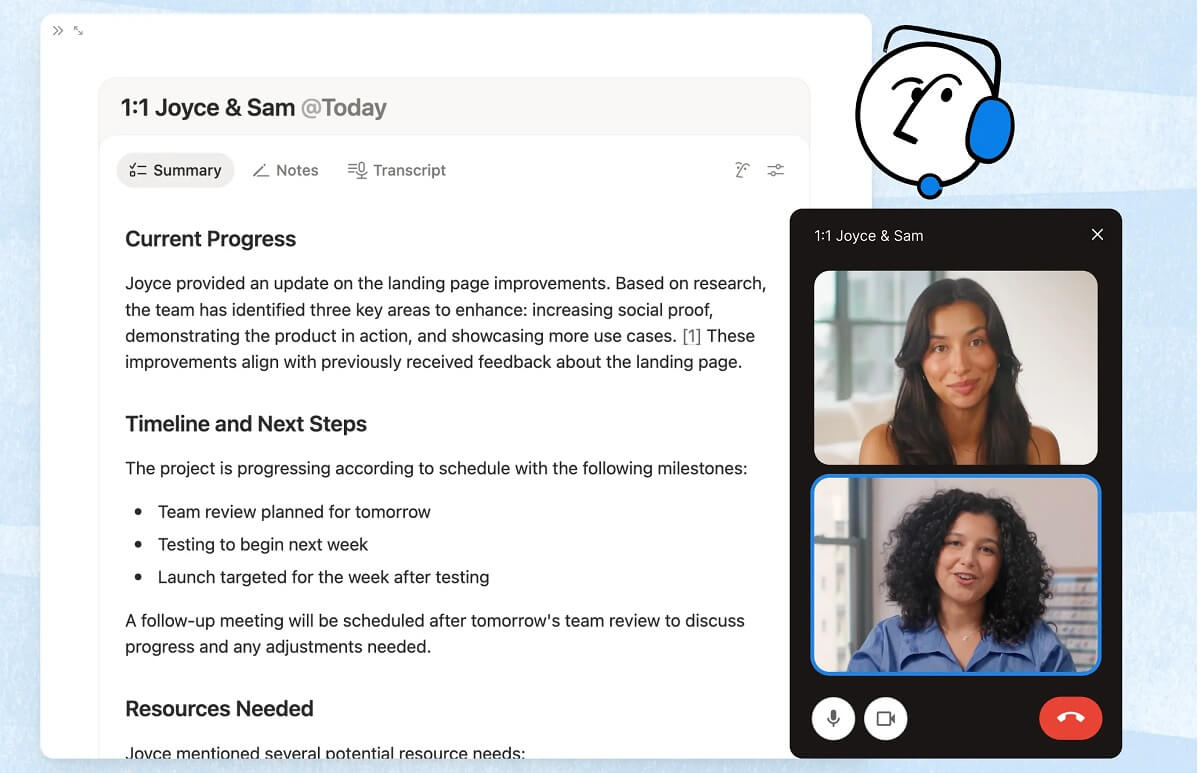
AI meeting NOTES tools transcribe conversations with up to 95% accuracy, pull out action items, and send summaries to your whole team automatically. You stop scribbling. You start listening.
I used to be that person frantically typing during meetings, trying to capture every word. I would miss half the conversation because my fingers were too busy keeping up. The notes I ended up with looked like alphabet soup.
Here are some of the best AI meeting notes tools like Otter.ai, Notion, Fireflies.ai, fellow.ai, sembly.ai, fathom.ai, and reflect.app changed that completely. They join your Zoom, Google Meet, or Teams call. They record. They transcribe. They highlight the important parts. After the meeting, everyone gets a clean summary with decisions made, action items assigned, and key quotes flagged.
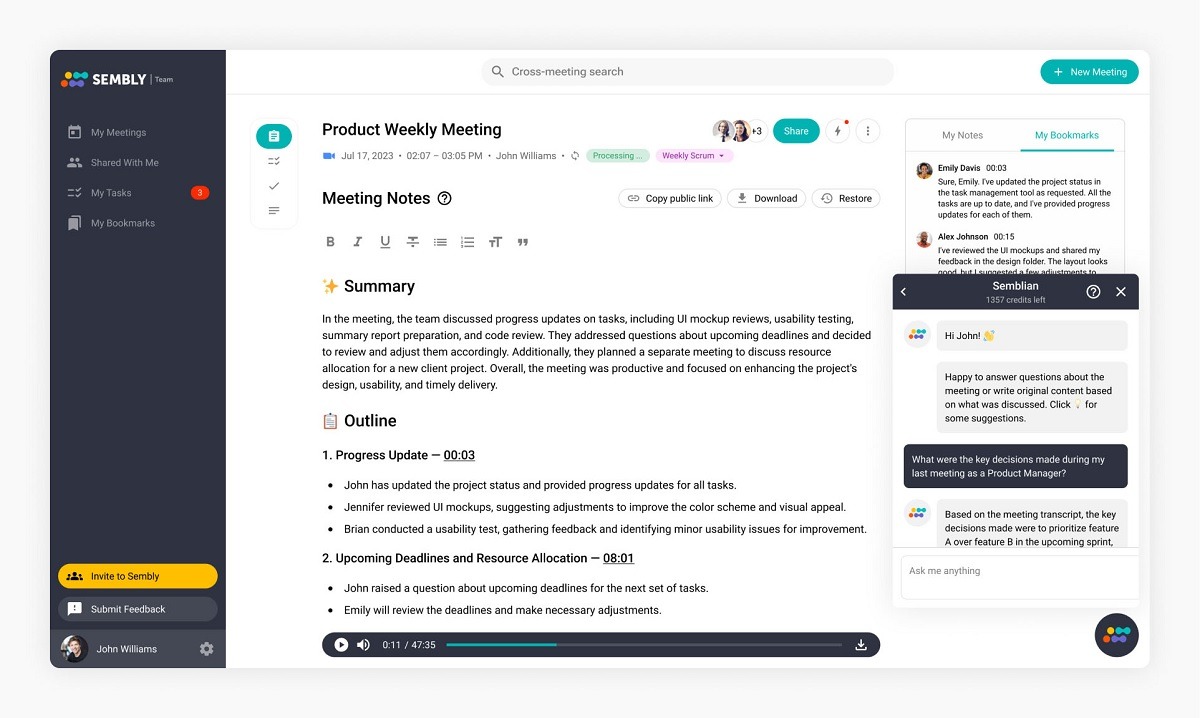
Otter.ai leads the pack with roughly 95% transcription accuracy. Fireflies is better for detailed summaries and follow-up action plans. Jamie works well if you want something lightweight that just captures the essentials without joining the call visibly.
Here is what I appreciate most. These tools do not just give you a wall of text. They organize it. You get sections like “Decisions Made,” “Next Steps,” and “Questions Raised.” Your team reads a 2-minute summary instead of rewatching a 45-minute recording. That alone makes meetings 50% more useful for everyone involved.
3. AI Can Build Beautiful Presentations While You Drink Your Coffee
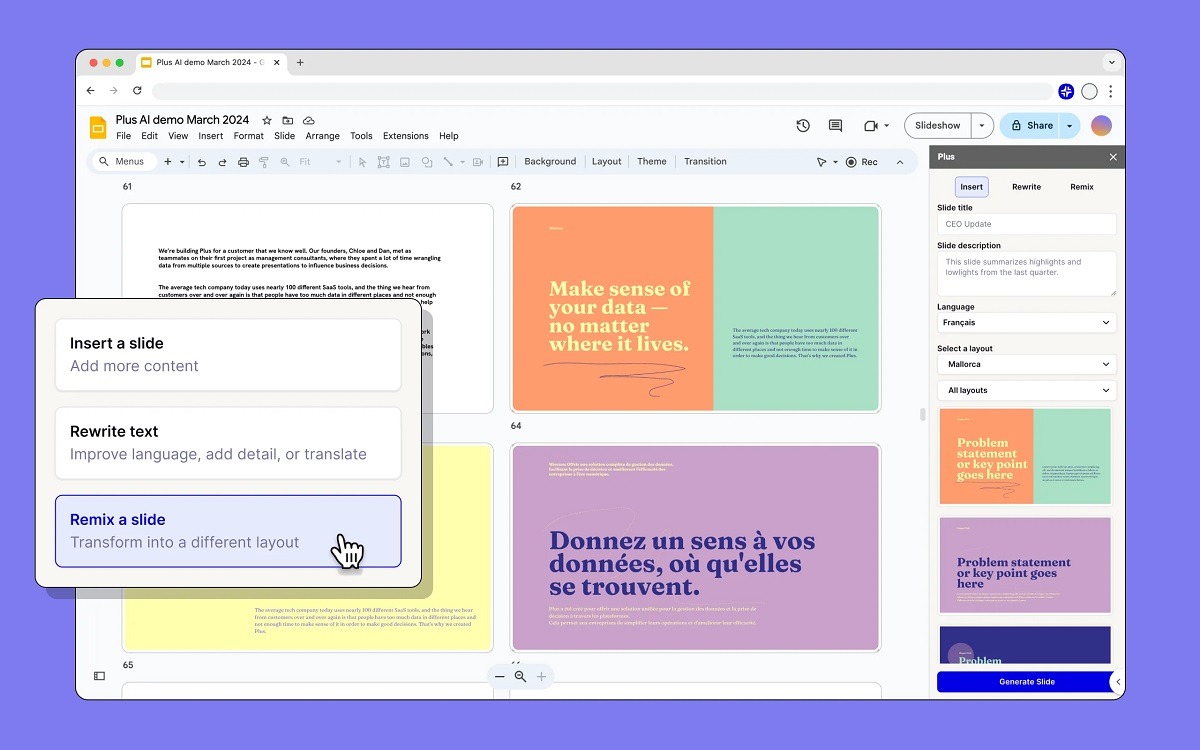
AI presentation tools create professional slide decks from a single text prompt in under 3 minutes, complete with layout, visuals, and talking points. You describe your topic. AI handles the design.
Presentations used to eat up my entire afternoon. Choose a template. Fight with alignment. Find stock photos. Rewrite bullet points six times. Adjust fonts. It was painful.
The best AI presentation makers like Gamma, Beautiful.ai, Plusai, Slidesai.io, and Canva AI turned that process into something almost enjoyable. You type something like “create a 12-slide investor pitch for a sustainable fashion startup.” The AI builds the entire deck. Slides. Headlines. Body text. Visuals. Charts. All formatted and ready to present.
Gamma is my go-to for versatility. It handles everything from quick internal updates to polished client-facing decks. Beautiful.ai shines when your slides need to look sharp without any manual design tweaking. Its “Smart Slides” automatically adjust layout as you add or remove content. Canva AI works great if you already live in the Canva ecosystem and want presentation design alongside your other visual projects.
You will still want to review and customize what AI gives you. The first draft is rarely perfect. But starting from a 90% finished deck instead of a blank screen? That is a game-changer for your afternoon.
4. AI Can Sort Your Email Inbox and Kill the Chaos

AI email tools filter, prioritize, and draft replies across your inbox, saving the average professional 2.5 hours per week on email management alone. Your inbox stops controlling you. You start controlling it.
According to workplace research, the average office worker receives 121 emails per day. Most of those do not need your immediate attention. Some do not need your attention at all. But sorting through them takes forever.
The best AI email assistants like Superhuman, SaneBox, Shortwave, Buzz Mail, and Microsoft Copilot for Outlook handle this problem differently. SaneBox automatically sorts incoming mail into smart folders. Important stuff stays in your main inbox. Newsletters, CC’d threads, and low-priority messages get filtered away. Superhuman uses AI to triage your inbox at keyboard speed and suggests quick replies. Shortwave bundles related conversations and surfaces what matters most.
Microsoft’s built-in AI for Outlook does smart sorting by scanning new emails and organizing them into categories like work, personal, promotions, and travel.
I started using SaneBox about six months ago. The first week felt weird. I kept checking the filtered folders, worried I would miss something important. I never did. Now I spend about 15 minutes on email in the morning instead of 45. That extra half hour goes to actual work.
5. AI Can Manage Your Calendar and Protect Your Focus Time
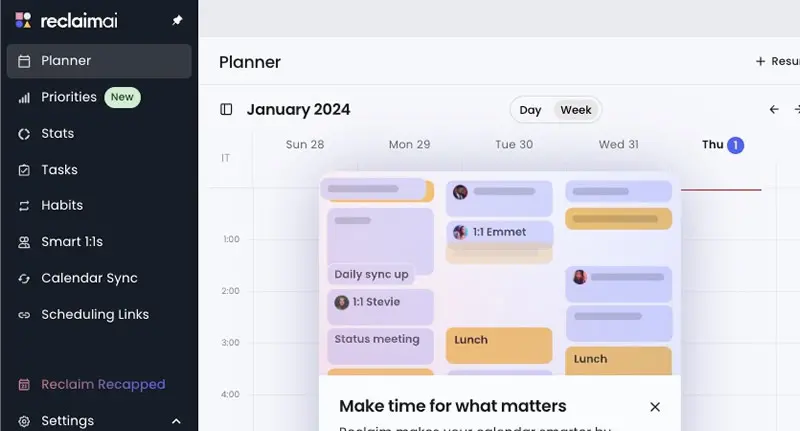
AI scheduling assistants auto-schedule your tasks, meetings, breaks, and deep work blocks, creating up to 40% more productive time in your week. You tell it your priorities. It builds your day around them.
Raise your hand if your calendar looks like a game of Tetris gone wrong. Back-to-back meetings. No time for lunch. Zero blocks for focused work. You end your day exhausted and wonder why nothing on your actual to-do list got done.
Reclaim.ai is the tool that fixed this for me. It connects to your Google Calendar or Outlook and automatically schedules your tasks around your meetings. It protects focus time. It defends your lunch break. When conflicts arise, it reschedules lower-priority items without you lifting a finger. Their data shows users reclaim an average of 40% more time for meaningful work.
Motion takes a slightly different approach. It builds your entire day for you based on task priority, deadlines, and energy patterns. Sunsama is more hands-on. It forces you to plan each day intentionally, then uses AI to help you stick to that plan.
The truth? I resisted calendar AI for months. I thought I could manage my own time just fine. I was wrong. Having an AI that quietly reshuffles low-priority tasks when an urgent meeting pops up reduced my daily stress more than I expected.
6. AI Can Turn Messy Data Into Clear Charts and Insights
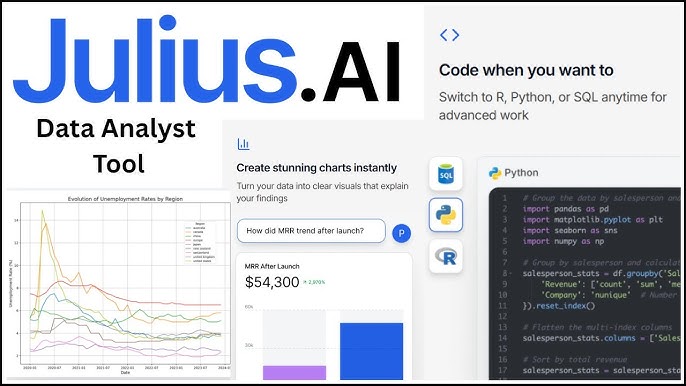
AI data tools analyze spreadsheets and databases through plain English questions, delivering charts, summaries, and insights without any formulas or coding. You ask a question about your data. AI gives you the answer with a visual.
Spreadsheets are powerful. They are also confusing, intimidating, and full of cells that seem to exist just to break your formulas. Most people use about 10% of what Excel or Google Sheets can do.
Some of the best AI data tools like Julius AI, Formula Bot, Rows AI, and Tableau Pulse, change the experience completely. You upload your data or connect to a database. Then you ask questions in plain English. “What was our best-selling product last quarter?” “Show me revenue trends by region.” “Which customer segment has the highest churn rate?”
The AI processes your data and delivers charts, graphs, tables, and written summaries. No VLOOKUP nightmares. No pivot table confusion. Just answers.
Formula Bot alone has over 1 million users who generate spreadsheet formulas, analyze data, and create charts through simple text prompts. Julius AI connects to databases and spreadsheets and builds publication-ready visualizations from your questions.
I used Julius to analyze a customer survey dataset with 3,000 responses. Normally that job takes me a full afternoon of pivot tables and manual chart building. Julius gave me 5 clean charts and a written summary in about 4 minutes. My jaw dropped.
7. AI Can Write Your Emails, Reports, and Proposals in Your Voice
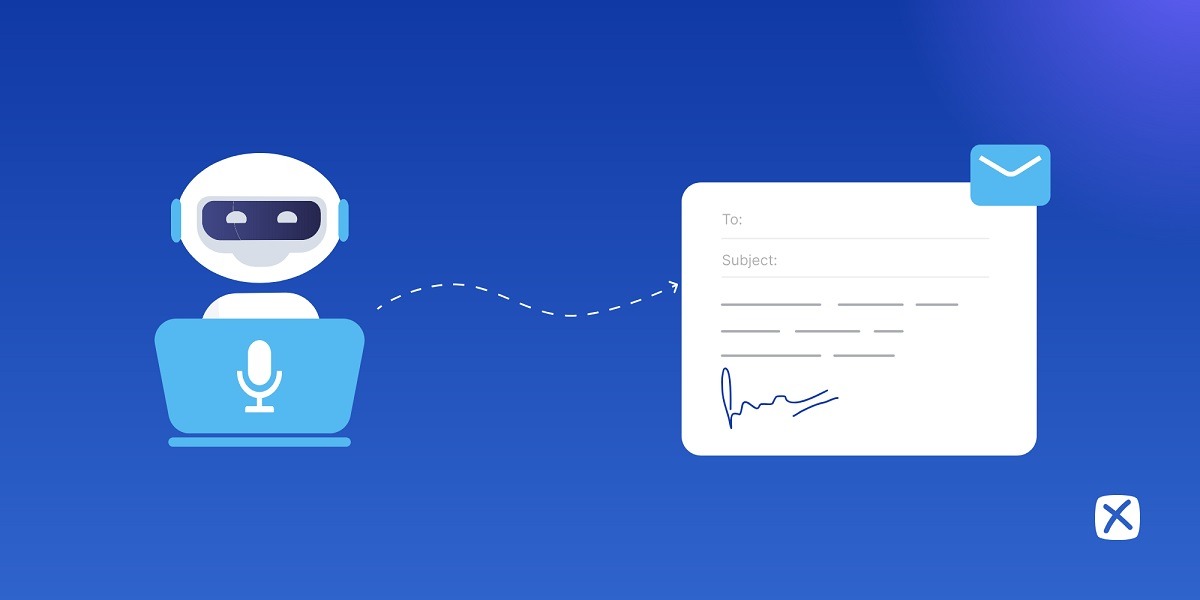
AI writing assistants draft professional emails, reports, and proposals in seconds by matching your tone, style, and intent. You give it the key points. It handles the words.
Writing is part of every office job. Emails. Memos. Reports. Proposals. Status updates. Slack messages. Documentation. The writing never stops. And most of it is not the creative, fulfilling kind. It is the “please see attached” kind.
AI writing tools like ChatGPT, Claude, Grammarly, Jasper, and Notion AI speed up the boring writing so you can spend your energy on the writing that matters. I use Claude for first drafts of client proposals. I paste in the project details, the client’s tone preferences, and the scope. It gives me a solid draft in 60 seconds. I spend 10 minutes personalizing it instead of 90 minutes staring at a cursor.
Grammarly goes beyond grammar checking now. Its AI suggests full sentence rewrites, adjusts tone (formal, friendly, confident, diplomatic), and catches awkward phrasing you read past 10 times without noticing.
One tip from my own experience. Always rewrite the opening and closing yourself. Those are the parts your reader remembers most. Let AI handle the middle sections, the technical details, the structured lists. But put your own voice on the parts that build connection.
8. AI Can Edit Your Videos Like a Professional Studio
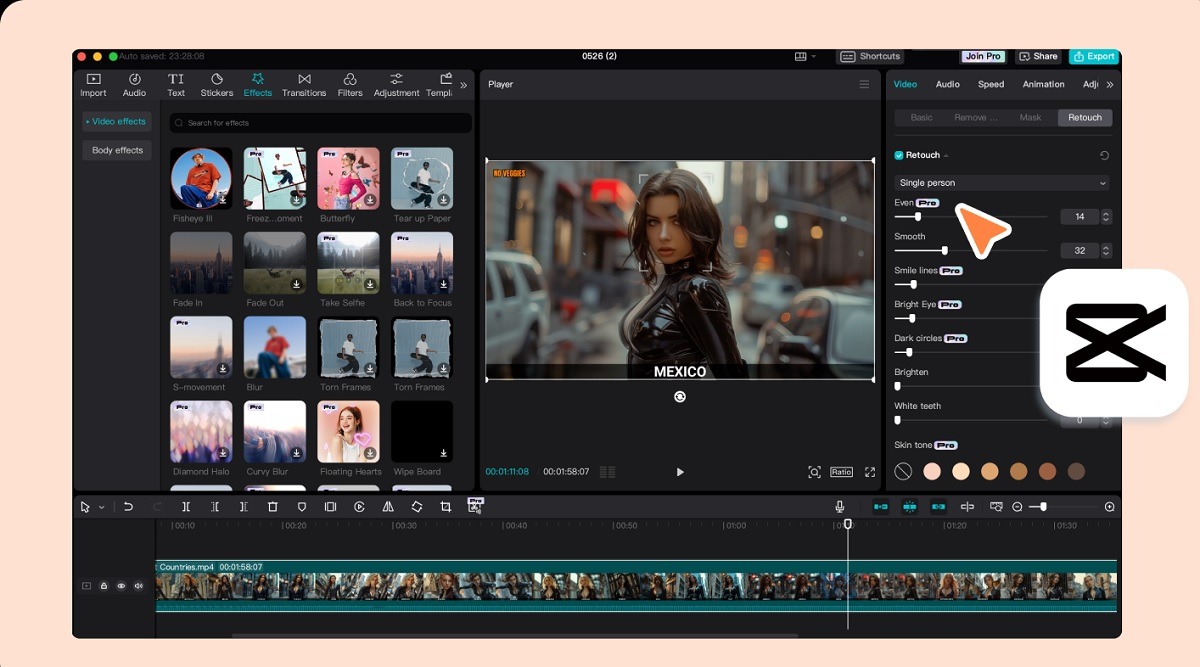
AI video editors cut, caption, clean audio, and polish your video content by editing text instead of timelines, saving hours of production work. You highlight a word in the transcript. The video cut happens automatically.
If you have ever opened Adobe Premiere and felt your soul leave your body, this one is for you.
Descript completely rethinks video editing. It transcribes your video into text. You edit the text. The video follows. Want to cut a section? Delete those sentences from the transcript. Want to remove every “um” and “uh”? One click. Want to add captions? Already done. Need to fix audio quality? AI cleans it up automatically.
Descript also offers AI eye contact correction (your eyes look at the camera even when you were reading notes), voice cloning for quick audio fixes, and AI-generated video from text prompts.
CapCut and Runway are strong alternatives. CapCut handles social media clips with AI-powered auto-captions and trending templates. Runway does heavier creative work, including AI video generation and background removal.
I used to spend 3-4 hours editing a 10-minute video. With Descript, that same video takes about 45 minutes. The quality is just as good. Sometimes better, because the AI catches audio issues my ears missed.
9. AI Can Handle Your Customer Questions Around the Clock
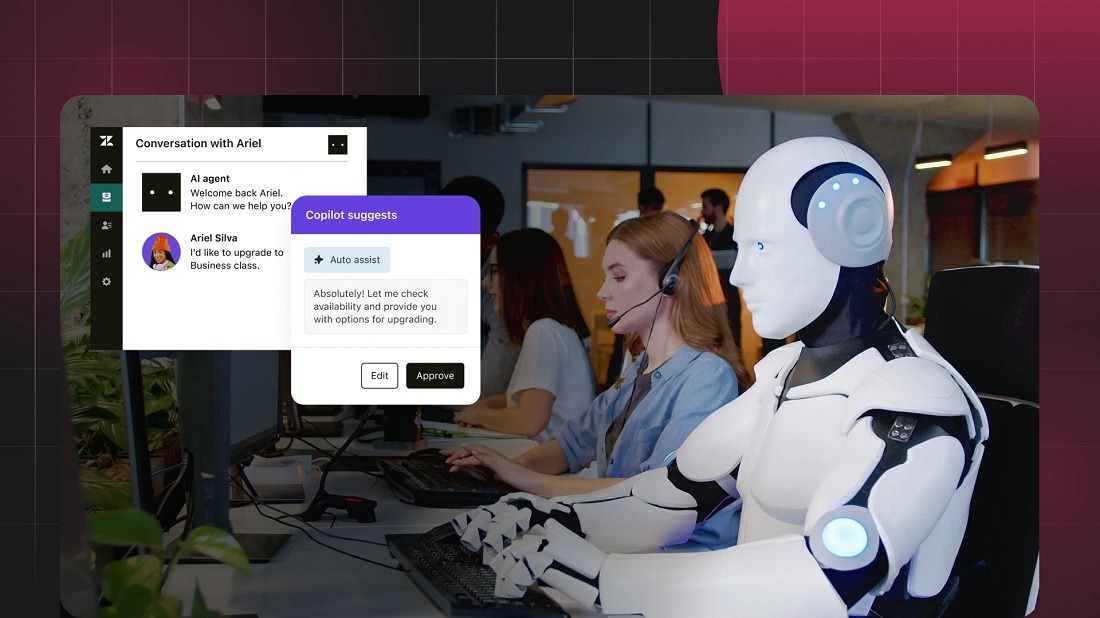
AI chatbots resolve up to 80% of routine customer questions instantly, reducing response times from hours to seconds. Your customers get answers at 2 AM. Your team gets to sleep.
Nobody enjoys typing “where is my order” and waiting 48 hours for a reply. Your customers do not either. The best AI customer service tools like Zendesk AI, Intercom Fin, Freshdesk Freddy, and HelpCrunch handle the repetitive questions so your human agents focus on problems that actually need a human touch.
Intercom’s Fin resolves customer issues using your existing help center content. It reads your documentation, learns your policies, and answers questions in natural conversation. Zendesk AI integrates across email, chat, and social channels. It routes complex issues to the right human agent and handles simple ones alone.
The numbers back this up. Businesses using AI chatbots report 60-80% reduction in first-response time and measurable improvements in customer satisfaction scores. Your support team stops answering “what are your business hours?” for the hundredth time and starts solving actual problems.
10. AI Can Create Social Media Content and Schedule It for You
AI social media tools generate post ideas, write captions, create visuals, and schedule everything across multiple platforms from one dashboard. Your social presence stays active even when you are busy with other work.
Managing social media for a business is a full-time job pretending to be a side task. You need content ideas. You need captions. You need visuals. You need hashtags. You need to post at the right time on the right platform. Every single day.
Buffer, Hootsuite, and CoSchedule all use AI to lighten this load. Buffer’s AI Assistant generates post ideas and variations from a topic. Hootsuite offers AI-powered content suggestions and optimal posting times. CoSchedule uses AI to help you write and schedule posts across all channels.
For visual content, Canva AI generates graphics tailored to each platform’s dimensions. Combine it with a scheduling tool and you have a complete social media workflow that runs in about 30 minutes per week instead of 3 hours per day.
I batch my social media work on Monday mornings. I use AI to draft a week’s worth of captions, generate matching visuals, and schedule everything. The rest of the week, I barely touch it. Posts go out on time. Engagement stays consistent. My brain stays focused on other priorities.
11. AI Can Manage Your Projects and Keep Your Team on Track
AI project management tools auto-assign tasks, predict deadlines, flag bottlenecks, and generate status reports without manual tracking. Your projects move forward even when you forget to check the board.
Project management tools are only useful if people actually update them. And let me be real. Nobody loves updating task statuses. It feels like paperwork for your paperwork.
ClickUp Brain acts as a 24/7 AI assistant inside your project workspace. It answers questions about project progress, auto-assigns tasks based on workload, generates status updates, and drafts meeting agendas from recent activity. Notion AI does something similar inside Notion’s flexible workspace. It summarizes pages, generates action items from meeting notes, and helps you draft project documentation.
Motion takes automation further. It builds your team’s schedule automatically based on task priorities and deadlines. When someone falls behind, Motion reshuffles the timeline and alerts the team.
The result? Less time managing the project. More time doing the project. That shift sounds small. In practice, it saves project managers 5-8 hours per week on administrative overhead.
12. AI Can Train You on New Skills at Your Own Speed
AI-powered learning platforms adapt training content to your skill level, learning pace, and career goals in real time. The course adjusts to you instead of you adjusting to the course.
Corporate training used to mean sitting through a 4-hour webinar that was too basic for some people and too advanced for others. Everyone left mildly frustrated. Nobody remembered anything by Friday.
AI learning platforms like Docebo, Degreed, and Coursera for Business personalize the experience for each employee. The AI analyzes your current skills, identifies gaps, and builds a learning path tailored to your role and goals. If you already know Python basics, it skips the intro module and jumps you to intermediate. If you struggle with a concept, it offers extra practice before moving on.
Research shows that learners who receive personalized AI-driven training retain information significantly better and complete courses at higher rates than those in traditional programs. Your team learns faster. Your company spends less on training that does not stick.
13. AI Can Design Logos, Graphics, and Brand Materials in Minutes
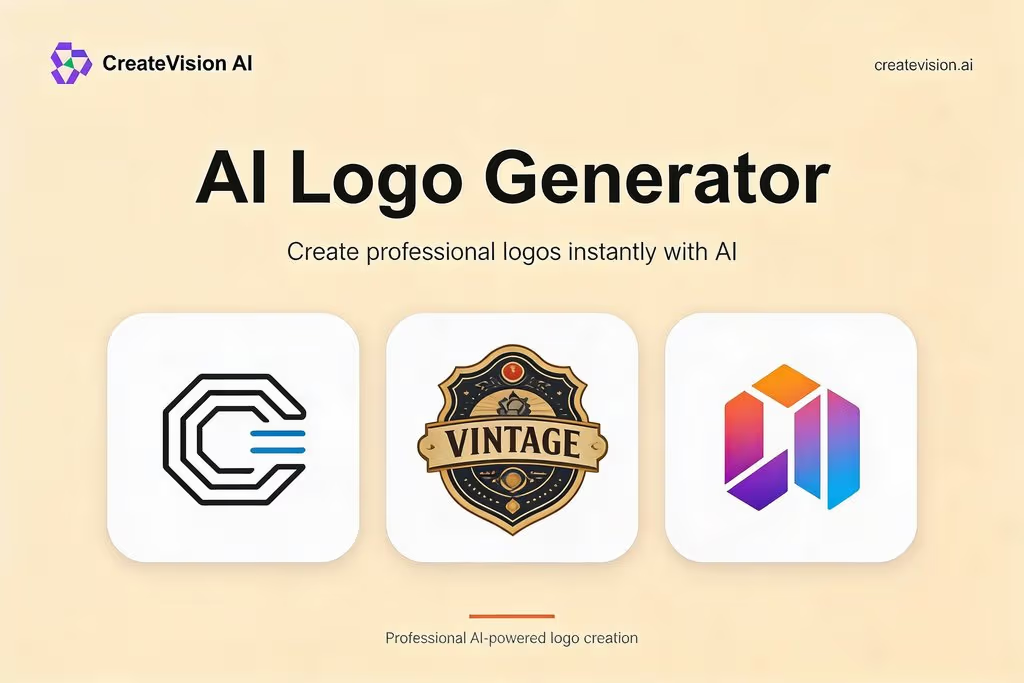
AI design tools generate professional logos, social graphics, product mockups, and brand kits from text descriptions without any design experience. You describe what you want. AI creates options for you to choose from.
Hiring a graphic designer for every small visual task is expensive. Doing it yourself in Photoshop is time-consuming and often produces results that look… homemade.
Canva AI, Adobe Firefly, Looka, and Nano Banana 2 bridge that gap. Canva’s Magic Design generates complete social posts, presentations, and print materials from a brief description. Adobe Firefly creates and edits images using text prompts within the Creative Cloud ecosystem. Looka specializes in logo design, giving you dozens of professional options in minutes.
Nano Banana 2 by Google DeepMind deserves a special mention. It generates images at native 4K resolution, renders legible text inside images, and maintains character consistency across multiple outputs. It runs 2.9 times faster than previous models and is free through Google’s Flow platform.
For small businesses and startups with tight budgets, these tools are game-changing. You get professional-quality visuals for a fraction of the cost and a fraction of the time.
14. AI Can Draft Your Resume and Cover Letter for Every Job Application
AI resume tools customize your resume and cover letter to match specific job descriptions in under 2 minutes. Each application gets tailored content instead of the same generic document.
You know you should customize your resume for each application. You also know that customizing 50 resumes manually takes forever. So you send the same one everywhere and hope for the best. We have all done it.
Teal, Kickresume, Grammarly, and BeamJobs fix this problem. Teal’s AI Cover Letter Generator takes your resume and the job description, then produces a targeted cover letter highlighting your most relevant experience. BeamJobs aligns your resume content with the job description to generate a customized cover letter that speaks directly to what the employer wants.
MIT’s career development office recommends giving AI tools both your resume and the target job description. The AI identifies your most relevant qualifications and emphasizes them. It matches keywords. It adjusts tone. The result is a cover letter that feels intentionally written for that specific role, because it was.
One warning from personal experience. Always fact-check what the AI writes about you. It sometimes embellishes or misinterprets your experience. Every claim on your resume and cover letter should be something you can back up in an interview.
15. AI Can Translate Your Work Documents for Global Teams Instantly
AI translation tools convert documents, emails, presentations, and messages between 100+ languages with over 95% accuracy in seconds. Your global team reads everything in their preferred language without waiting for a human translator.
If you work with teammates, clients, or partners in other countries, you know the pain. You send an English email. They run it through Google Translate. The meaning gets mangled. Confusion follows. Projects stall.
Modern AI translation tools go far beyond basic word-for-word swapping. DeepL, Google Translate (neural engine), Microsoft Translator, and ChatGPT handle context, idioms, industry terminology, and tone. DeepL, in particular, is trusted by over 100,000 businesses for its natural-sounding translations across European and Asian languages.
Translation earbuds like Timekettle W4 Pro and iFLYTEK handle spoken conversations in real time. One person speaks English. The other hears Mandarin. The reply comes back translated instantly. These devices support up to 164 languages.
For documents, you upload a PDF, Word file, or presentation. The AI translates the entire thing while preserving formatting, headers, tables, and charts. What used to take a professional translator 2-3 days now takes AI under 5 minutes.
I work with a team spread across 4 countries. DeepL handles most of our document translations. The quality is close enough to professional translation that we only hire human translators for legal contracts and public-facing marketing materials. Everything else? AI handles it reliably and fast.
What Should You Know Before Bringing AI Into Your Workday?
AI works best as your assistant, not your replacement. Every tool on this list produces better results when a human reviews, edits, and guides the output. Treat AI like an extremely fast intern. Talented, eager, and occasionally wrong.
Here are 5 principles that made AI work well for me at the office:
- Start small. Pick one tool. Use it for one task. Get comfortable before adding more
- Be specific with prompts. Vague requests produce vague results. Give context, examples, and constraints
- Always review AI output. Check facts. Fix tone. Remove anything that does not sound like you
- Protect sensitive data. Do not paste confidential client information or trade secrets into free AI tools without checking your company’s policy first
- Share what works with your team. When you find a workflow that saves time, teach others. AI benefits multiply when the whole team uses it
Frequently Asked Questions About Using AI at Work
Will My Boss Get Mad if I Use AI at Work?
It depends on your company’s policy. Many companies actively encourage AI use. McKinsey research found that 73% of high-performing employees use AI to work faster. Other companies have strict rules about which tools are approved and what data you can share with them. Check your company’s AI usage policy before getting started. If no policy exists, ask your manager directly.
Can AI Replace My Job Entirely?
No, but it will change your job. AI handles repetitive, data-heavy, and time-consuming tasks well. It struggles with empathy, complex judgment, relationship building, and creative leadership. The employees most at risk are those who refuse to learn AI tools, not those whose jobs AI touches. Adapting your skills to work alongside AI makes you more valuable, not less.
Is It Cheating to Use AI for Work Tasks?
No. Using AI at work is no different from using a calculator, a spell-checker, or a search engine. These are tools that extend your capability. The key is transparency. If your company or client expects original human-only work, be upfront about AI assistance. Most workplaces today view AI fluency as a professional skill, not a shortcut.
Which AI Tool Should I Start With if I Am a Complete Beginner?
Start with ChatGPT or Claude for general tasks. Both are free to use at a basic level. Both handle writing, brainstorming, research, data analysis, and question-answering through simple conversation. Once you get comfortable with prompting, expand into specialized tools like Otter.ai for meetings, Gamma for presentations, or Reclaim for calendar management.
Can AI Keep My Work Data Private and Secure?
It varies by tool and plan. Free versions of most AI tools may use your data for training. Paid enterprise plans from providers like OpenAI, Anthropic, Google, and Microsoft typically offer data privacy guarantees and do not train on your inputs. Always read the privacy policy. For sensitive business data, use enterprise-grade tools with SOC 2 compliance and encryption.
Does AI Make Mistakes at Work?
Yes, regularly. AI generates incorrect facts, invents statistics, misreads context, and sometimes produces outputs that sound confident but are completely wrong. This is called “hallucination.” Never submit AI-generated work without reviewing it yourself. Treat every AI output as a first draft that needs human judgment before it reaches a client, customer, or colleague.
Conclusion
AI at work is not about robots taking over your office. It is about getting back the hours you lose to tedious tasks every week. The 15 methods covered in this article touch every part of your workday, from brainstorming and writing to meetings, email, data, presentations, customer service, social media, project management, skill building, design, job applications, video editing, calendar management, and translation.
The tools are already here. Otter.ai captures your meeting notes. Gamma builds your slide deck. Reclaim protects your focus time. SaneBox cleans your inbox. Claude and ChatGPT handle your writing and brainstorming. Descript edits your videos. Julius AI analyzes your data. ClickUp Brain manages your projects.
You do not need to adopt all 15 at once. Pick the one that solves your biggest daily headache. Try it for a week. See what happens. Most of these tools offer free plans or trials, so the risk is zero.
The people who thrive at work over the next few years will not be the ones who ignored AI. They will be the ones who learned to use it early, use it well, and use it honestly. You have the tools. You have the list. The only thing left is to start.
You May Also Like
 AI Tutorials
How to Use Claude Opus 4.7 for Free
 AI Tutorials
What Jobs Will AI Replace and Not Replace?
 AI Tutorials
Character AI Review: A Complete, Honest Guide for 2026
 AI Tutorials
Classplus Login: How to Sign In as a Student or Teacher
 AI Tutorials
Prolific Login: How to Access Your Account and Start Earning
 AI Tutorials