
Google just launched Nano Banana 2 on February 26, 2026, and I’ve been testing it extensively to see if it lives up to the hype. This isn’t just another incremental update—it’s a complete game-changer that combines the advanced capabilities of Nano Banana Pro with lightning-fast generation speed. If you’ve been frustrated by slow image generation or had to choose between speed and quality, Nano Banana 2 solves that problem completely.
The technical name is Gemini 3.1 Flash Image, and it represents Google’s most advanced image generation and editing model to date. What makes this release special is that Google took everything people loved about Nano Banana Pro—the advanced world knowledge, text rendering, web search integration—and made it accessible at Flash speed. You’re getting professional-quality results in a fraction of the time.
I’ve spent the last 5 hours putting Nano Banana 2 through its paces, generating everything from photorealistic portraits to complex infographics. The improvements are substantial and immediately noticeable. Let me break down exactly what’s new, what works brilliantly, and where you still need to be careful.
What’s Actually New in Nano Banana 2
- Blazing Fast Generation Speed: The most obvious improvement is speed. Google integrated their Gemini Flash architecture into image generation, and the difference is dramatic. Images that took 15-20 seconds with Nano Banana Pro now generate in 5-8 seconds with Nano Banana 2. This might not sound revolutionary, but when you’re iterating on designs or testing multiple variations, this speed boost transforms your workflow completely. I generated 30 portrait variations in the time it would have taken me to create 10 with the previous model.
- Advanced Character Consistency: This is huge for storytelling and branding work. Nano Banana 2 can maintain consistent appearance across up to five different characters simultaneously and preserve the fidelity of up to 14 objects in a single workflow. I tested this by creating a six-panel story with three consistent characters building a treehouse. Each character maintained their distinctive features, clothing, and personality across all panels while changing expressions and poses. This level of consistency was nearly impossible with previous models.
- Production-Ready Resolution Options: You now have full control over output resolution from 512px all the way up to native 4K. I tested multiple aspect ratios including vertical social media posts (9:16), square Instagram posts (1:1), and widescreen banners (16:9). The quality remains sharp and detailed regardless of the aspect ratio you choose. This flexibility means you can generate assets optimized for specific platforms without compromising quality.
- Accurate Text Rendering with Translation: One of the most frustrating limitations of AI image generation has been illegible text. Nano Banana 2 solves this problem with accurate, legible text rendering. I created marketing mockups, greeting cards, and informational signage with clean, readable typography. Even better, you can generate text in one language and then ask Nano Banana 2 to localize and translate it for different markets while maintaining the visual design. I tested this with English-to-Hindi translation for a nature sign, and the results were impressively accurate.
- Real-Time Web Search Integration: Nano Banana 2 pulls current information from web search to accurately render specific subjects, locations, and data. I asked it to create a weather infographic for a specific ski resort this weekend, and it pulled real-time weather data to generate a custom forecast graphic. The integration isn’t perfect—I caught it using outdated information in one test—but the capability represents a significant advancement in grounding AI image generation in factual, current information.
- Enhanced Visual Fidelity: Google describes this as “vibrant lighting, richer textures, and sharper details.” In my testing, I noticed significant improvements in skin texture rendering, fabric detail, and lighting realism. Portraits have more dimensional lighting with subtle shadows that look naturally photographic rather than artificially smooth. Material textures like knit sweaters, leather, and wood grain render with convincing tactile quality.
- Precise Instruction Following: The model adheres more strictly to complex, detailed prompts. When I specify multiple elements—subject, pose, lighting, environment, technical parameters—Nano Banana 2 consistently delivers all requested elements rather than dropping details or making creative substitutions. This reliability means fewer wasted generations and faster achievement of your desired result.
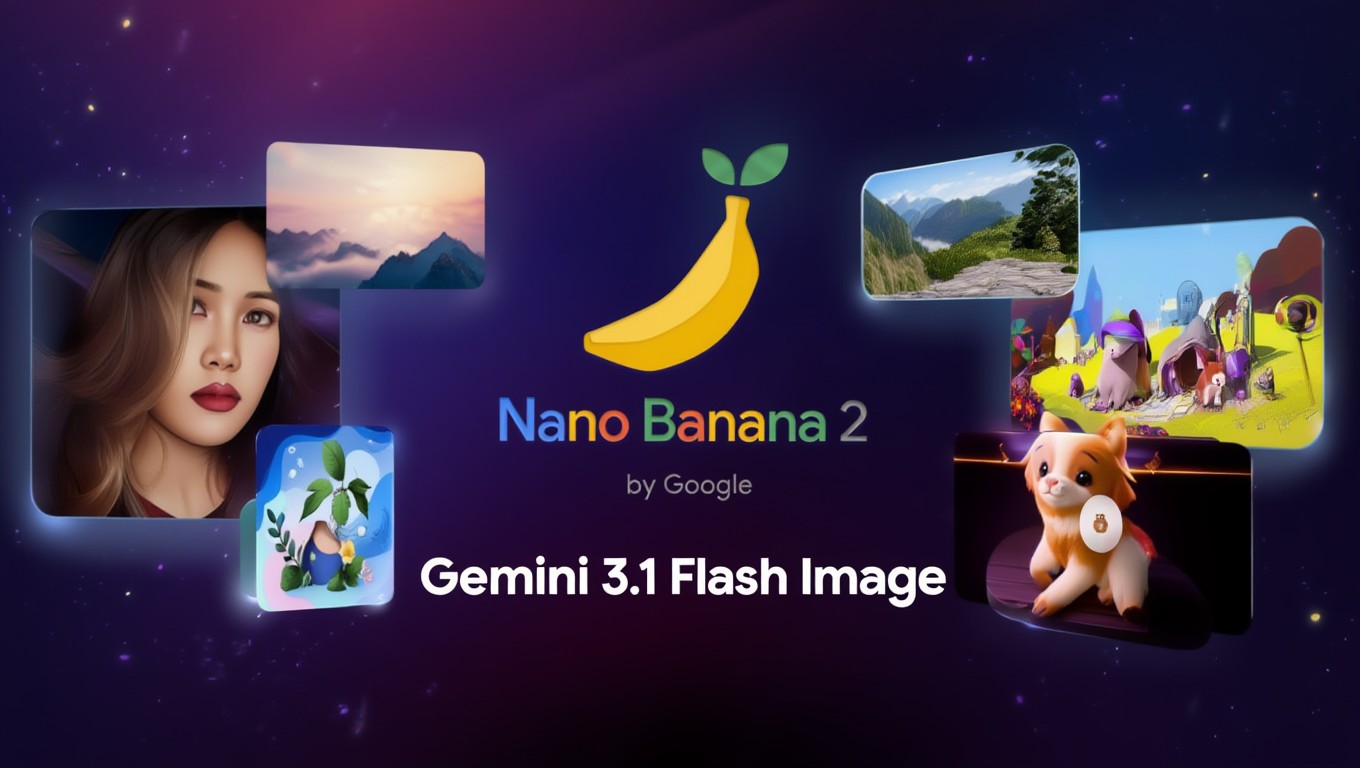
How Nano Banana 2 Compares to Nano Banana Pro
The comparison between these two models is interesting because they serve different purposes now. Nano Banana Pro still exists for specialized high-fidelity tasks, but Nano Banana 2 becomes the new default for most workflows.
Speed advantage is where Nano Banana 2 dominates. Generation times are approximately 60-70% faster than Nano Banana Pro. When I timed identical prompts, Pro took 18 seconds while Nano Banana 2 completed in 6 seconds. This speed difference compounds when you’re generating multiple variations or iterating on a concept.
Quality gap is surprisingly small. Tests show Nano Banana 2 achieves approximately 95% of Pro’s image quality. In practical terms, most people won’t notice the difference unless they’re pixel-peeping or creating large-format print materials. I compared outputs side-by-side and found the quality nearly indistinguishable for social media, web use, and standard marketing materials.
Cost savings are significant. Nano Banana 2 is 25% cheaper for 2K resolution and 37% cheaper for 4K resolution compared to Nano Banana Pro. For users generating high volumes of images, these savings add up quickly. The new model also introduces an ultra-low-cost 0.5K tier for quick previews and drafts.
Feature parity is nearly complete. Nano Banana 2 includes almost all Pro features including web search grounding, text rendering, multi-character consistency, and advanced instruction following. The main differences appear in extremely high-fidelity work where Pro still maintains a slight edge in detail rendering and color accuracy.
When to use which model? I recommend Nano Banana 2 for 90% of use cases including social media content, marketing materials, rapid prototyping, and general creative work. Reserve Nano Banana Pro for specialized tasks requiring maximum factual accuracy, large-format printing, or situations where that extra 5% quality matters significantly.
Real-World Testing Results
I put Nano Banana 2 through practical scenarios to see how it performs beyond manufacturer specifications. Here’s what I discovered through hands-on testing.
Portrait generation quality impressed me significantly. I generated 50 different portrait styles using effective Gemini AI prompts for girls portraits. Facial features rendered with natural variation and believable characteristics. Skin texture showed realistic pores, subtle imperfections, and natural subsurface scattering rather than that artificial “plastic” look common in AI portraits. Hair rendering particularly improved with individual strand detail and natural movement.
Photo manipulation capabilities are both impressive and concerning. I uploaded a selfie and asked Nano Banana 2 to place me in various scenarios—sitting in a hot tub, skiing down a mountain, attending a formal event. The results were mixed but trended toward convincing. The hot tub scene looked photorealistic with accurate snow rendering and proper perspective. The skiing scenario looked obviously manipulated with poor face integration. This inconsistency means you’ll still need to generate multiple variations to get convincing results. If you’re serious about photo editing with Gemini, understanding these limitations helps set realistic expectations.
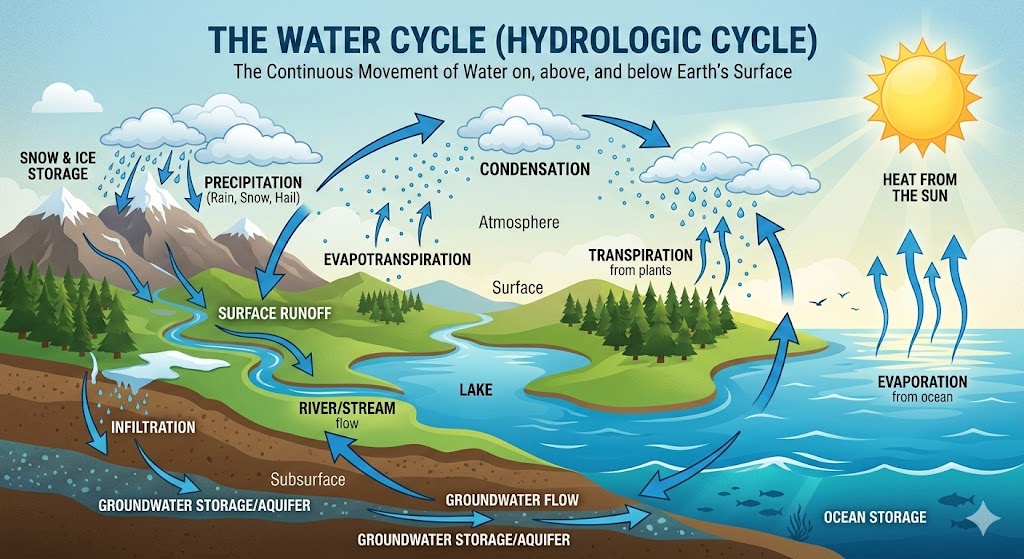
Text and infographic creation worked better than expected. I generated several data visualizations including a water cycle diagram, cloud comparison chart, and weather forecast graphic. Text remained legible and properly sized. Layout followed logical information hierarchy. Color choices were appropriate for the content type. However, factual accuracy requires verification—the model pulled outdated weather data in one test until I corrected it.
Character consistency across sequences performed admirably. I created a six-panel comic story with three distinct characters. Each character maintained their core features including facial structure, hair style, clothing colors, and body proportions across all panels. Expressions and poses varied appropriately while preserving identity. This capability opens up significant possibilities for visual storytelling, storyboarding, and brand mascot creation.
Speed in practice lived up to specifications. I timed complete workflows from prompt entry to final download. Simple portraits averaged 6-8 seconds. Complex multi-element scenes required 10-12 seconds. Character consistency workflows with multiple reference images took 15-18 seconds. Compared to my previous experience with other models, these speeds represent substantial improvements that genuinely enhance creative workflow. Whether you’re creating amazing photos with Gemini AI or working on commercial projects, this speed matters.
Where Nano Banana 2 Still Struggles
Despite impressive capabilities, Nano Banana 2 has limitations you need to understand before relying on it for critical projects.
Hands remain problematic though improved from earlier AI models. Simple hand poses like “hands holding coffee cup” or “hands folded on desk” work reasonably well. Complex hand positions, multiple fingers visible, or hands in prominent foreground positions still generate distortions. I saw incorrect finger counts, unnatural joint angles, and anatomically impossible positions in about 30% of images featuring prominent hands.
Facial manipulation looks artificial in many scenarios. When I uploaded reference photos and asked for dramatic transformations, the face integration often looked like obvious Photoshop cut-and-paste work. The ski slope example from my testing showed my face poorly blended with an athletic body, with visible edge detection issues and lighting mismatches. More subtle manipulations worked better, but expect to generate multiple variations for convincing results.
Factual accuracy requires verification despite web search integration. The weather infographic I generated initially contained data from the previous week rather than upcoming dates. When generating location-specific content or data visualizations, always verify information against authoritative sources. The AI pulls web information but doesn’t always select the most current or accurate data.
Text within complex compositions sometimes fails. While dedicated text-focused designs work well, text integrated into busy scenes with multiple elements occasionally renders with spacing issues, alignment problems, or partial illegibility. Simple designs with text as a focal element succeed more consistently than complex multi-element compositions. If you need clean text rendering, check out my guide on creating Gemini AI logos which focuses specifically on text-heavy designs.
Extreme lighting scenarios produce mixed results. Standard photographic lighting—natural window light, golden hour, studio setups—works beautifully. Unusual lighting like intense spotlights, colored gel combinations, or dramatic silhouettes sometimes create unnatural-looking results. Stick to established photographic lighting principles for most consistent success.
How to Access Nano Banana 2 Right Now
Google made Nano Banana 2 widely available across multiple platforms simultaneously. Here’s where you can access it today.
Gemini App and Website offers the easiest access. Simply visit gemini.google.com or open the Gemini mobile app. Click the banana emoji icon or include image generation requests in your text prompts. Nano Banana 2 is now the default image model across Fast, Thinking, and Pro tiers. If you’re a Google AI Pro or Ultra subscriber, you still have access to Nano Banana Pro by regenerating images through the three-dot menu for specialized high-fidelity tasks.
Google Search integration brings Nano Banana 2 to AI Mode and Lens features. Access it through the Google app on mobile devices or desktop browsers. Availability expanded to 141 new countries and territories with support for eight additional languages including Hindi, Indonesian, Japanese, Korean, Portuguese, Spanish, Thai, and Vietnamese.
AI Studio and Gemini API provide developer access for custom integrations. The model is available in preview as gemini-3.1-flash-image-preview in AI Studio and through the Gemini API. Check Google’s official pricing documentation for current API costs. This option suits developers building custom applications, automation workflows, or commercial services.
Google Cloud Vertex AI offers enterprise-grade access with additional controls, security features, and billing options suited for business deployments. Available in preview through the Gemini API in Vertex AI for organizations requiring compliance, audit trails, and integration with existing Google Cloud infrastructure.
Flow creative platform made Nano Banana 2 the new default image generation model available to all Flow users for zero credits. This represents significant value for Flow subscribers who get unlimited access to the latest model without additional per-image costs.
Google Ads integration powers AI-generated suggestions while creating advertising campaigns. Marketers can now generate on-brand creative assets directly within the Google Ads interface using Nano Banana 2’s speed and quality.
My Verdict After Extensive Testing
Nano Banana 2 represents a significant leap forward in accessible AI image generation. The combination of professional-quality output with consumer-friendly speed makes it genuinely useful for real creative work rather than just experimental play.
The speed improvements alone justify switching from previous models. Creative workflows depend on rapid iteration and testing multiple concepts quickly. Nano Banana 2’s generation speed enables that workflow without sacrificing quality. I found myself generating more variations and exploring more creative directions because the technical friction disappeared.
Image quality meets professional standards for most applications. Social media content, marketing materials, website graphics, and presentation visuals all look polished and convincing. The remaining quality gap compared to Nano Banana Pro matters only for specialized use cases like large-format printing or situations requiring absolute maximum fidelity.
Character consistency capabilities open up new creative possibilities. Creating visual stories, developing brand mascots, or building narrative sequences now works reliably enough for actual production use rather than just proof-of-concept. This single feature expands Nano Banana 2’s utility significantly beyond single-image generation.
The limitations remain important to understand. Don’t rely on Nano Banana 2 for situations requiring guaranteed factual accuracy without verification. Expect to generate multiple variations for complex hand poses or dramatic photo manipulations. Plan to verify text accuracy in data visualizations and infographics.
For portrait generation specifically, Nano Banana 2 excels when paired with detailed, technically-specific prompts. The model responds exceptionally well to photography terminology, lighting descriptions, and compositional guidance. Whether you’re working on portraits of girls, boys and men, or exploring trending Gemini AI prompts, Nano Banana 2 delivers consistent quality. For those interested in dimensional work, you might also explore 3D model prompts for Gemini AI to see how the technology extends beyond flat images.
Frequently Asked Questions
Is Nano Banana 2 free to use?
Yes, Nano Banana 2 is free through the standard Gemini app and website. You don’t need a paid subscription to access basic image generation features. However, Google AI Pro and Ultra subscribers get additional benefits including continued access to Nano Banana Pro for specialized tasks and potentially higher usage limits.
Can Nano Banana 2 create consistent characters across multiple images?
Yes, Nano Banana 2 maintains character consistency for up to five different characters simultaneously across multiple images. You can create stories, sequences, and variations while preserving each character’s distinctive appearance, clothing, and features. This works by providing reference images and requesting consistent character rendering in your prompts.
What resolution does Nano Banana 2 support?
Nano Banana 2 supports resolutions from 512px up to native 4K quality. You have complete control over aspect ratios including 1:1 (square), 9:16 (vertical), 16:9 (widescreen), and custom dimensions. The model maintains sharp detail and quality across all resolution options.
How fast is Nano Banana 2 compared to previous models?
Nano Banana 2 generates images 60-70% faster than Nano Banana Pro. Simple portraits take 6-8 seconds, complex scenes require 10-12 seconds, and character consistency workflows complete in 15-18 seconds. This represents substantial speed improvements over previous generation times of 15-20 seconds.
Does Nano Banana 2 work for commercial projects?
Yes, images generated with Nano Banana 2 through standard Gemini access can generally be used for commercial purposes, but you should verify current terms of service with Google. The model’s production-ready specifications, including 4K resolution and professional quality output, make it suitable for marketing materials, social media content, and business applications.
You May Also Like
 AI Models
GPT-5.5 vs Claude Opus 4.7 vs Gemini 3.1 Pro: Real Benchmark Results Compared
 AI Tutorials
How to Use AI in 2026: My Honest Guide After Testing Every Major Tool
 AI Models
The Best AI Models: Types and Examples You Should Know
 AI Tool Reviews
DeepSeek vs. Claude, Grok, Qwen, and Gemini: Which AI Model Actually Fits Your Needs in 2026
 AI Tool Reviews
Do You Still Use Photoshop or AI Image Generator? My Honest Experience With Both
 Gemini AI