
You’ve probably heard the name tossed around a hundred times by now. Your classmate swears by it, some guy on X won’t shut up about it, and a YouTube ad just promised it’ll “change how you think forever.” Cool, cool. But here’s the thing nobody actually explains – what is Grok, really? Like, past the buzzwords, past the hype videos, past Elon’s Twitter posts at 3 a.m.?
That’s what this article is for you to answer what Grok is, how it actually works, what it’s good at, where it falls short, and whether it’s worth your time. By the end, you’ll know exactly where Grok fits in the AI landscape and whether it’s the right tool for whatever you’re trying to do.
Let’s break it down properly.
What Is Grok?
Grok is an AI chatbot built by xAI, Elon Musk’s artificial intelligence company. At its core, it’s a large language model that uses the same type of technology that powers ChatGPT, Claude, and Gemini, but with its own personality, its own quirks, and one feature that genuinely sets it apart: real-time access to what’s happening on X (the platform formerly known as Twitter).
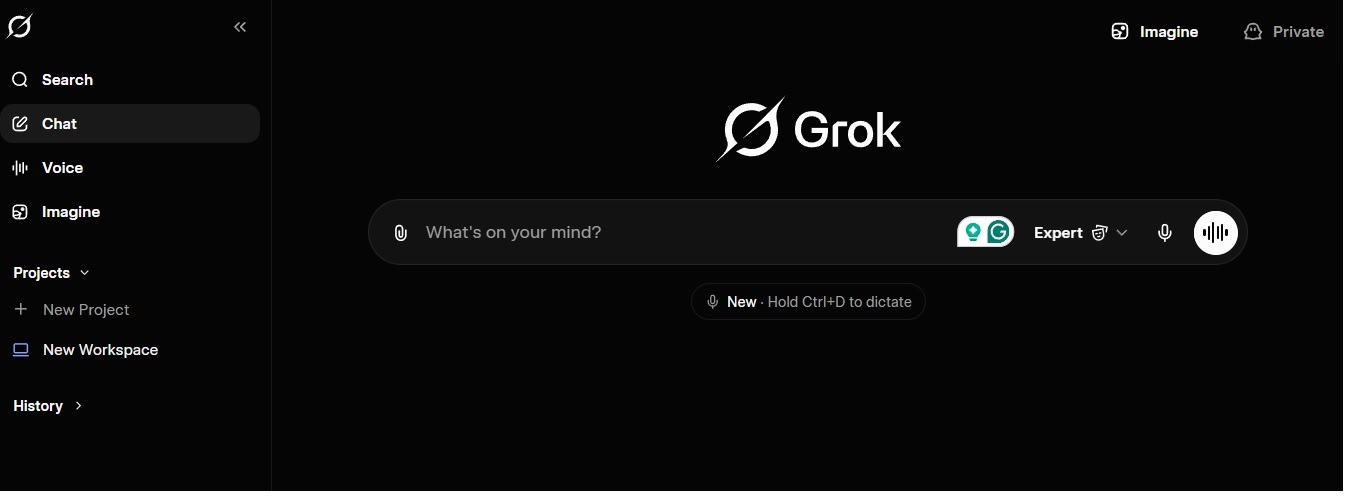
That’s it. That’s the one-sentence version. Grok is an AI assistant that chats with you, answers questions, writes stuff, and analyzes images or videos. Unlike most of its competitors, it actually knows what happened on the internet ten minutes ago.
The name itself is a nod to the sci-fi novel Stranger in a Strange Land, where “to grok” something means to deeply and intuitively understand it. Which is either a clever branding choice or peak Silicon Valley self-importance, depending on your mood.
| Basic Fact | Answer |
|---|---|
| Built By | xAI (Elon Musk’s AI company) |
| Launched | November 2023 |
| Type | Large language model / AI chatbot |
| Main Website | grok.com |
| Also Available On | X platform, iOS app, Android app |
| Free to Use? | Yes (with limits) |
| Main Competitors | ChatGPT, Claude, Gemini |
How Does Grok Actually Work?
Okay, let’s pop the hood without getting too technical. I’ll keep the jargon to a minimum, promise.
Grok is what’s called a large language model, or LLM. In the simplest terms, it’s a massive neural network that’s been trained on enormous amounts of text, code, images, and now video, and learned to predict what words, ideas, or responses come next based on what you ask it. It’s not “thinking” the way humans do. It’s pattern-matching on a scale that’s so massive it starts to look like thinking.
When you type a question into Grok, a few things happen in the background:
First, it takes your input and breaks it down into pieces it can understand (called tokens). Then it runs that input through its neural network, which was trained on billions of examples of human language, code, and conversation. Based on that training, it generates a response one token at a time, predicting what should come next based on everything it’s learned.
But here’s where Grok does something clever. Unlike most AI models that rely purely on their training data, Grok can also pull live information from X in real time. So if you ask it about a breaking news story or what people are saying about a trending topic right now, it actually goes and looks it doesn’t just rely on stuff it learned months ago.
It also has something called reasoning mode (sometimes called “thinking” mode), where instead of giving you an answer instantly, the model works through the problem step by step before responding. That trade-off, slower responses in exchange for better answers on hard problems, is the same pattern Deepseek, ChatGPT, Claude, and Gemini all use now. It’s become the industry standard for any task that needs real logic.
Under the hood right now, Grok is running a family of models that includes Grok 4.20 (the current mainstream version), Grok 4.3 beta (the newest experimental release), and specialized variants for image and video generation. The company updates these pretty aggressively, sometimes daily which is both a strength and a source of chaos.
Key Features: What Grok Can Actually Do
Here’s where Grok earns its keep (or doesn’t). Let me walk through the main features in plain terms.
Real-Time Web and X Data
This is the feature. If Grok has one genuine superpower that none of its competitors match, it’s this. When you ask about something current a trending topic, breaking news, or public sentiment on an event, Grok pulls live posts from X, searches the web and combines them with its base knowledge to give you a response that actually reflects what’s happening right now.
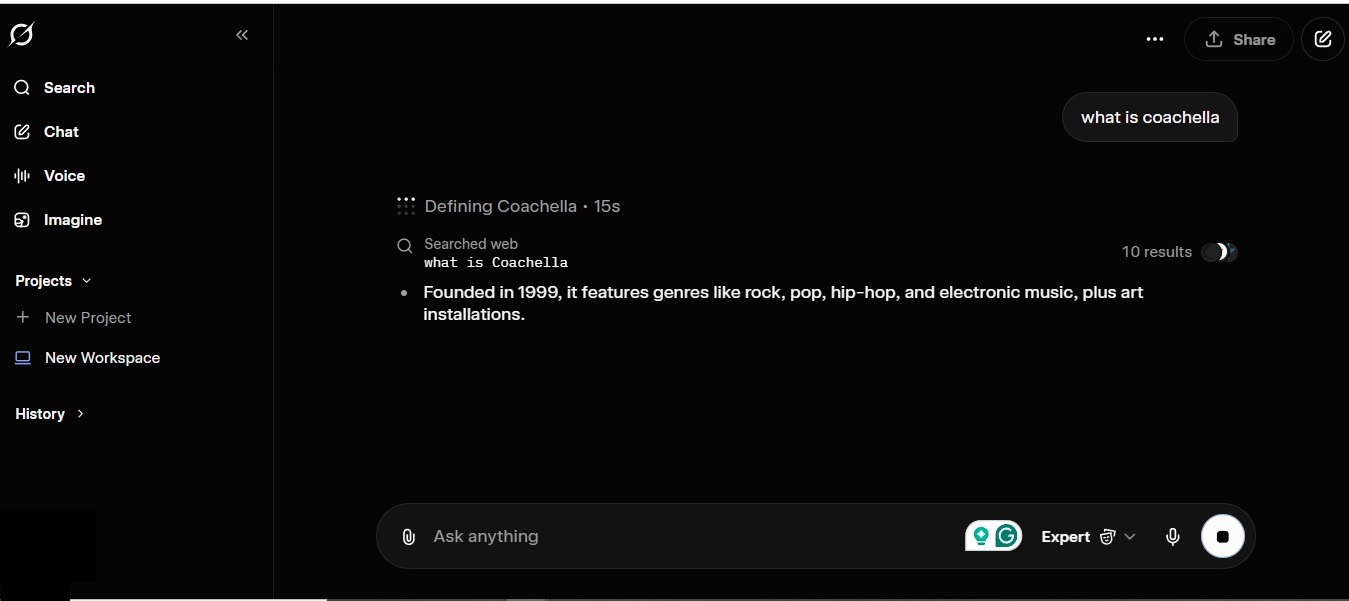
Ask it, “What are people saying about the new iPhone launch?” and instead of getting a generic summary from training data, you’ll get actual quotes, trending opinions, and a pulse check on the conversation. That’s genuinely useful for journalism, market research, trend analysis, or just staying informed.
Conversational Chat With Personality
Grok talks differently. Most AI chatbots are polished to the point of sounding like a customer service rep. Grok is more willing to crack a joke, take a stance, push back on your question, or give you a slightly spicier answer. Some people love it, some find it annoying, but it’s a real point of difference.
Image Understanding and Generation
You can upload an image and ask Grok about it — what’s in it, what it means, what’s wrong with it. It’s solid at this. Grok also has an image generator (originally called Aurora, now mostly rolled into the Grok Imagine product) that can create pictures from text prompts. Quality is decent, not best-in-class.
Video Generation (Grok Imagine)
Grok Imagine is xAI’s text-to-video and text-to-image tool. You type a description, and it generates a short video clip. It blew up in popularity in 2025 when it was free, then got locked behind a paywall in March 2026, which made a lot of users very unhappy.
Voice Mode
You can talk to Grok out loud, and it talks back. Useful for hands-free use, studying on the go, or just when you don’t feel like typing. Multiple voice styles are available, some with noticeable personality.
Coding Help
Grok handles code pretty well. Not best-in-class like Claude Opus, but solid for most everyday programming tasks — debugging, writing scripts, explaining what a function does, refactoring. If you’re not doing deep engineering work, Grok gets the job done.
Long-Context Document Handling
You can feed Grok long documents — research papers, reports, legal contracts — and ask it to summarize, extract information, or answer specific questions. The newer versions (especially 4.3 beta) are noticeably better at this than older ones.
Reasoning Mode
For harder problems, you can switch Grok into thinking mode. It takes longer but works through complex logic, math, or analysis step by step. Great for STEM homework, code debugging, or anything that needs actual reasoning instead of surface-level answers.
Here’s a quick feature overview you can screenshot:
| Feature | What It Does | How Useful It Is |
|---|---|---|
| Real-Time X Data | Pulls live posts and trends | Best-in-class — no competitor matches it |
| Chat With Personality | Conversational, less filtered | Great for casual use, hit or miss for business |
| Image Understanding | Analyzes uploaded images | Solid, reliable |
| Image Generation | Creates images from text | Decent, not top-tier |
| Grok Imagine (Video) | Makes short videos from text | Great, but paywalled now |
| Voice Mode | Talk-to-Grok conversations | Fun, increasingly useful |
| Coding Help | Writes and debugs code | Good for most tasks |
| Document Analysis | Reads long PDFs and files | Strong, improving fast |
| Reasoning Mode | Step-by-step thinking | Essential for hard problems |
Real Use Cases: What People Actually Use Grok For
Let’s get specific. Here’s how real people — students, creators, developers, professionals — actually use Grok day to day.
Students and Researchers
This is probably the biggest user segment. Students use Grok for essay brainstorming, breaking down complex topics into plain English, summarizing long readings, explaining math problems step by step, and quizzing themselves before exams. The real-time web access is especially useful for current-events papers where training data alone would be outdated. The two-month free SuperGrok program for students (with a .edu email) made it even more popular in academic circles.
Content Creators
Grok is popular with creators for a few specific reasons — it has personality, it’s not overly filtered, and the Grok Imagine tool (when you’re willing to pay) is genuinely good for generating short video content. TikTok creators, meme accounts, and YouTube Shorts makers have been using it heavily. Before Imagine got paywalled, it was basically the default for AI video on social media.

Developers and Engineers
Programmers use Grok for everyday coding help — writing functions, debugging errors, explaining unfamiliar code, and generating boilerplate. It’s not the best pure coding model on the market (that’s Claude Opus 4.7 right now), but it’s more than capable for most use cases and integrates well with the X developer ecosystem.
Marketers and Social Media Managers
This is where the real-time X integration becomes a killer feature. Marketers use Grok to analyze public sentiment around brands, track trending topics, identify conversations worth joining, and draft posts that fit the current vibe. No other AI does this as naturally.
Journalists and Researchers
Breaking news research, sentiment analysis, pulling quotes from public posts, tracking how a story is developing — Grok is surprisingly underrated in journalism circles. The live data access saves hours of manual X searching.
Casual Everyday Users
And honestly? A huge chunk of Grok’s audience just uses it like a smart friend. Quick questions, random curiosity, settling arguments, writing birthday messages, getting recipe ideas, planning trips. The low friction (no credit card, works without an X account, free tier is generous enough) makes it easy to just pull up and ask whatever.
| User Type | Top Use Case |
|---|---|
| Students | Homework help, research, study guides |
| Content Creators | Video generation, caption writing, trend analysis |
| Developers | Coding help, debugging, documentation |
| Marketers | Sentiment analysis, trend tracking, copy drafting |
| Journalists | Breaking news research, quote pulling |
| Everyday Users | Quick answers, casual chat, life admin |
Pros and Cons: The Honest Breakdown
Every AI tool has strengths and weaknesses, and Grok is no exception. Here’s the real deal, no marketing polish.
What Grok Gets Right
- Real-time data is actually real-time. This isn’t a small deal. When every other AI model is telling you “my information might be outdated,” Grok is pulling live posts. For anything current, it’s unbeatable.
- Personality. It’s more fun to talk to. That matters more than people admit — if using an AI feels like a chore, you use it less. Grok makes conversations feel less robotic.
- Less filtered. Grok will actually take a stance, give you an opinion, or answer questions that other AIs refuse to touch. For creative work, research, and honest feedback, that’s a big plus.
- Free tier is legitimately usable. You get real access without paying. Not every competitor can say that honestly.
- Fast development pace. xAI ships updates constantly. The Grok you use today is noticeably different from the Grok of six months ago. Things move fast.
- Great multimodal capabilities. Image understanding, video analysis, voice mode — it handles more than just text, and handles it well.
Where Grok Falls Short
- Not the best at pure coding. Claude Opus 4.7 is objectively better for serious software engineering right now. Grok is fine, but if coding is your main thing, look elsewhere.
- Inconsistent policies around free features. The Grok Imagine paywall came out of nowhere and burned a lot of trust. Users never know when a free feature is going to get locked behind a subscription.
- Tied to X. For some people that’s great (real-time data). For others, it’s a turn-off (political baggage, Elon-ness, etc.). You can’t fully separate Grok from X.
- Lack of transparency. xAI is notoriously bad at publishing detailed model cards, benchmarks, and documentation. Compared to Anthropic’s detailed releases, xAI feels like they’re making it up as they go.
- Personality can go too far. The same unfiltered tone that makes Grok fun for casual chat can be weirdly off-brand for business use. It’s not great for customer-facing applications.
- The premium tiers are expensive. SuperGrok Heavy runs around $300 a month, which is genuinely a lot. You’re paying frontier prices without always getting frontier-level performance.
| Pros | Cons |
|---|---|
| ✅ Best-in-class real-time data | ❌ Not top-tier for serious coding |
| ✅ Engaging personality | ❌ Features get paywalled unpredictably |
| ✅ Less filtered, more honest | ❌ Tied to X ecosystem (good or bad) |
| ✅ Generous free tier | ❌ Weak documentation and benchmarks |
| ✅ Rapid development pace | ❌ Personality can feel off in professional use |
| ✅ Solid multimodal features | ❌ Top tier is expensive ($300/mo) |
Who Should Actually Use Grok?
Let me save you some time and be blunt about who Grok is right for and who should look elsewhere.
You should probably use Grok if: you want real-time information, you like a chatbot with personality, you’re already on X, you’re a student who can grab the free SuperGrok trial, you’re a creator working on trend-based content, or you just want a free AI that feels less corporate than ChatGPT.
You should probably skip Grok if: you need a model for production-grade coding (Claude Opus 4.7 is better), you want the most polished user experience and broadest ecosystem (ChatGPT wins), you need massive long-context document analysis on a budget (Gemini 3.1 Pro), or you don’t want anything to do with the X ecosystem.
Honestly, most people end up using two or three AIs side by side depending on the task. Grok for real-time stuff and casual chat, Claude for coding, ChatGPT for general reliability, Gemini for long documents. That’s genuinely how power users operate in 2026.
Final Thoughts
Grok isn’t the best AI at everything, but it’s the best AI at some things. Real-time information, conversational personality, and no-credit-card access are genuinely valuable features that the competition hasn’t fully matched. At the same time, the company’s uneven transparency, unpredictable paywall moves, and coding gaps mean it’s not a clean “use this for everything” recommendation either.
The smart play is to understand what Grok is built for and use it where it shines. If you’re writing a paper on a trending topic, trying to track a breaking story, or just want to have a real conversation with an AI that feels less like a corporate assistant and more like a slightly chaotic friend — Grok is genuinely excellent.
For everything else, there are better tools. And that’s okay. The AI landscape in 2026 isn’t about picking one winner. It’s about knowing what each one does best and using them accordingly.
Now you actually know what Grok is. Go do something useful with that.
You May Also Like
 AI Tool Reviews
How to Use ChatGPT for Beginners: The Complete Step-by-Step Guide (2026)
 AI Tool Reviews
GPTZero vs ZeroGPT: Which AI Detector Actually Holds Up in the Real World?
 AI Tool Reviews
Kimi vs ChatGPT: Is Kimi AI Actually Better Than ChatGPT?
 AI Models
Kimi K2.6 vs Claude Opus 4.7: Which AI Comes Out on Top?
 ChatGPT
Grok vs ChatGPT: Is Grok Actually Better Than ChatGPT?
 AI Tool Reviews