
So, is ChatGPT without login really free? Yes, ChatGPT is free to use without a login. OpenAI lets you open a browser, go to chatgpt.com, and start chatting right away. No email. No password. No sign-up form. You get instant access to a basic AI model without spending a single dollar.
But here’s what most people miss. The no-login version gives you a very limited experience. You don’t get access to GPT-5.4, the model that logged-in free users enjoy. Instead, you’re stuck with an older, slower model. You can’t upload files. You can’t generate images. You can’t save your chats. So while the door is open, only a few rooms inside are available to you.
I’ve spent months testing both versions side by side. The difference is real. If you only need a quick answer once in a while, the no-login option works fine. But the moment you want something more useful, you’ll feel the limits fast. This guide walks you through every detail so you can decide what works best for your situation.
How Does ChatGPT Work Without an Account?
ChatGPT without an account runs on a basic AI model that generates text responses to your questions. You type something in, and the system predicts the best answer based on patterns it learned during training. The whole process happens in a few seconds.
OpenAI first introduced this no-login feature in April 2024. The goal was simple. Let more people try AI without friction. Since then, hundreds of millions of people worldwide have used ChatGPT. As of 2026, over 200 million users access ChatGPT every week across all tiers.
The no-login version processes basic text queries. It understands natural language. It handles typos, slang, and common grammar mistakes. But it can’t browse the web. It can’t read your documents. It can’t remember what you said five minutes ago if you close the tab.
How Do You Access ChatGPT Without Signing Up?
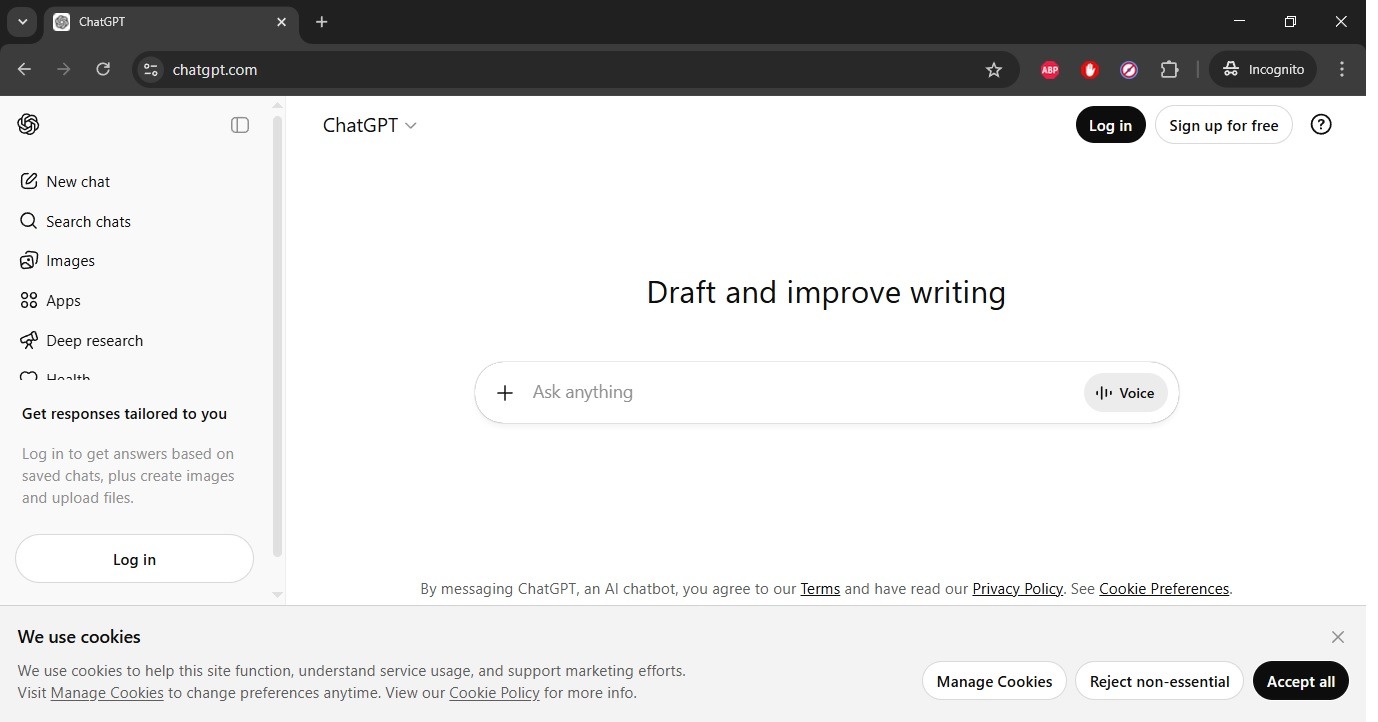
Open any web browser and go to chatgpt.com to start using ChatGPT without an account. The process takes about 5 seconds. No apps to download. No forms to fill.
Here are the 4 steps to get started:
- Open Chrome, Safari, Firefox, or Edge on your device
- Type chatgpt.com in the address bar
- Click “Stay logged out” or “Continue without registering” when the pop-up appears
- Type your question in the message box and press Enter
This works on desktops, laptops, tablets, and smartphones. You can also download the ChatGPT app on iOS or Android and use it without creating an account. The app gives you the same basic access as the web version.
What Model Does the No-Login Version Use?
The no-login version runs on GPT-3.5, which is an older and less capable model. This is the biggest gap between logged-in and no-login users. It matters more than most people realize.
Here’s why. Free users with an account get access to GPT-5.3 as of 2026. That’s the same model family that powers the paid plans. GPT-5.4 delivers stronger reasoning, better accuracy, and faster responses.
The difference shows up in 3 clear ways:
- Context window: GPT-3.5 handles about 8,000 tokens (roughly 6 pages of text). GPT-5.3 handles 128,000 tokens (roughly 300 pages).
- Accuracy: GPT-5.4 produces more precise and up-to-date answers than GPT-5.3.
- Speed: GPT-5.4 responses take 5-15 seconds during peak hours. GPT-5.3 delivers answers in 1-3 seconds.
If you only need quick, simple answers, GPT-5.3 does the job. But for anything that requires depth, accuracy, or reasoning, the difference between models is significant.
What Can You Do on ChatGPT Without Login?
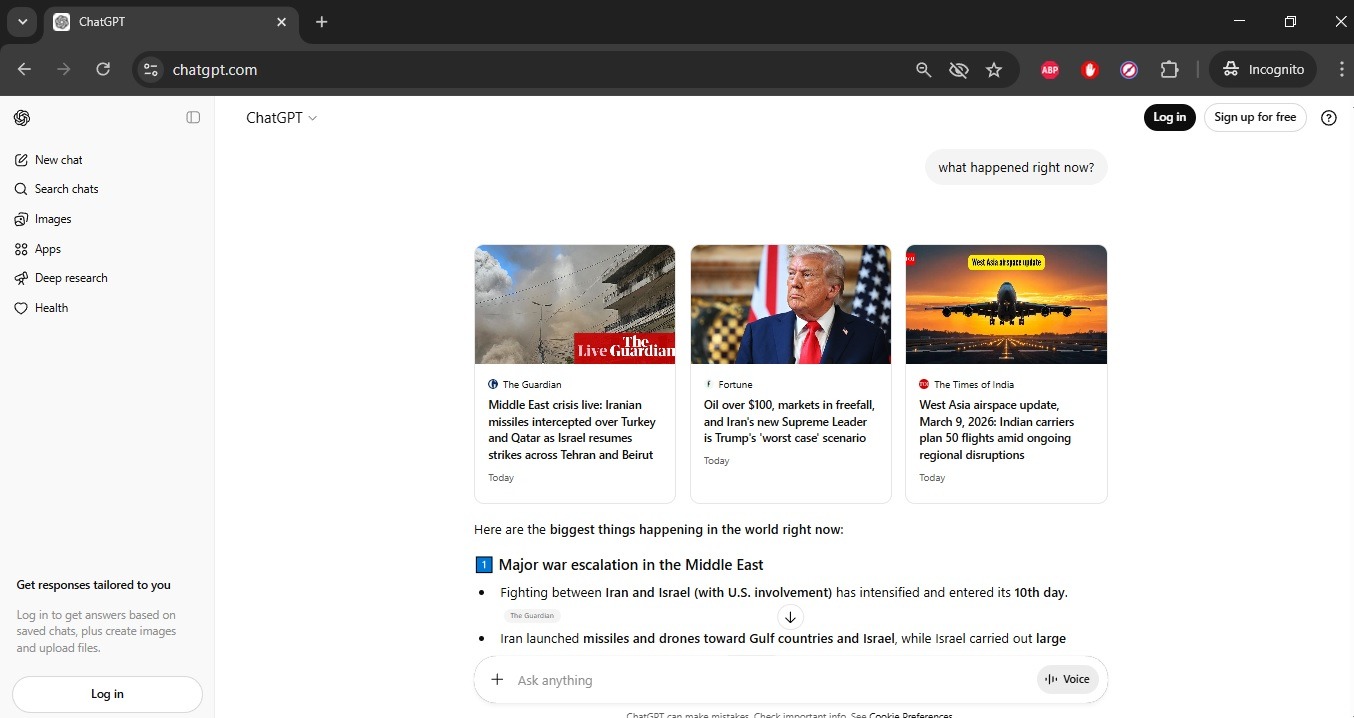
The no-login version handles basic text conversations, simple questions, and short writing tasks. It covers the essentials. But the feature list is much shorter than what logged-in users enjoy.
Here are 5 things that work without an account:
- Ask factual questions about topics like history, science, and geography
- Write short paragraphs, emails, and social media posts
- Fix grammar mistakes in your text
- Solve basic math problems and equations
- Get simple coding help in languages like Python and JavaScript
These tasks work well enough for casual use. I’ve used the no-login version to quickly check facts and draft short messages. It handles those situations without issues.
What Features Are Blocked Without Login?
You lose access to 8 important features when you skip the login process. These aren’t small extras. Several of them completely change how useful ChatGPT becomes as a tool.
Here’s the full list of what stays locked:
- GPT-5.3 model access — the no-login version defaults to a much older model
- Web search — you can’t get real-time, up-to-date information from the internet
- Chat history — every conversation disappears when you close the browser
- File uploads — you can’t share PDFs, Word documents, spreadsheets, or images
- Image generation — creating pictures with DALL-E requires an account
- Custom GPTs — thousands of specialized chatbots in the GPT Store stay locked
- Memory between sessions — the AI can’t remember your preferences or past chats
- Voice mode — speaking to ChatGPT requires login through the mobile app
The chat history issue creates real frustration. I once worked through a long coding problem without login, accidentally closed my tab, and lost the entire conversation. That experience taught me to always copy important responses before closing the browser.
How Does the Free No-Login Version Compare to Paid Plans?
OpenAI now offers 5 tiers for ChatGPT: Free (no login), Free (with login), Go ($8/month), Plus ($20/month), and Pro ($200/month). Each tier adds more power and fewer restrictions. The gap between no-login and the paid plans is wide.
| Feature | No Login | Free (Login) | Go ($8/mo) | Plus ($20/mo) | Pro ($200/mo) |
|---|---|---|---|---|---|
| AI Model | GPT-5.3 | GPT-5.3 (limited) | GPT-5.4 Instant | GPT-5.4 full | GPT-5.4 Pro |
| Web Search | Yes Available | Available | Priority | Fast | Instant |
| Chat History | Not saved | Saved | Saved | Saved | Saved |
| Image Generation | Not available | Basic (daily limit) | Available | DALL-E 4 | DALL-E 4 Pro |
| File Uploads | Not available | Available | Available | Full access | Advanced |
| Custom GPTs | Not available | Available | Available | Available | Available + creation |
| Context Window | 8K – 32K tokens | 128K tokens | 128K tokens | 200K tokens | 200K+ tokens |
| Response Speed | 5-15 seconds | 3-8 seconds | 1-3 seconds | 0.5-2 seconds | Under 1 second |
| Message Limits | Very tight | 10 GPT-5.4 msgs / 5 hrs | ~100 msgs / 5 hrs | ~500 msgs / 5 hrs | Unlimited |
| Ads | None | Yes (US) | Yes (US) | None | None |
The ChatGPT Go plan at $8 per month launched in January 2026. It fills the gap between the free tier and Plus. You get more messages, faster speeds, and expanded access to GPT-5.4. OpenAI introduced this tier alongside ads for Free and Go users in the United States.
Does OpenAI Show Ads on the Free Version?
Yes, OpenAI started showing ads to free and Go tier users in February 2026. This applies to logged-in users in the United States. The ads appear clearly labeled and separate from your conversation.
OpenAI states that your conversations remain private from advertisers. The company does not sell your chat data. However, it uses minimal data for ad personalization when ads are enabled. You can opt out of ad personalization in your account settings, but opting out may reduce your daily message limits.
No-login users currently don’t see ads since they aren’t tracked through an account. But they also get far fewer features in return.
Does ChatGPT Collect Your Data Without Login?
OpenAI collects limited data even from users who skip the login process. Your conversations may be used to train future AI models. The company also stores IP addresses and basic browser information during your session.
Here’s what makes this tricky. With an account, you can go into settings and turn off data training. Without an account, you don’t have that option. So while the no-login version feels more private on the surface, logged-in users actually get more control over their data.
If privacy matters to you, keep these 3 practices in mind:
- Don’t share sensitive information like passwords, financial details, or personal identification numbers in any ChatGPT conversation
- Use a VPN if you want to mask your IP address
- Consider creating a free account just to access the data privacy controls
Who Benefits Most From ChatGPT Without Login?
Casual users who need quick, one-time answers benefit most from the no-login version. It fits a specific set of situations. Not every situation, but some work well.
The no-login option is right for you if you want to:
- Test ChatGPT before committing to an account
- Get a fast answer on a shared, public, or borrowed computer
- Avoid sharing personal data with OpenAI
- Help a friend or family member try AI for the first time
- Answer a single question without creating yet another online account
The no-login option is not right for you if you need to:
- Save conversations for future reference
- Upload and analyze documents, images, or spreadsheets
- Generate images with DALL-E
- Access GPT-5.3 and its advanced reasoning abilities
- Use ChatGPT as a daily productivity tool for work or school
Is a Free Account Worth Creating?
Creating a free ChatGPT account takes about 90 seconds and unlocks significantly more features. The upgrade from no-login to a free logged-in account is the single biggest jump in value across all of ChatGPT’s tiers.
With a free account, you gain access to GPT-5.3 (limited to 10 messages every 5 hours), web search, file uploads, image generation, the GPT Store, and saved chat history. These features transform ChatGPT from a basic Q&A tool into a real productivity assistant.
The only cost is your email address and agreement to OpenAI’s terms of service. For most people, that trade-off makes sense.
What Are the Best Alternatives That Work Without Login?
Several AI chatbots offer free access without login, including Perplexity AI, Microsoft Copilot, and Google Gemini. Each one provides different strengths depending on what you need.
Here are 5 alternatives worth trying:
- Perplexity AI — focuses on search-based answers with cited sources, no login needed for basic use
- Microsoft Copilot — built on GPT-5, integrated into Edge and Bing, free browser access
- Google Gemini — connected to Google’s ecosystem, real-time search results, free basic access
- HuggingChat — European open-source option, fully free, no registration required, GDPR-compliant
- Claude AI (Anthropic) — handles long text well, free version available, supports 15+ languages
Each platform has different message limits, model capabilities, and privacy policies. Testing 2-3 of them helps you find the best fit for your needs.
Tips to Get the Most Out of ChatGPT Without Login
Use specific, detailed prompts to get better answers from the limited no-login model. Since you’re working with a less powerful version, how you ask matters even more.
Here are 6 practical tips:
- Be specific with your questions — “What are 5 health benefits of drinking green tea?” works better than “Tell me about green tea”
- Copy important responses immediately — your chat disappears when the tab closes
- Break complex questions into smaller parts — ask one thing at a time for clearer answers
- Use ChatGPT during off-peak hours — early morning and late night tend to have faster response times
- Rephrase your question if the answer is weak — different wording often produces better results
- Don’t share personal or sensitive information — treat every no-login conversation as public
Frequently Asked Questions
Is ChatGPT completely free without login?
Yes. OpenAI provides a no-login version of ChatGPT at chatgpt.com that costs nothing to use. You access a basic AI model for text-based conversations without entering any payment information or personal details.
Can you use ChatGPT on your phone without an account?
Yes. The official ChatGPT app on iOS and Android allows use without creating an account. You can also access chatgpt.com through your mobile browser. Both options provide the same basic no-login experience.
Does ChatGPT without login use GPT-5?
Yes. The no-login version runs on GPT-5.3. You need at least a free account to access GPT-5.4, which is OpenAI’s current standard model for logged-in users.
Are your conversations private without login?
Partially. Your chats aren’t linked to a personal account. However, OpenAI may still collect IP addresses and use conversation data for model training. You cannot opt out of data training without an account.
Does the no-login version have a message limit?
Yes. OpenAI applies stricter message caps to no-login users. Reports suggest roughly 10-15 messages per session before the system asks you to sign up or wait. Exact limits vary based on server demand.
Should you create a free account instead?
Yes, for most people. A free account gives you GPT-5.3 access, chat history, file uploads, image generation, web search, and GPTs. The only requirement is an email address. The upgrade in features is substantial compared to the no-login experience.
Is it safe to use ChatGPT without registering?
Yes, on the official OpenAI platform. The website uses HTTPS encryption and standard security protocols. Avoid third-party mirror sites that claim to offer free ChatGPT access, as their security and privacy practices vary widely.
Can you generate images on ChatGPT without login?
No. Image generation with DALL-E requires at least a free logged-in account. The no-login version only supports text-based conversations.
Conclusion
ChatGPT works for free without login. That much is true. You can visit chatgpt.com and start chatting in seconds without sharing any personal information. For quick, one-time questions, it gets the job done.
But the no-login experience is a fraction of what ChatGPT offers in 2026. You miss GPT-5.4, image generation, file uploads, chat history, and custom GPTs. Creating a free account takes 90 seconds and opens up all of these features at no cost. The trade-off is your email address.
If privacy is your top concern and you only need occasional answers, the no-login version serves that purpose. For everyone else, a free account delivers dramatically more value. And if you find yourself using ChatGPT daily, the Go plan at $8/month or Plus plan at $20/month removes most of the remaining limits. Choose the tier that matches how often you use the tool and what tasks you need it for.
You May Also Like
 AI Tool Reviews
How to Use ChatGPT for Beginners: The Complete Step-by-Step Guide (2026)
 ChatGPT
How to Use ChatGPT at Work: Productivity Tips That Actually Save You Hours
 ChatGPT
How to Use ChatGPT Best Prompts
 AI Models
GPT-5.5 vs Claude Opus 4.7 vs Gemini 3.1 Pro: Real Benchmark Results Compared
 ChatGPT
ChatGPT 5.5 Is Here: Benchmarks, What’s New, What’s Different, and Is It Actually Worth the Hype?
 ChatGPT