

Are you looking for a free plagiarism checker for academic papers? Finding an accurate and reliable plagiarism checker for academic writing is not easy. Most tools are designed for bloggers and marketers, and they often fail to meet the needs of students and researchers.
Paperpal plagiarism checker is an AI-powered tool built by Cactus Communications (CACTUS) that scans your documents against published journals, web content, and open-access databases to detect text similarity. It does more than catch copied words. It also spots missed citations and highlights matching sources so you can fix problems before you submit your work.
I tested Paperpal on various document types, from short essays to research manuscripts and conference papers. In this review, I break down how it works, its pricing, its accuracy, and how it compares with popular tools like Turnitin, iThenticate, and Grammarly. By the end, you’ll know whether Paperpal is the right fit for your academic writing workflow.
What Is Paperpal and Who Made It?
Paperpal is an AI-driven academic writing assistant developed by Cactus Communications, a company founded in 2002 that serves over 2 million researchers across 170+ countries. The company has deep roots in scholarly publishing, offering manuscript editing, translation, and research support services.
This background is important. The team behind Paperpal understands how academic publishing works from the inside. The tool is trained on real edits made to academic texts, giving it a clear advantage over general-purpose grammar checkers.

Paperpal started as a grammar and language tool. Over time, it grew into a full writing platform. It now includes paraphrasing, AI detection, submission readiness checks, citation generation, aI essay writer, paper checker, ai translator, and plagiarism scanning. You can use it through 3 channels: the web editor at paperpal.com, a Microsoft Word add-in, and a browser extension.
What Features Does Paperpal Offer Beyond Plagiarism Checking?
Paperpal offers 7 core features that cover the full academic writing workflow, from drafting to final submission. The plagiarism checker is just one piece of a bigger toolkit.
Here is what you get:
| Feature | What It Does | Plan Required |
|---|---|---|
| Plagiarism Checker | Scans text against academic databases and web sources | Free (basic) / Prime (full report) |
| Grammar Checker | Catches grammar, spelling, and punctuation mistakes | Free and Prime |
| Paraphraser | Rewrites sentences while keeping your original meaning | Free and Prime |
| AI Detector | Flags text that looks AI-generated | Prime |
| Submission Readiness | Runs 30+ checks to see if your paper meets journal rules | Prime |
| AI Writing Assistant | Helps draft outlines, abstracts, and titles | Free and Prime |
| Translator | Translates academic text across languages | Prime |
The grammar checker is worth mentioning here. In my testing, it picked up some field-specific corrections that other tools didn’t catch. For example, it suggested changing “the reasons for the death of trees” to “tree mortality,” which is the standard term used in academic writing. Small improvements like this may seem minor, but they add up when you’re working on research-heavy documents.
How Does the Paperpal Plagiarism Checker Work?
Paperpal’s plagiarism checker compares your uploaded document against a wide range of sources, including published academic papers, conference proceedings, open-access repositories, and web pages. It scans your text sentence by sentence and generates a detailed similarity report.
The process follows three main steps. First, the system breaks your text into smaller segments. Second, it analyzes those segments using its plagiarism detection algorithm. Third, it generates a report that shows your overall similarity score along with all flagged passages.
You can upload files or paste text directly into the editor, with support for Word documents and plain text. After the scan is complete, the tool highlights matching sentences and provides source links so you can see exactly where the similarities come from.

What Database Does Paperpal Check Against?
Paperpal scans your work against 97% of top academic publications, according to its official page. The database pulls from peer-reviewed journals, preprint servers, repositories like PubMed Central, and general web content. It covers major publishers, including Elsevier, Springer Nature, Wiley, and Taylor & Francis.
One thing you should know. The exact size of Paperpal’s database is not publicly shared. It is smaller than Turnitin’s database, which includes over 99 billion web pages and 1.8 billion student papers. But for most research articles and academic documents, the coverage handles the job.
An interesting detail: Paperpal uses Turnitin’s Similarity Checker technology under the hood. Multiple user reports and Reddit threads confirm this. So when you run a plagiarism scan on Paperpal, you are getting results powered by the same engine many universities use.
What Does the Similarity Report Show You?
The report is clean. You get a total similarity percentage at the top. Below that, flagged sections appear highlighted in your document.
Click any highlighted passage. You see the matching source, its title, the author’s name, and a link to the original content. The report also gives you suggestions on how to rewrite the flagged text.
You can filter your results. Exclude direct quotes. Remove bibliography matches. Skip small matches below a certain word count. This helps you focus on real problems instead of getting distracted by common phrases.
How Accurate Is the Paperpal Plagiarism Checker?
Paperpal’s plagiarism detection accuracy sits around 81–90%, depending on the test and source type. That number needs context, though. Let me break it down.
An independent test ran 100 text excerpts through Paperpal. Half were plagiarized. Half were clean. Here are the results:
| Metric | Score | What It Means |
|---|---|---|
| Overall Accuracy | 81% | Correctly labeled 81 out of 100 passages |
| Precision | 100% | Never flagged a clean passage as plagiarized |
| Recall | 62% | Caught 31 out of 50 plagiarized passages |
| F-Score | 77% | Balanced measure of precision and recall |
Paperpal’s own benchmark analysis claims 90% accuracy when detecting whether a passage is plagiarized or original. The difference between 81% and 90% likely comes from different test conditions and text sources.
Where Does It Catch Plagiarism Well?
From my testing, Paperpal performs best when scanning against well-established academic sources, major publisher databases, and widely indexed websites. If your text overlaps with something published in journals like Elsevier or indexed on platforms such as PubMed, it’s very likely to get flagged.
In practice, it consistently picked up on content taken from top academic journals and mainstream news sites. Straight copy-paste plagiarism was detected almost every time, which shows it does a solid job with direct matching.
Where Does It Miss Things?
Here is where honesty matters. Paperpal struggles with text from smaller, obscure websites and lesser-known online sources. In the independent test mentioned above, about 19 out of 50 plagiarized passages slipped through. Most of those came from niche blogs or hidden corners of the web.
Heavily paraphrased content also creates challenges. Text rewritten using AI paraphrasing tools often passes through without getting flagged. This is not unique to Paperpal. Most plagiarism checkers face this same problem. But you should be aware of it.
The 5–20% similarity zone is a gray area. Scores in this range need your manual review. Anything above 50% is almost certainly plagiarized. Anything under 1% is safe. The middle ground requires human judgment.
Does It Give False Positives?
No. This is where Paperpal shines. In the independent test of 100 passages, Paperpal produced zero false positives. Not a single clean passage was wrongly flagged as plagiarized.
If you are a student worried about your original work getting marked as copied, this should give you peace of mind. Paperpal plays it safe. It only flags content when it is highly confident about a match.
How Much Does Paperpal Cost in 2026?
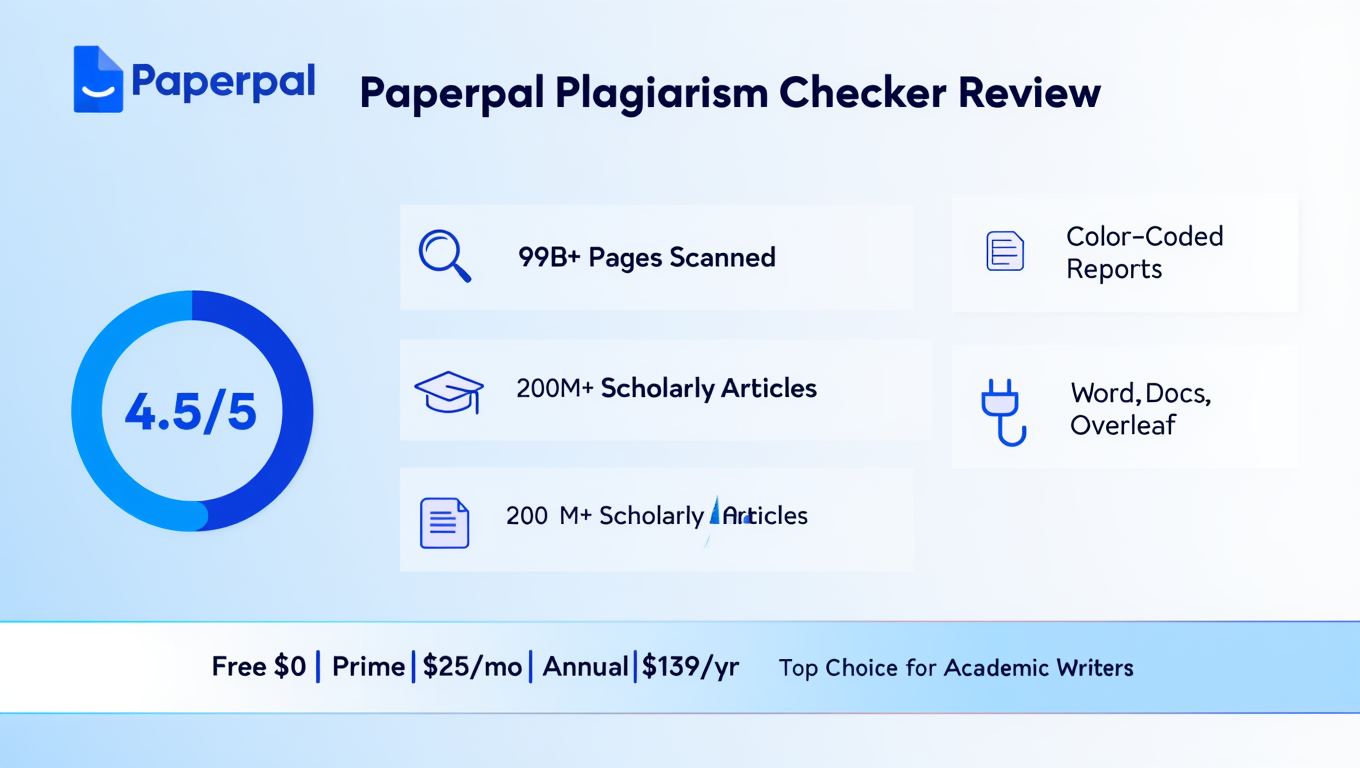
Paperpal Prime plans cost $25 per month, $55 per quarter, or $139 per year. The annual plan works out to roughly $11.58 per month, which saves you about 54% compared to the monthly price.
Here is the pricing breakdown:
| Plan | Price | Plagiarism Word Limit | Key Features |
|---|---|---|---|
| Free | $0 | 7,000 words/month (basic report) | Grammar checker, paraphraser, limited suggestions |
| Prime Monthly | $25/month | 10,000 words/month (full report) | All features unlocked, AI detector, submission checks |
| Prime Quarterly | $55/quarter | 10,000 words/month (full report) | Same as monthly, 27% savings |
| Prime Annual | $139/year | 10,000 words/month (full report) | Same as monthly, 54% savings |
Is the Free Plan Enough for Plagiarism Checking?
The free plan lets you scan up to 7,000 words per month. You get a basic similarity report. However, the full detailed report with source links and rewrite suggestions requires the Prime plan.
For a single short essay or a quick check before submission, the free plan works. But if you are writing multiple papers per month or working on a thesis, you will burn through that limit fast. Students who write 2–3 assignments per month will likely need Prime.
Can You Buy Extra Plagiarism Credits?
Yes. Prime users can purchase additional plagiarism credits if they exceed the 10,000-word monthly limit. This is useful during crunch periods, for example when you are finalizing a dissertation or submitting multiple journal articles at once.
How to Use Paperpal Plagiarism Checker Step by Step
Running a plagiarism check on Paperpal takes 4 simple steps. The process works through the web editor. Here is how to do it:
- Create a free account on paperpal.com or log in to your existing account
- Click “Plagiarism Check” from the left sidebar in the web editor
- Upload your document (Word file) or paste your text directly into the editor
- Wait for the scan to complete and review your similarity report
The scan usually takes around 1–5 minutes, depending on how long your document is. Once it’s done, you’ll see your similarity score along with the sections that were flagged. Each one links directly to the source it matched.
From there, you can fix things however you want—rewrite the section, add citations, or use Paperpal’s paraphrasing tool to clean it up.
In my experience, everything ran smoothly. No crashes, no lag, and nothing in the interface felt confusing or hard to use.
What Are the Pros and Cons of Paperpal Plagiarism Checker?
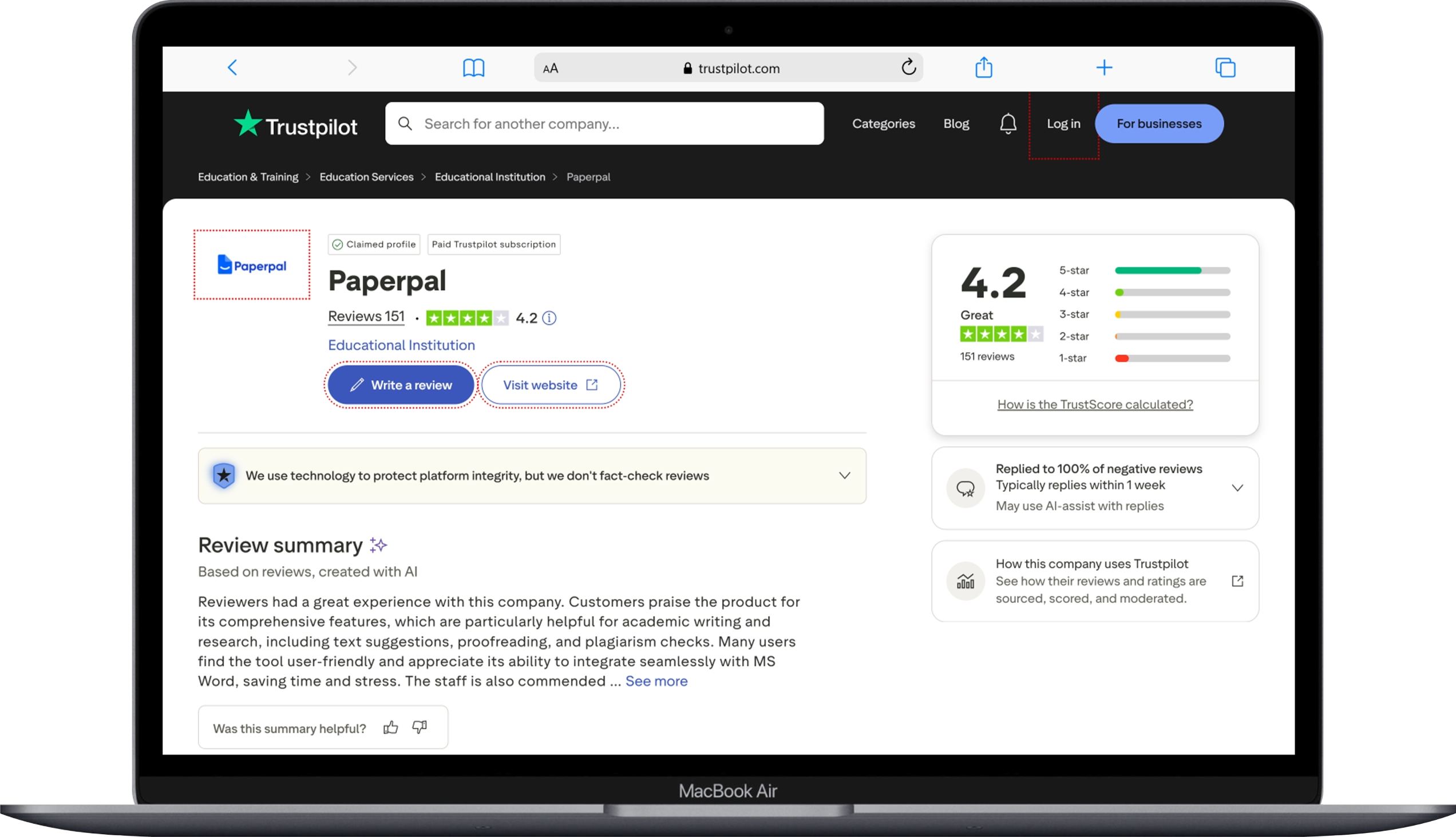
No tool is perfect. Here’s an honest look at where Paperpal does well—and where it falls short based on my testing and real user feedback from platforms like Trustpilot, G2, and Reddit.
What Are the Strengths?
Paperpal offers 6 main advantages for plagiarism checking:
- Low false positives (in most cases) — Paperpal is designed to avoid over-flagging original writing, though no system is completely error-free
- Turnitin-powered technology — it uses similar underlying detection principles as Turnitin, but results may still differ depending on database access
- Structured similarity reports — provides source links, matched text, and author information in a clean layout, making it easier to review results
- Integrated paraphrasing support — flagged sections can be rewritten directly inside the platform, though output still requires manual refinement
- Academic-focused coverage — strong emphasis on journals and scholarly sources, but not as broad as Turnitin’s full institutional database
- Microsoft Word integration — convenient for editing workflows, although advanced features are still primarily web-based
What Are the Weaknesses?
Paperpal has a few important limitations you should keep in mind:
- Moderate recall performance — based on available benchmarks, its ~62% recall rate suggests that some plagiarized content from less common or obscure sources may go undetected
- Monthly word limit on the Prime plan — the 10,000-word cap can feel restrictive if you’re working on long-form projects like theses, dissertations, or multiple submissions in a month
- Limited detection of paraphrased content — rewritten or heavily paraphrased text (including AI-reworded content) is not always reliably flagged, which can be a weakness for deeper academic checks
- Gaps in niche and smaller-source coverage — while it performs well with major academic publishers, it is less consistent when scanning lesser-known websites or niche publications
How Does Paperpal Compare to Turnitin?
Turnitin has a larger database and stronger recall, but Paperpal offers a more affordable option with zero false positives. The two tools serve different audiences.
| Feature | Paperpal | Turnitin |
|---|---|---|
| Database Size | 97% of top academic publications | 99 billion+ web pages, 1.8 billion student papers |
| False Positive Rate | 0% (in independent testing) | Low but not zero |
| Pricing | $11.58–$25/month for individuals | Institutional licenses only (not sold to individuals) |
| Access | Anyone can sign up | Typically available through universities |
| AI Detection | Included in Prime plan | Included in institutional plans |
| Similarity Engine | Uses Turnitin’s technology | Native technology |
Here’s the key difference: Turnitin isn’t something you can just buy as an individual. In most cases, you only get access if your university or institution already has a license.
Paperpal works differently. Anyone can sign up and use it with a paid plan, which makes it far more accessible if your school doesn’t provide Turnitin access. In that situation, it becomes a practical alternative rather than a direct replacement.
It’s also worth mentioning that Paperpal is built using Turnitin’s underlying similarity technology, so the core detection logic is somewhat comparable. But the experience isn’t identical. Turnitin still has a major advantage because of its massive database of student submissions, which helps it catch self-plagiarism or submission-to-submission matching that tools like Paperpal are more likely to miss.
How Does Paperpal Compare to Grammarly’s Plagiarism Checker?
Grammarly’s plagiarism checker scans content against ProQuest’s academic database and a large web index of around 16 billion pages. Paperpal, on the other hand, focuses more on academic and scholarly sources and uses Turnitin-based technology for similarity detection.
In terms of pricing, both tools sit in a similar range. Grammarly Premium is about $12 per month (annual plan), while Paperpal Prime is around $11.58 per month. So cost isn’t really the deciding factor here.
The real difference is in how they’re used. Grammarly is built for general-purpose writing—things like emails, blog posts, marketing copy, and business documents. Its plagiarism checker reflects that, pulling from a broader mix of web content.
Paperpal is much more focused on academic writing. It’s designed for research papers, journal submissions, theses, and dissertations, where matching against scholarly sources matters more than general web content.
So the choice really depends on what you’re writing. If your work is mostly academic, Paperpal tends to surface more relevant matches from scholarly publications. If you’re writing for the web or professional communication, Grammarly’s broader coverage is often more useful.
A lot of people actually end up using both: Grammarly for clarity and tone, and Paperpal for academic-level plagiarism checks.
How Does Paperpal Compare to iThenticate?
iThenticate is the gold standard for journal submission plagiarism checks, but it costs significantly more than Paperpal. Most academic publishers use iThenticate to screen submitted manuscripts.
iThenticate charges per document. Prices start around $100 for a single document check. Paperpal gives you 10,000 words per month for $11.58–$25 per month. The cost difference is massive.
For individual researchers checking their own work before submission, Paperpal offers far better value. For publishers and institutions running high-volume checks, iThenticate offers deeper and broader coverage.
If your journal submission gets screened by iThenticate, running a Paperpal check first is still smart. It catches the obvious matches so you can clean them up. Then the publisher’s iThenticate scan is less likely to flag problems.
Who Should Use Paperpal Plagiarism Checker?
Paperpal’s plagiarism checker works best for 4 types of users:
- Graduate students writing theses and dissertations who need to verify originality before submission to their university
- Researchers preparing journal manuscripts who want to catch accidental text overlap before peer review
- Non-native English speakers who benefit from the combined grammar correction, paraphrasing, and plagiarism detection in one platform
- Undergraduate students working on essays and term papers who want a reliable check without institutional Turnitin access
If you are a professor or institution looking to screen student submissions for plagiarism, Paperpal is not the right fit. Its 62% recall rate means too many plagiarized passages could slip through. Turnitin remains the better choice for that use case.
What Do Real Users Say About Paperpal?
User reviews on Trustpilot, G2, and Reddit paint a mixed picture. The overall sentiment is positive for the writing features but cautious about the plagiarism checker.
On Trustpilot, multiple users praise the grammar correction and manuscript editing features. One professor from Sorbonne, Paris said their article got accepted for publication after using Paperpal. A student from the USA said they went from B grades to A grades on their papers.
On Reddit, users are more skeptical about the plagiarism checker specifically. One thread pointed out that the accuracy is not high enough to rely on alone. Multiple users recommended combining Paperpal with Turnitin or another tool for thorough checking.
On G2, Paperpal holds solid ratings for its all-in-one approach. Users appreciate that grammar checking, paraphrasing, and plagiarism scanning live in the same platform. The biggest complaint is the word limit on plagiarism checks.
Can Paperpal Detect AI-Generated Content?
Yes, Paperpal includes an AI detection feature in its Prime plan that identifies text generated by tools like ChatGPT, Gemini, Deepseek, Grok, GLM from Z.ai, Kimi Ai, and Claude. This is a separate feature from the plagiarism checker but it works alongside it.
The AI detector scans your document and flags passages that appear machine-generated. This helps students and researchers verify that their work reads as human-written before submitting it. However, independent tests show mixed results on accuracy. One test found that Paperpal’s humanizer feature still got flagged by GPTZero with a 94% AI detection score.
The AI detection feature is useful as a quick sanity check. But it should not be your only tool for verifying human authorship.
Is Paperpal Safe and Private?
Paperpal states that uploaded documents are not stored permanently or shared with third parties. Your text is processed for analysis and then discarded. This matters for researchers working with unpublished findings and sensitive data.
However, if privacy is a top concern, you should read the full terms of service. Some users on Reddit have raised questions about how data flows between Paperpal and Turnitin’s similarity engine. Since Paperpal uses Turnitin’s technology for plagiarism checks, your text does get processed through that system.
For most users, the privacy level is acceptable. For those working on patent-pending research or classified projects, running any cloud-based plagiarism check carries some risk.
Frequently Asked Questions
Is Paperpal Plagiarism Checker Free?
Yes, but with limits. The free plan lets you scan up to 7,000 words per month and provides a basic similarity report. The full detailed report with source links, rewrite suggestions, and in-depth analysis requires the Prime plan, which starts at $11.58 per month on the annual billing option.
Is Paperpal Plagiarism Checker Accurate Enough for Journal Submission?
Yes, for catching obvious text matches from major sources. Paperpal’s precision is 100% in independent testing, meaning it does not flag original content as plagiarized. Its overall accuracy ranges from 81–90%. For journal submissions, it works well as a first-pass check. Combine it with your publisher’s screening tool for the safest results.
Does Paperpal Use Turnitin Technology?
Yes. Multiple sources, including user reports and community forums, confirm that Paperpal integrates Turnitin’s Similarity Checker engine for its plagiarism detection. This means the core comparison technology is the same one used by thousands of academic institutions worldwide.
Can Paperpal Replace Turnitin?
No, not entirely. Turnitin has a much larger database that includes 1.8 billion student papers. That student paper database is critical for catching submission-to-submission plagiarism. Paperpal works well as an individual tool for self-checking before submission, but it does not match Turnitin’s breadth of coverage.
Is Paperpal Better Than Grammarly for Plagiarism Checking?
Yes, for academic work specifically. Paperpal’s database is focused on scholarly publications and peer-reviewed journals. Grammarly’s plagiarism checker uses ProQuest and general web sources. If your writing is academic, Paperpal gives more relevant matches. If your writing is general content, Grammarly covers more web-based sources.
Does Paperpal Work With Microsoft Word?
Yes. Paperpal offers a Microsoft Word add-in that lets you check grammar, paraphrase, and access editing suggestions directly inside your document. The plagiarism check itself runs through the web editor, not through the Word add-in. You upload your file on paperpal.com to run the scan.
How Long Does a Paperpal Plagiarism Scan Take?
A scan typically takes 1–5 minutes depending on your document length. Shorter essays finish within a minute. Longer manuscripts with 8,000–10,000 words can take up to 5 minutes. The process runs in the background, so you can work on other things while waiting.
Is Paperpal Detected by University Plagiarism Checkers?
No. Using Paperpal to check your own work does not leave any mark or flag on your document. It is a self-checking tool. Your university’s Turnitin or similar system runs its own independent scan. The two systems do not communicate with each other about your usage.
Can Paperpal Check for Self-Plagiarism?
Yes. If you have previously published work that exists in academic databases, Paperpal’s scan will flag text that matches those publications. This helps researchers avoid accidentally reusing their own published language in new manuscripts, which many journals consider a violation.
Is the 10,000-Word Monthly Limit Enough?
No, for heavy users. A standard research paper runs 6,000–8,000 words. That means you get roughly 1–2 full paper scans per month. If you are writing multiple papers, chapters of a dissertation, or checking revised versions, you will need to buy additional credits. For occasional use, the limit works fine.
The Bottom Line on Paperpal Plagiarism Checker
Paperpal plagiarism checker is a solid tool with a specific sweet spot. It works best for individual students and researchers who want to self-check their academic writing before submission. The zero false positive rate means your original work will not get wrongly flagged. The Turnitin-powered engine gives you credible results backed by trusted technology.
But it is not perfect. The 62% recall rate means some plagiarized content from obscure sources can sneak past. The 10,000-word monthly limit feels tight for anyone juggling multiple papers. And heavily paraphrased content often passes through undetected.
My honest recommendation? Use Paperpal as your first-pass plagiarism check. It catches the obvious matches. It shows you where to add citations. It helps you clean up your document. Then if your work is heading to a high-stakes submission, like a journal manuscript or a final thesis, combine it with a second tool or rely on your institution’s Turnitin scan for the final safety net.
For $11.58 per month on the annual plan, you get plagiarism scanning plus grammar checking, paraphrasing, AI detection, and submission readiness checks all in one platform. That is genuine value. No other single tool at this price point gives you that full academic writing package.
Paperpal is not the most powerful plagiarism checker out there. But it is one of the most practical for individual academic writers who need a reliable, affordable, all-in-one solution. If that sounds like your situation, it is worth trying the free plan first to see how it fits your workflow.
You May Also Like
 AI Tool Reviews
How to Use ChatGPT for Beginners: The Complete Step-by-Step Guide (2026)
 AI Tool Reviews
GPTZero vs ZeroGPT: Which AI Detector Actually Holds Up in the Real World?
 AI Tool Reviews
Kimi vs ChatGPT: Is Kimi AI Actually Better Than ChatGPT?
 AI Models
Kimi K2.6 vs Claude Opus 4.7: Which AI Comes Out on Top?
 ChatGPT
Grok vs ChatGPT: Is Grok Actually Better Than ChatGPT?
 AI Tool Reviews